
pokemman - Minecraft Skins & Skin History
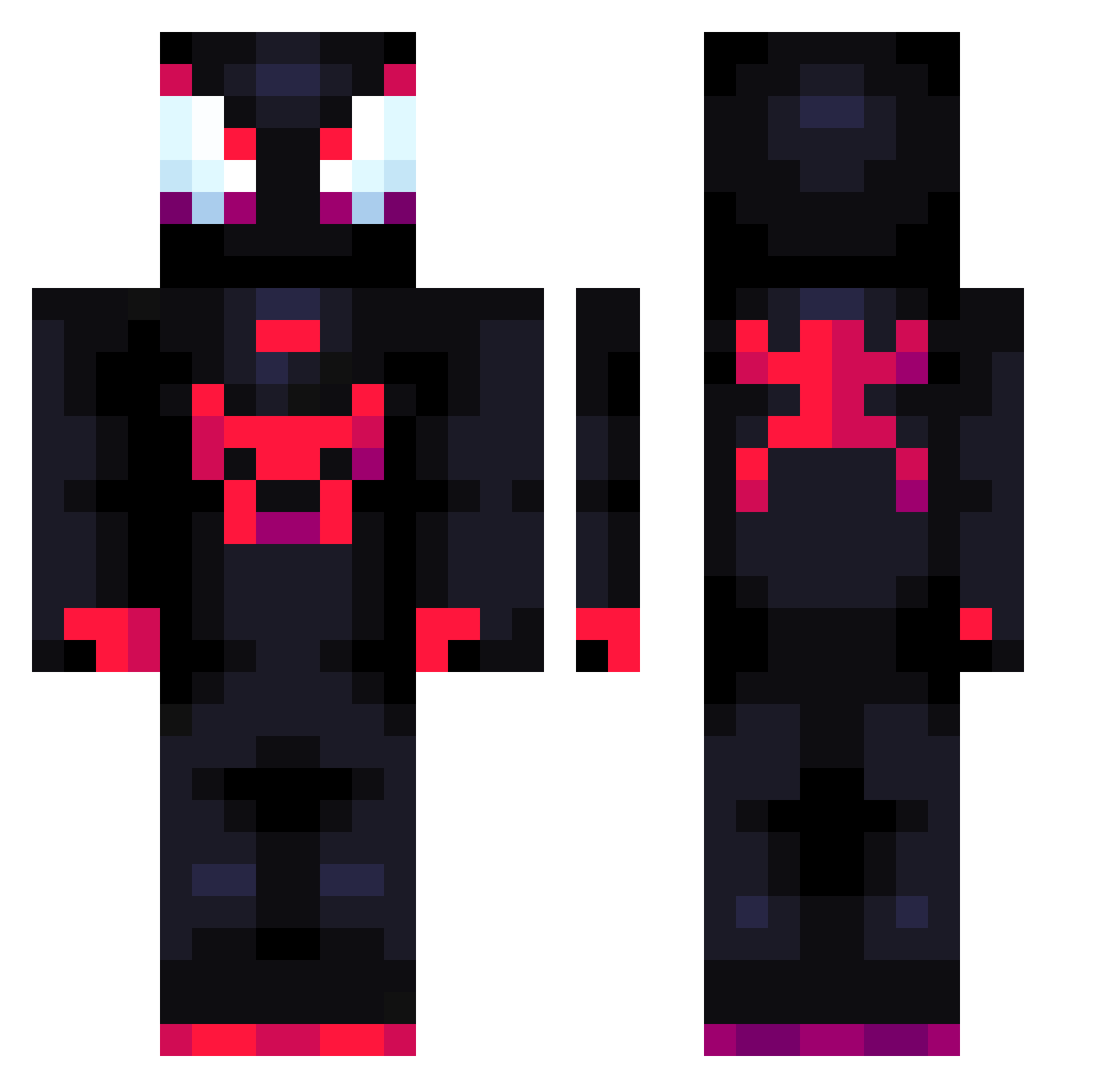
Current Minecraft skin of the player pokemman, loaded from the official Mojang API. Rotate the 3D model with your mouse or finger, then download the skin as a PNG file and use it in Minecraft: Bedrock Edition or Java Edition for free. When pokemman changes their skin, this page updates automatically and the old skin stays in the history below.
Other players with this skin (688)
pokemman was the 647th player we have seen with this skin, first spotted on 13.10.2026. The same skin was seen on these players. Open a nickname to see their current skin and skin history.
 Balumuka I_Wish_I_Knew Storzo yayitag Afro_nkm Monkeys21 Cici_021 Vegittox kebab33 GassMeUp1 LordVirusX AnthonyGamer13 damnboy sergin221 Aronas126 elanman YBG13 ReesesCheeses JohnDiesel Slownnegan Theronaldo09 coccoooo Doonioo BadGeetansh Petrobaz notlxlo Mermaid_Maggi Golompes zxhionan ELalbobobbo mayneznocringe _Fiend_1 bry4n64 wsgwnico Pifty AWITADECOCO_20 Yisuse98 Miles_Morales36 davidopr123 TheCrazyDark RPlegit_ disa00 semyanin Pecons PoliceSteveRay Ehehgirl Puebla1508 EpicDVC Mythics_Aspects ItsHoZay StewedGoat38738 elypzy Hugoboz Stateipow Hailcy_ MrGrace120 MoNoLee TheMagical23 Thepacbandit1 naosan13
More Miles Morales Minecraft skins
See all 226 Miles Morales skins
How to install the pokemman skin
- Press the Download button above to save the skin as a PNG file.
- Minecraft: Bedrock Edition (PE): open the Dressing Room from the main menu (or tap your character → Edit Character), go to Classic Skins → Owned, press the + (new skin) button, choose the downloaded PNG and pick the Classic (Steve) model. Works on PC and mobile; consoles cannot import custom skins.
- Minecraft: Java Edition: open the Minecraft Launcher, go to the Skins tab, click New Skin, load the PNG, pick the Classic (Steve) model and press Save & Use. You can also upload it at minecraft.net → Profile → Change Skin.
The skin does not show up after import - what should I do?
Restart Minecraft and open the Dressing Room again - imported skins sometimes appear only after a restart. Also make sure you selected the imported skin and picked the Classic (Steve) model.
Which model should I choose, Classic or Slim?
This skin is designed for the Classic (Steve) model. If you pick the wrong model, the arms of the skin will look stretched or squeezed.
Is the skin of pokemman free to download?
Yes. Press Download, save the PNG file and use it in Minecraft: Bedrock Edition or Java Edition - no payment or registration needed. The skin also works on multiplayer servers and Realms.
More skins
Looking for more? Go back to all Minecraft skins and check the top skins of the week, month and all time, or find any player's skin by nickname.