
pointofauthority - Minecraft Skins & Skin History
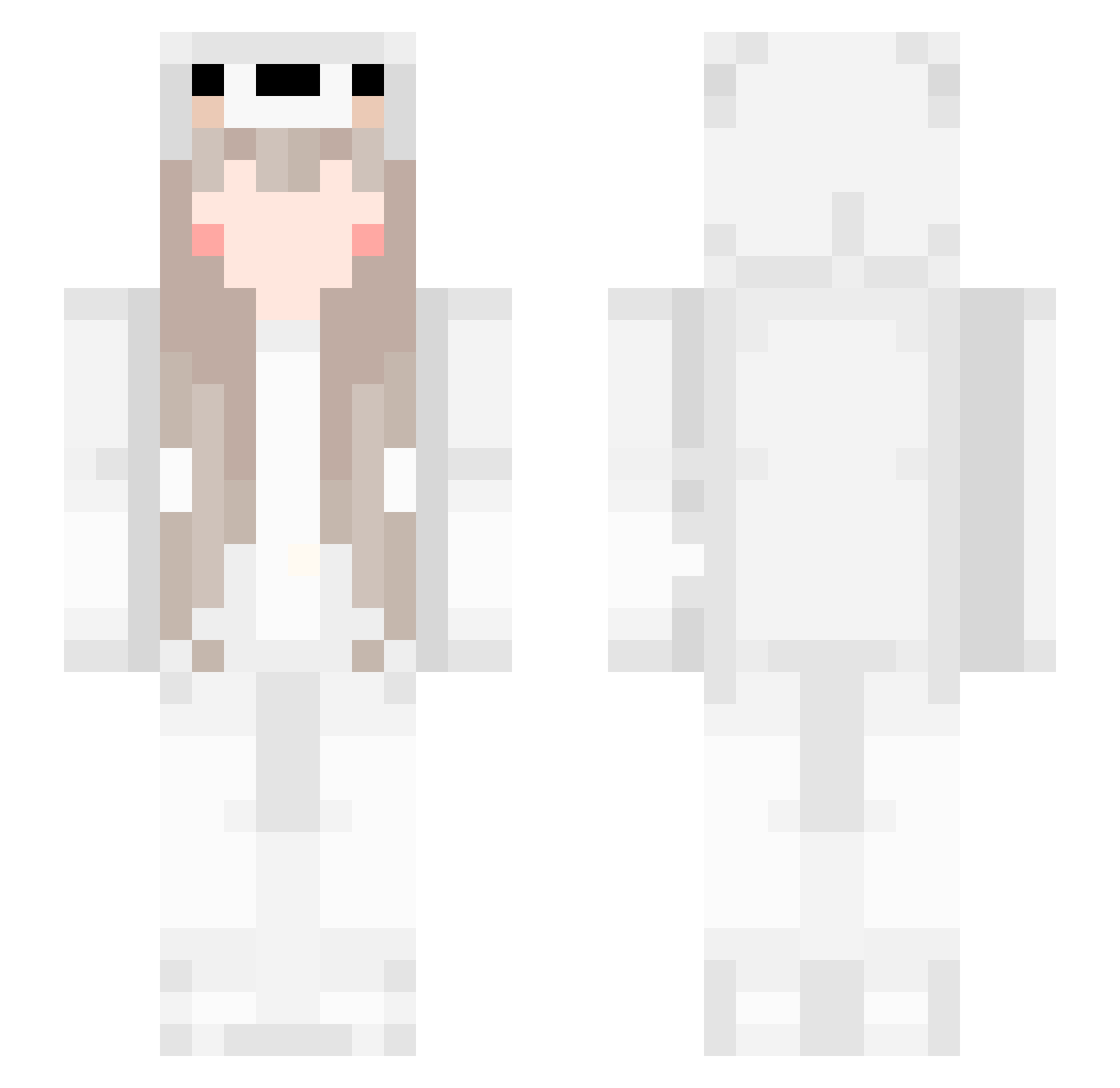
Current Minecraft skin of the player pointofauthority, loaded from the official Mojang API. Rotate the 3D model with your mouse or finger, then download the skin as a PNG file and use it in Minecraft: Bedrock Edition or Java Edition for free. When pointofauthority changes their skin, this page updates automatically and the old skin stays in the history below.
Other players with this skin (225)
pointofauthority was the 180th player we have seen with this skin, first spotted on 18.10.2026. The same skin was seen on these players. Open a nickname to see their current skin and skin history.
 wjj114514 newspring_03 abobaao1488 Catamite VenusP yurichany MrMangoChan ZveNayla UyaDoge Tunczykk_ Mites Crith RopemaxUwu Nostttt flvminghotuwu uncashed Ziqi_1223 AquaInfinity07 travisgyatt LoadingzZzz ngadestroyer69 Nana_Fengmi GyeonuU Surumerf Lubrical xiaolebao XPaydarX cuppings OH7I_ Propheters lilinono FoieGras Kyomii jyj725 lizzielie Origami_Iko Windygrass123 jerbae Kirl3y00 bleeeshh ThunderSpear ReU0524 alvin1231 agatzz Brinicle177 Nateman_01 loveakame EwLx SH1MCEN RemiliaSama kim_0722 Lunar_ecl1pse brunin05 Yummiebitez CHITOSS www_makin_ccc noachq homura7501 ku_ssss EvaEvanesca
More Cute Minecraft skins
How to install the pointofauthority skin
- Press the Download button above to save the skin as a PNG file.
- Minecraft: Bedrock Edition (PE): open the Dressing Room from the main menu (or tap your character → Edit Character), go to Classic Skins → Owned, press the + (new skin) button, choose the downloaded PNG and pick the Slim (Alex) model. Works on PC and mobile; consoles cannot import custom skins.
- Minecraft: Java Edition: open the Minecraft Launcher, go to the Skins tab, click New Skin, load the PNG, pick the Slim (Alex) model and press Save & Use. You can also upload it at minecraft.net → Profile → Change Skin.
The skin does not show up after import - what should I do?
Restart Minecraft and open the Dressing Room again - imported skins sometimes appear only after a restart. Also make sure you selected the imported skin and picked the Slim (Alex) model.
Which model should I choose, Classic or Slim?
This skin is designed for the Slim (Alex) model. If you pick the wrong model, the arms of the skin will look stretched or squeezed.
Is the skin of pointofauthority free to download?
Yes. Press Download, save the PNG file and use it in Minecraft: Bedrock Edition or Java Edition - no payment or registration needed. The skin also works on multiplayer servers and Realms.
More skins
Looking for more? Go back to all Minecraft skins and check the top skins of the week, month and all time, or find any player's skin by nickname.