
podboyb - Minecraft Skins & Skin History
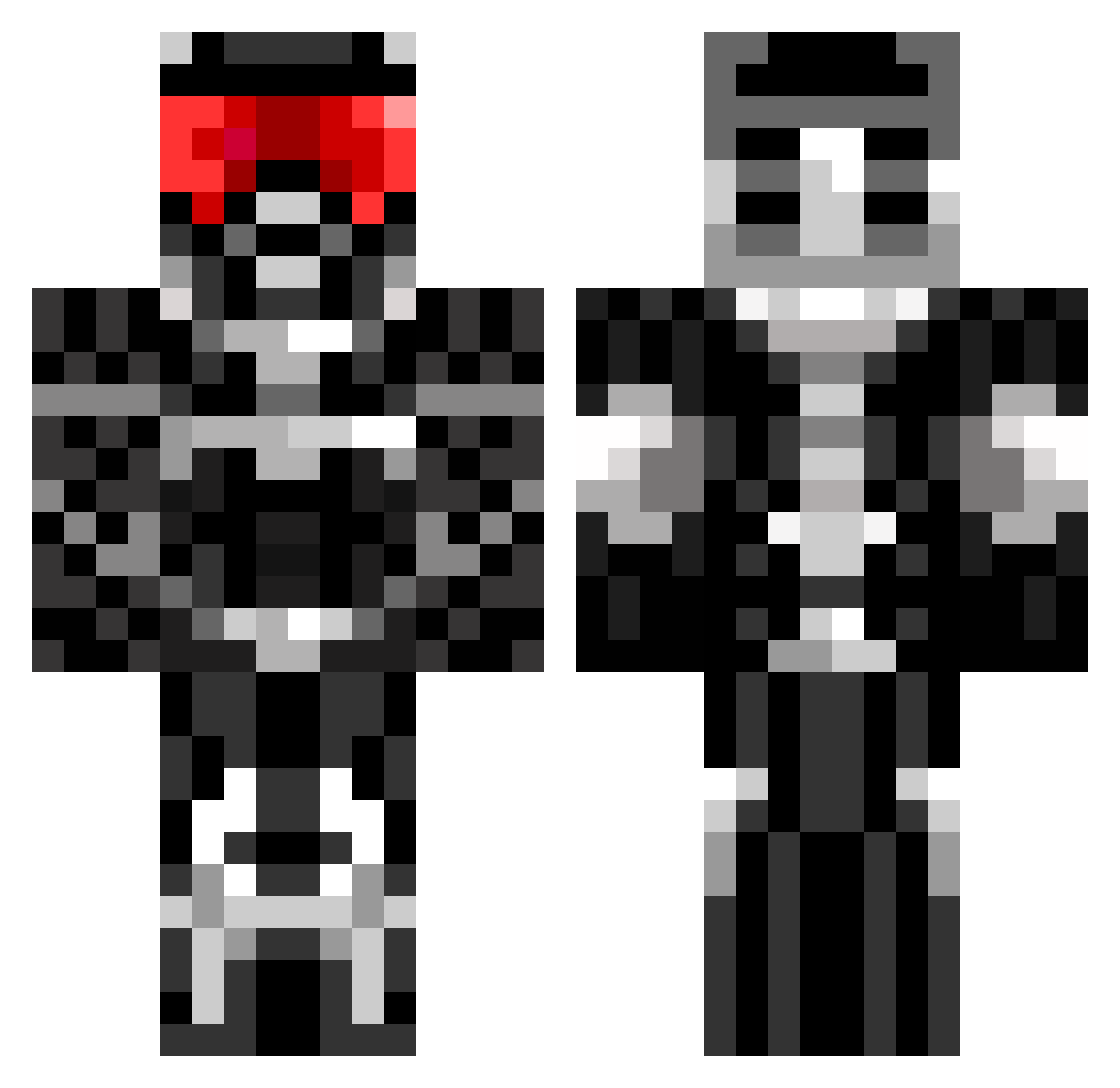
Current Minecraft skin of the player podboyb, loaded from the official Mojang API. Rotate the 3D model with your mouse or finger, then download the skin as a PNG file and use it in Minecraft: Bedrock Edition or Java Edition for free. When podboyb changes their skin, this page updates automatically and the old skin stays in the history below.
Other players with this skin (827)
podboyb was the 746th player we have seen with this skin, first spotted on 08.11.2026. The same skin was seen on these players. Open a nickname to see their current skin and skin history.
 MakeHistory459 chiefwigm agentconor300 Incisionist toaster_eater987 dnuoweR Emuexport GeMay1994 harrison523 NATESRT8 August2906 jfgan39 luckyblock117 nox19 tppeng88 Mrawawaw Badboy696 Pytash funkyfried Nighty95 soeren66 Cosmo_Chiller RangerATM letsgocaps8 alex_bachl EricBread hunterascott Hightied580 behindtheworld bigboombear Novashadow19 kaliz7 roktaror estom_1998 battlemech7 BlAdEmAztEr portal206 iTakMD Gromvig Quarion1 predatorhunterX blueshooter12 Azekael gbspell winner105 apink101 Prometheus_Star Skillzs123321 crossi12 cybransoldier giacomo25 DeathRiderD79 Hellkid222 haverhillbob thedimondhuman13 tiger_89 lubles Rafboy Mantillaschock camboslambo
More Sci Fi Armor Minecraft skins
How to install the podboyb skin
- Press the Download button above to save the skin as a PNG file.
- Minecraft: Bedrock Edition (PE): open the Dressing Room from the main menu (or tap your character → Edit Character), go to Classic Skins → Owned, press the + (new skin) button, choose the downloaded PNG and pick the Classic (Steve) model. Works on PC and mobile; consoles cannot import custom skins.
- Minecraft: Java Edition: open the Minecraft Launcher, go to the Skins tab, click New Skin, load the PNG, pick the Classic (Steve) model and press Save & Use. You can also upload it at minecraft.net → Profile → Change Skin.
The skin does not show up after import - what should I do?
Restart Minecraft and open the Dressing Room again - imported skins sometimes appear only after a restart. Also make sure you selected the imported skin and picked the Classic (Steve) model.
Which model should I choose, Classic or Slim?
This skin is designed for the Classic (Steve) model. If you pick the wrong model, the arms of the skin will look stretched or squeezed.
Is the skin of podboyb free to download?
Yes. Press Download, save the PNG file and use it in Minecraft: Bedrock Edition or Java Edition - no payment or registration needed. The skin also works on multiplayer servers and Realms.
More skins
Looking for more? Go back to all Minecraft skins and check the top skins of the week, month and all time, or find any player's skin by nickname.