
pocoravi04 - Minecraft Skins & Skin History
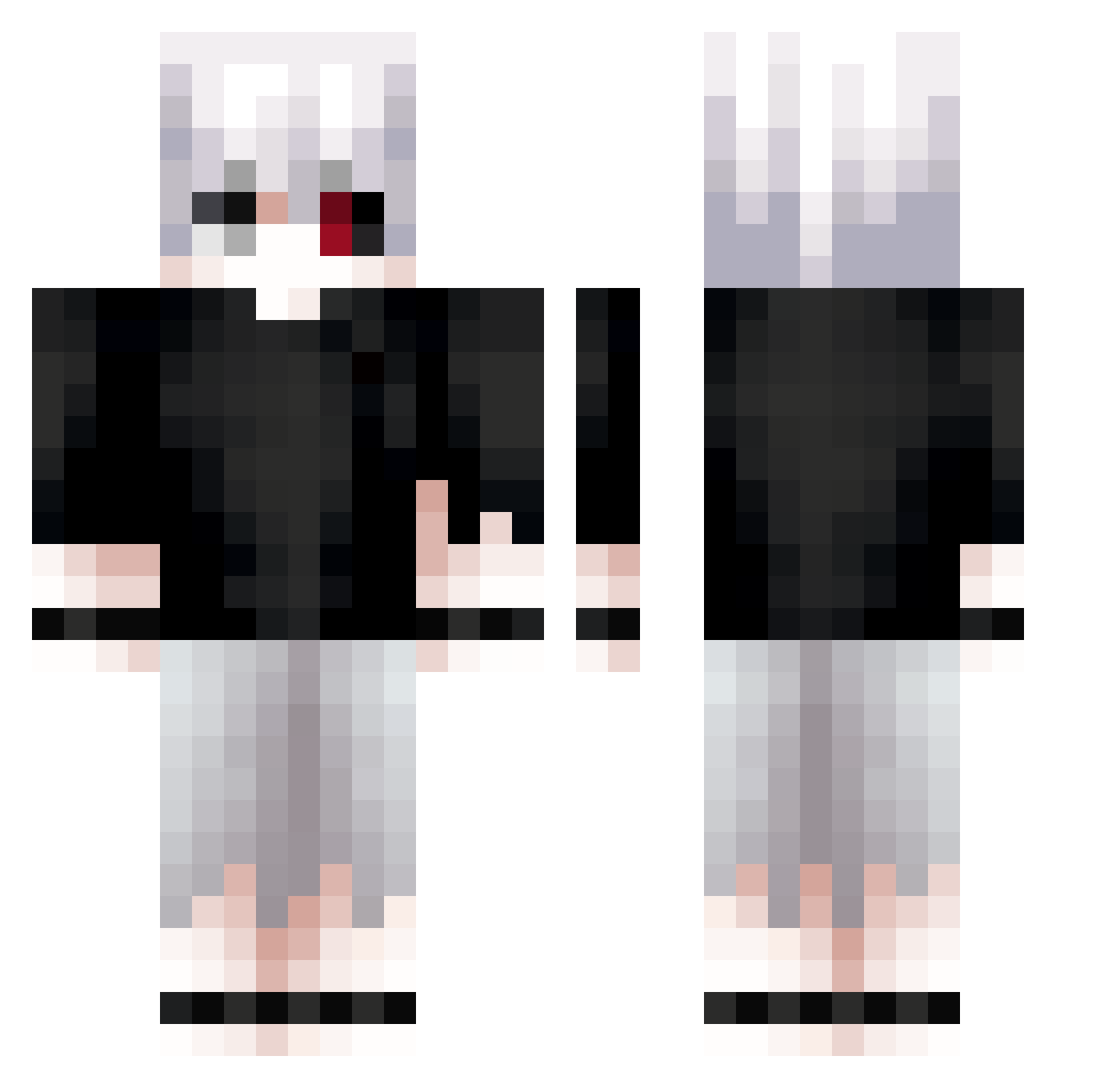
Current Minecraft skin of the player pocoravi04, loaded from the official Mojang API. Rotate the 3D model with your mouse or finger, then download the skin as a PNG file and use it in Minecraft: Bedrock Edition or Java Edition for free. When pocoravi04 changes their skin, this page updates automatically and the old skin stays in the history below.
Other players with this skin (826)
pocoravi04 was the 682nd player we have seen with this skin, first spotted on 31.10.2026. The same skin was seen on these players. Open a nickname to see their current skin and skin history.
 Chivolinlol LazyGenious _slash_001 Coconut_goof misko_SVK iseV6 sengX27 thv4 Just_Justinright kanekll Beelus87 Drexelxx AdoSweetPotet FreakyFready Peligroso VkZeus IcePeach_ Justinfrmsgh Dqrxww 22ina Nishi93 erera3 Gambito2 PvPSpirit kanekixoxo Underarmorlamp1 110501 hlptdsi Fyrox_hd CuteChani iiTzTaz Leeg027 JM4nu3l ryvsei tobe_ultimate poor__ keduss Ayato_Krs JustGravity23 iskchy ErickToscani Langus25 Moonlight6999 zTrix_fn May1233 Sun_Tzu32 KuroiXKenshi Fal_Black1 jackjack0910 iCigarettes KitaKisho Fimzzz KayenI Java_DT Royx_2 Rezsx Cappuugino smrz_ JC9CRT JaydenIg_
More Kaneki Minecraft skins
How to install the pocoravi04 skin
- Press the Download button above to save the skin as a PNG file.
- Minecraft: Bedrock Edition (PE): open the Dressing Room from the main menu (or tap your character → Edit Character), go to Classic Skins → Owned, press the + (new skin) button, choose the downloaded PNG and pick the Classic (Steve) model. Works on PC and mobile; consoles cannot import custom skins.
- Minecraft: Java Edition: open the Minecraft Launcher, go to the Skins tab, click New Skin, load the PNG, pick the Classic (Steve) model and press Save & Use. You can also upload it at minecraft.net → Profile → Change Skin.
The skin does not show up after import - what should I do?
Restart Minecraft and open the Dressing Room again - imported skins sometimes appear only after a restart. Also make sure you selected the imported skin and picked the Classic (Steve) model.
Which model should I choose, Classic or Slim?
This skin is designed for the Classic (Steve) model. If you pick the wrong model, the arms of the skin will look stretched or squeezed.
Is the skin of pocoravi04 free to download?
Yes. Press Download, save the PNG file and use it in Minecraft: Bedrock Edition or Java Edition - no payment or registration needed. The skin also works on multiplayer servers and Realms.
More skins
Looking for more? Go back to all Minecraft skins and check the top skins of the week, month and all time, or find any player's skin by nickname.