
poNaska - Minecraft Skins & Skin History
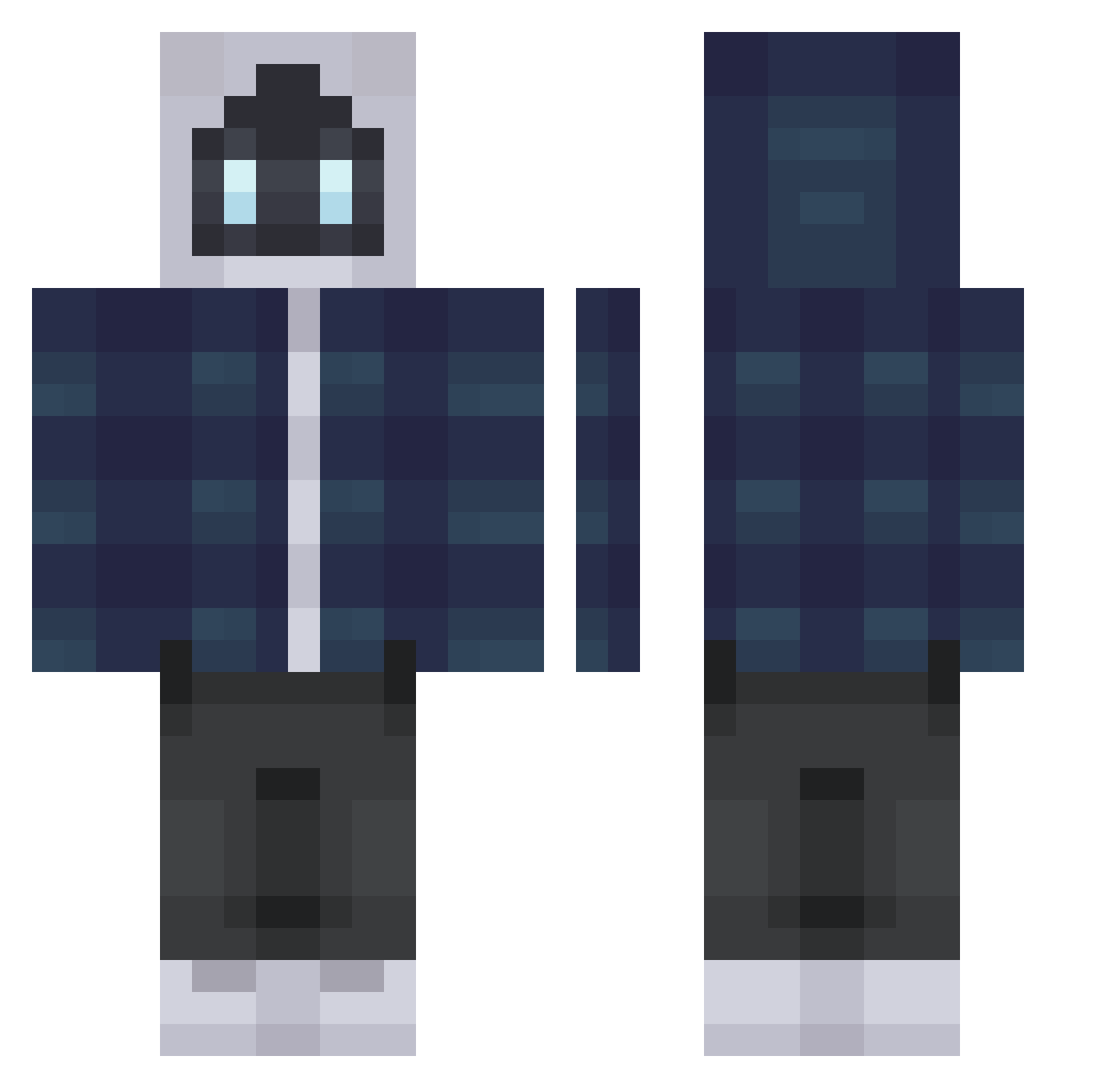
Current Minecraft skin of the player poNaska, loaded from the official Mojang API. Rotate the 3D model with your mouse or finger, then download the skin as a PNG file and use it in Minecraft: Bedrock Edition or Java Edition for free. When poNaska changes their skin, this page updates automatically and the old skin stays in the history below.
Other players with this skin (316)
poNaska was the 252nd player we have seen with this skin, first spotted on 14.10.2026. The same skin was seen on these players. Open a nickname to see their current skin and skin history.
 Blu3zinho jonathanj11 DerekWave tayritto b1gzy Leox507 GamJaG _blu05_ JustUzi Marc1975 Stando__ Pkhan_ MITSKl luccron_ TheExpertMage879 zayzee_ninja puzzels1 LainBanan Heisenberg1010 Lanti_Bananas Pon4ikDude Mattiemok YvZheng_KiTe firedogD albinozenci Battel_duck GerbilFood Rash1_0 FlexGuild TheGreenBlueMan IntergalacticHD FREALS iamRidgid SnowZ45 FlappyJackGaming atlantroo Tyzah DocAmarooo gl_harvey GamingTVC Roakie notspicey HALUmod miguelvgamer _XIII__ Nidrow Phantm420 BartLambregts URTIO7 Whistle_OP C4PER TheMerano Neithlll iiTzDee Bananek123e CountryQueen89 ret5 notigloo expect2007 TeamHELPER_
More Robot Minecraft skins
How to install the poNaska skin
- Press the Download button above to save the skin as a PNG file.
- Minecraft: Bedrock Edition (PE): open the Dressing Room from the main menu (or tap your character → Edit Character), go to Classic Skins → Owned, press the + (new skin) button, choose the downloaded PNG and pick the Classic (Steve) model. Works on PC and mobile; consoles cannot import custom skins.
- Minecraft: Java Edition: open the Minecraft Launcher, go to the Skins tab, click New Skin, load the PNG, pick the Classic (Steve) model and press Save & Use. You can also upload it at minecraft.net → Profile → Change Skin.
The skin does not show up after import - what should I do?
Restart Minecraft and open the Dressing Room again - imported skins sometimes appear only after a restart. Also make sure you selected the imported skin and picked the Classic (Steve) model.
Which model should I choose, Classic or Slim?
This skin is designed for the Classic (Steve) model. If you pick the wrong model, the arms of the skin will look stretched or squeezed.
Is the skin of poNaska free to download?
Yes. Press Download, save the PNG file and use it in Minecraft: Bedrock Edition or Java Edition - no payment or registration needed. The skin also works on multiplayer servers and Realms.
More skins
Looking for more? Go back to all Minecraft skins and check the top skins of the week, month and all time, or find any player's skin by nickname.