
plainchant - Minecraft Skins & Skin History
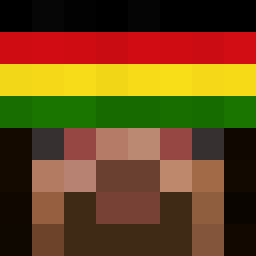
Current Minecraft skin of the player plainchant, loaded from the official Mojang API. Rotate the 3D model with your mouse or finger, then download the skin as a PNG file and use it in Minecraft: Bedrock Edition or Java Edition for free. When plainchant changes their skin, this page updates automatically and the old skin stays in the history below.

Other players with this skin (1783)
plainchant was the 175th player we have seen with this skin, first spotted on 05.08.2026. The same skin was seen on these players. Open a nickname to see their current skin and skin history.
 chorous retardent 69incii Rockcraft ydh__ Manchuria xXSalvo fevercup Dix101 DiaGh yyy325 damianokolo blackballed VolcanPvP Xybra Enru papadakis04 splanchnic
 senseiosc ADSFO Capsules boudoir Mosedeklub5 Perfectas RichardNutz
 qConqueror Candlebox macumbeirojoga Rem_blue patpoo75
 naperiggasxx Mlkhall Personulll _traftgoi_ Annealing Heqdlock Chickenator5000 Shinypants64 ride9337
 _Krisu_ multirole Firestreak2018 cheapmustard yonkosaus bozo1lol Zore Immi Theodorgus shaunabong kernkraftwerke YoOli_ potomac K11111
 _norbee StrapIn N31K Him0213 Lutzbadass Norsemen UnlegitGhost
How to install the plainchant skin
- Press the Download button above to save the skin as a PNG file.
- Minecraft: Bedrock Edition (PE): open the Dressing Room from the main menu (or tap your character → Edit Character), go to Classic Skins → Owned, press the + (new skin) button, choose the downloaded PNG and pick the Classic (Steve) model. Works on PC and mobile; consoles cannot import custom skins.
- Minecraft: Java Edition: open the Minecraft Launcher, go to the Skins tab, click New Skin, load the PNG, pick the Classic (Steve) model and press Save & Use. You can also upload it at minecraft.net → Profile → Change Skin.
The skin does not show up after import - what should I do?
Restart Minecraft and open the Dressing Room again - imported skins sometimes appear only after a restart. Also make sure you selected the imported skin and picked the Classic (Steve) model.
Which model should I choose, Classic or Slim?
This skin is designed for the Classic (Steve) model. If you pick the wrong model, the arms of the skin will look stretched or squeezed.
Is the skin of plainchant free to download?
Yes. Press Download, save the PNG file and use it in Minecraft: Bedrock Edition or Java Edition - no payment or registration needed. The skin also works on multiplayer servers and Realms.
More skins
Looking for more? Go back to all Minecraft skins and check the top skins of the week, month and all time, or find any player's skin by nickname.