
pizookie - Minecraft Skins & Skin History
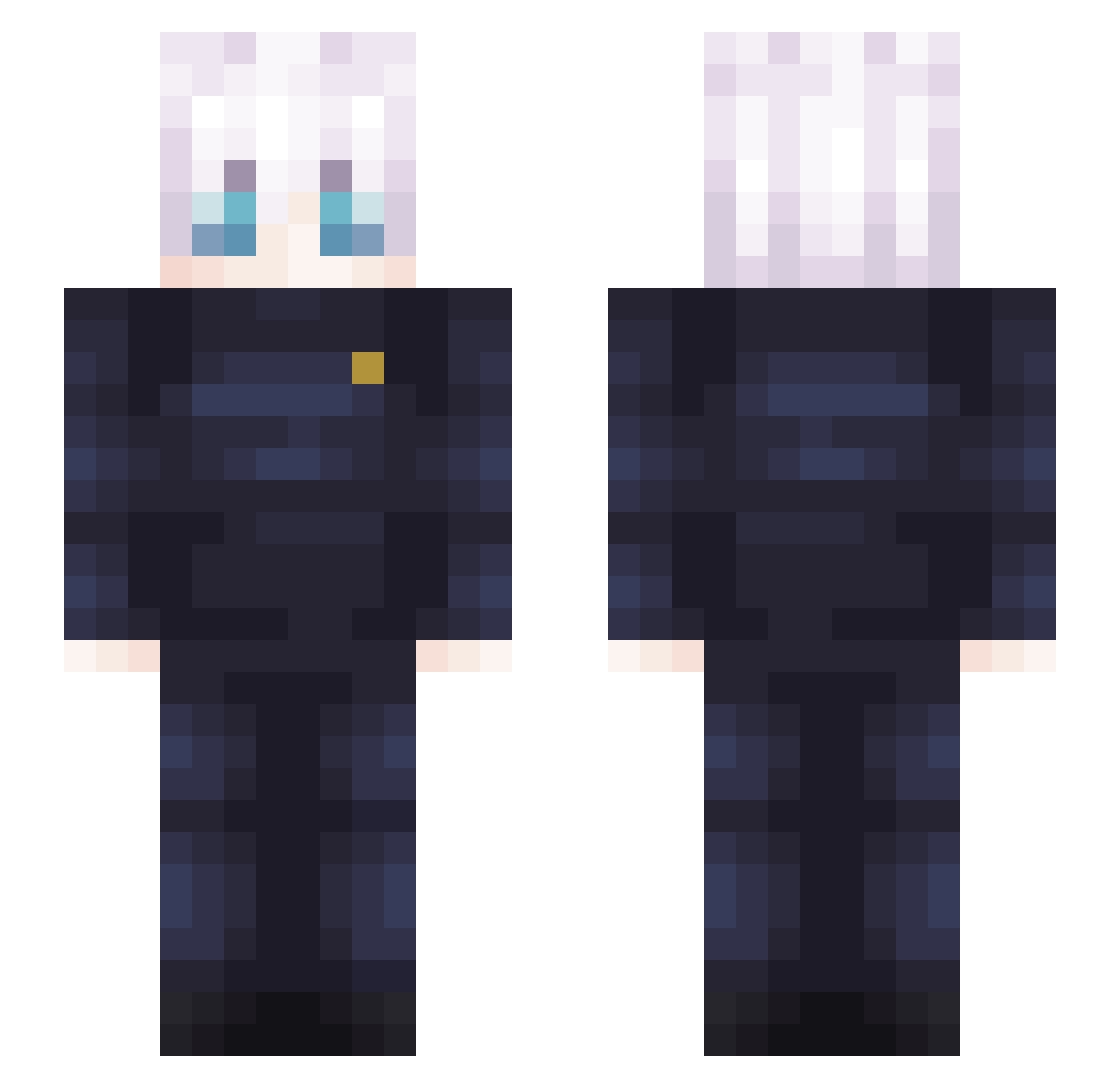
Current Minecraft skin of the player pizookie, loaded from the official Mojang API. Rotate the 3D model with your mouse or finger, then download the skin as a PNG file and use it in Minecraft: Bedrock Edition or Java Edition for free. When pizookie changes their skin, this page updates automatically and the old skin stays in the history below.
Other players with this skin (408)
pizookie was the 305th player we have seen with this skin, first spotted on 14.10.2026. The same skin was seen on these players. Open a nickname to see their current skin and skin history.
 ItsLyyxn croph_11 jinhohogu0301 YouFly Lv_rodri_ Dsty9331 ZomberPVP moonsyy_ luis059 lyuable ChillieTM ink563 Pla3tic Drosy buff1177 12Monate Guss_29 Martincraft7887 No_Idea2025 klayd_ TangHuiChaoShiNi Fastfish8479 CoolGuy10001234 whatamro Crow_meca Seviiix Agent_AD Halu_6773 DLuffy98 FazeGaspo WARTUNEMMER ELPROMAT Seydey Erzen Patruschki_187 ThatOneGirlKayla Math07Prime Nel_Thragg mewgrimm gojo175 Joshoror NuXyN Turkoman0 pmflf ryanabbcraft SevenTwo702 Agent_47 SillyW1zzy caliarrior IDK______IDK Fartgus elrichmc1234 terryman1027 JuJuzetsu_ Vex_Player WarningIceCream_ Ktaagus masterceci nameiiiii Prosussy
More Satoru Gojo Minecraft skins
See all 1375 Satoru Gojo skins
How to install the pizookie skin
- Press the Download button above to save the skin as a PNG file.
- Minecraft: Bedrock Edition (PE): open the Dressing Room from the main menu (or tap your character → Edit Character), go to Classic Skins → Owned, press the + (new skin) button, choose the downloaded PNG and pick the Slim (Alex) model. Works on PC and mobile; consoles cannot import custom skins.
- Minecraft: Java Edition: open the Minecraft Launcher, go to the Skins tab, click New Skin, load the PNG, pick the Slim (Alex) model and press Save & Use. You can also upload it at minecraft.net → Profile → Change Skin.
The skin does not show up after import - what should I do?
Restart Minecraft and open the Dressing Room again - imported skins sometimes appear only after a restart. Also make sure you selected the imported skin and picked the Slim (Alex) model.
Which model should I choose, Classic or Slim?
This skin is designed for the Slim (Alex) model. If you pick the wrong model, the arms of the skin will look stretched or squeezed.
Is the skin of pizookie free to download?
Yes. Press Download, save the PNG file and use it in Minecraft: Bedrock Edition or Java Edition - no payment or registration needed. The skin also works on multiplayer servers and Realms.
More skins
Looking for more? Go back to all Minecraft skins and check the top skins of the week, month and all time, or find any player's skin by nickname.