
pixelash7 - Minecraft Skins & Skin History
Current Minecraft skin of the player pixelash7, loaded from the official Mojang API. Rotate the 3D model with your mouse or finger, then download the skin as a PNG file and use it in Minecraft: Bedrock Edition or Java Edition for free. When pixelash7 changes their skin, this page updates automatically and the old skin stays in the history below.
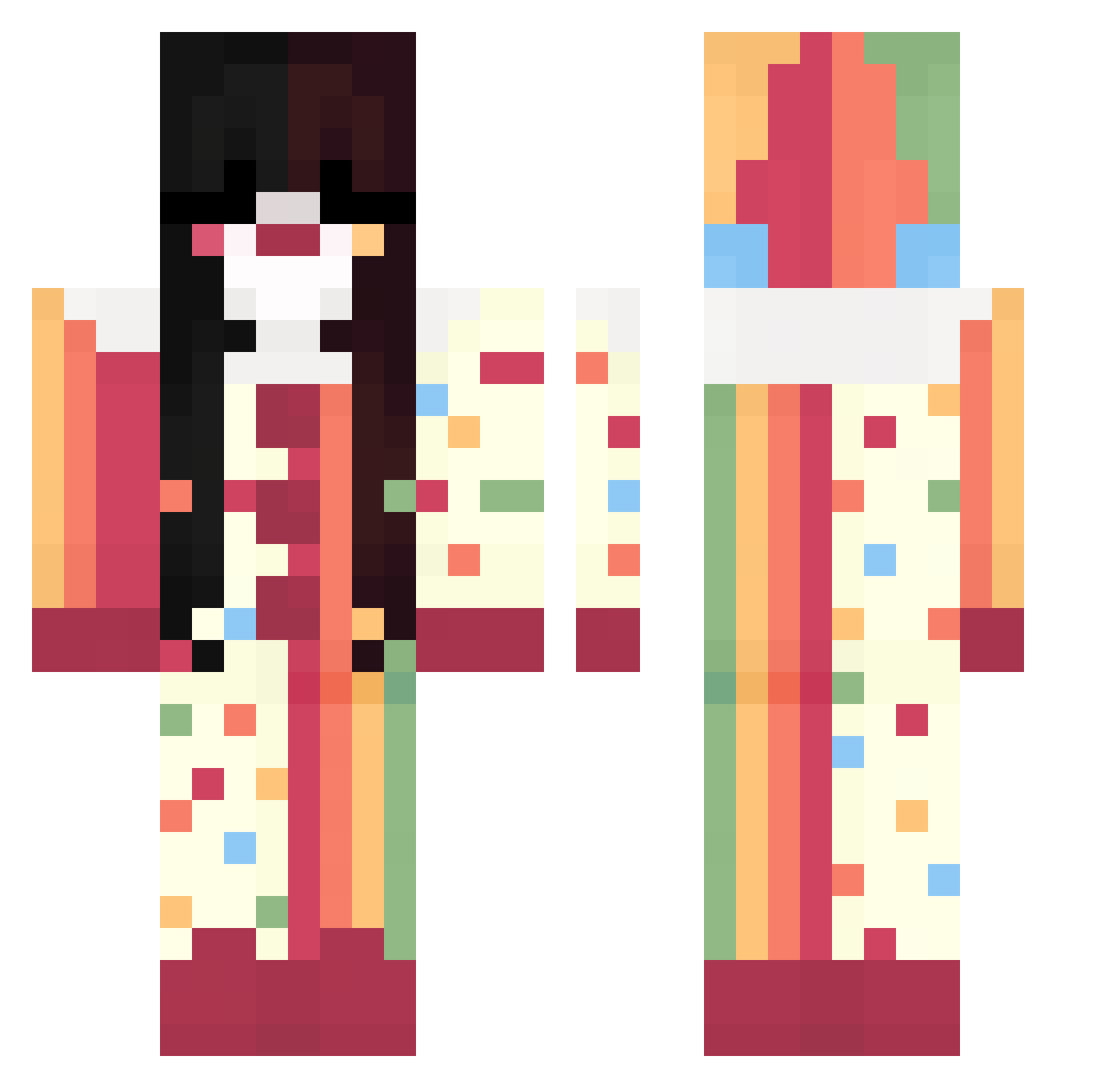
Other players with this skin (289)
pixelash7 was the 34th player we have seen with this skin, first spotted on 04.08.2026. The same skin was seen on these players. Open a nickname to see their current skin and skin history.
 zunshine PikeaneticX
 _HisLily genodd Dejmute sanisnothere zxc_suetolog Thief0fLight
 ambgel yu_nme lixx_0 zZ_iker_Zz madsisntreal Terri249 sxbxjxy mo1chyn
 Jess1anna akiimitzu Hairiboo Nikou8490 rodox999
 Laya_m xHoly1026 Lumihh_png UnwornFerret234 Planet_Maggie menelzpodmostu amphibianfiend St3pSis KATSQUAD ComradeCloudy
 DSBStarla Pooh1223
 cheet0sik imbibble
 diadia Key1 madelus ButterWombat mitsxd 2hamstir2
 Insanity_01 penumbritas bisbiscuit
 Theoqrr
 aylauv
 fatchickydoo Sarahmoongirl LeFleur11 zsombor_ mihhhh098 berrisweetest
 lizlizlizziizizi Cupcake_Yukii dassah_ uvitaas yross_ Romis21 iice_27 Barri_Allen23
More Circus Minecraft skins
How to install the pixelash7 skin
- Press the Download button above to save the skin as a PNG file.
- Minecraft: Bedrock Edition (PE): open the Dressing Room from the main menu (or tap your character → Edit Character), go to Classic Skins → Owned, press the + (new skin) button, choose the downloaded PNG and pick the Classic (Steve) model. Works on PC and mobile; consoles cannot import custom skins.
- Minecraft: Java Edition: open the Minecraft Launcher, go to the Skins tab, click New Skin, load the PNG, pick the Classic (Steve) model and press Save & Use. You can also upload it at minecraft.net → Profile → Change Skin.
The skin does not show up after import - what should I do?
Restart Minecraft and open the Dressing Room again - imported skins sometimes appear only after a restart. Also make sure you selected the imported skin and picked the Classic (Steve) model.
Which model should I choose, Classic or Slim?
This skin is designed for the Classic (Steve) model. If you pick the wrong model, the arms of the skin will look stretched or squeezed.
Is the skin of pixelash7 free to download?
Yes. Press Download, save the PNG file and use it in Minecraft: Bedrock Edition or Java Edition - no payment or registration needed. The skin also works on multiplayer servers and Realms.
More skins
Looking for more? Go back to all Minecraft skins and check the top skins of the week, month and all time, or find any player's skin by nickname.