
pitwo0 - Minecraft Skins & Skin History
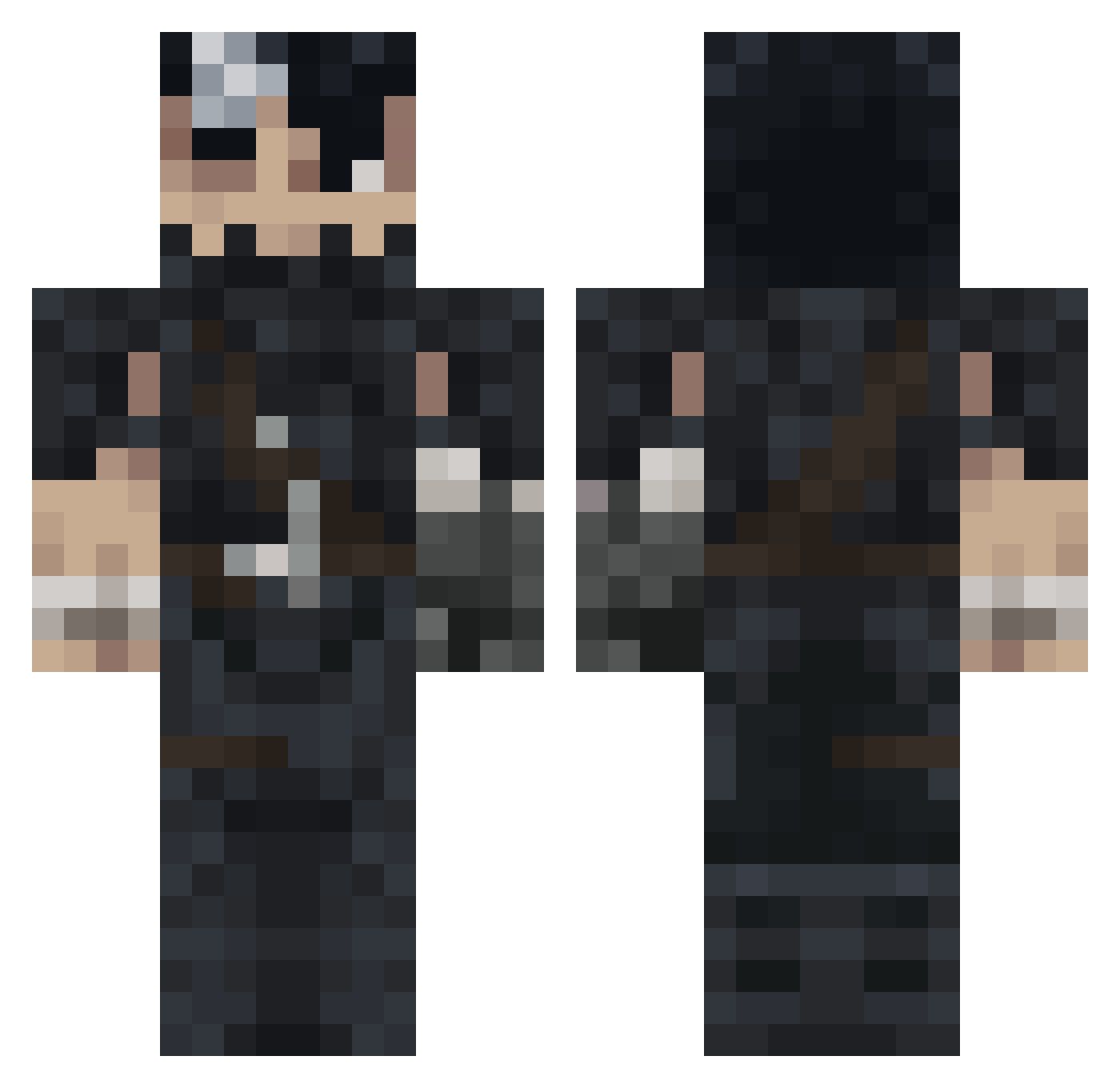
Current Minecraft skin of the player pitwo0, loaded from the official Mojang API. Rotate the 3D model with your mouse or finger, then download the skin as a PNG file and use it in Minecraft: Bedrock Edition or Java Edition for free. When pitwo0 changes their skin, this page updates automatically and the old skin stays in the history below.
Other players with this skin (1181)
pitwo0 was the 1073rd player we have seen with this skin, first spotted on 08.11.2026. The same skin was seen on these players. Open a nickname to see their current skin and skin history.
 BerzerkPotato Kynay Purple_Thunder17 AL7DAADQ TuanZwern NarutoThe7th Kentro777 luis_rage02 IbrahimCanx ILUVMINECRAFT Mason_6137 TrashShaco NOULIV Hezzero Haac BaldizEmcukleyen xClipto Koiti_ 1DWAY1 Timesz2 OniTheBushido Hinam_ RestlessHell GladeDecayed Ferchulo Smarty0nes RuloTR03 RZFX3 heisenbuger bbaisi QuinMa AKCHILLEUS igorex526 AliceBean1 WaifuExtremist BANDEMICJAY Pxsnowden guigrego474 MertCanbeyy Kelaris97 Sarcueils Asmousdeous XylonMemes BERSERKGUTS69 SG32 dgzin1 porrincho TheDarkFive_4 iiNaTz59 laatjijscheten kilandrexs Nerdyregent539 johaann21 Pawlik279 nanichou Davidsnow1411 vissstor1254 NemesisC Sozen135 GAMBORT
More Guts Minecraft skins
How to install the pitwo0 skin
- Press the Download button above to save the skin as a PNG file.
- Minecraft: Bedrock Edition (PE): open the Dressing Room from the main menu (or tap your character → Edit Character), go to Classic Skins → Owned, press the + (new skin) button, choose the downloaded PNG and pick the Classic (Steve) model. Works on PC and mobile; consoles cannot import custom skins.
- Minecraft: Java Edition: open the Minecraft Launcher, go to the Skins tab, click New Skin, load the PNG, pick the Classic (Steve) model and press Save & Use. You can also upload it at minecraft.net → Profile → Change Skin.
The skin does not show up after import - what should I do?
Restart Minecraft and open the Dressing Room again - imported skins sometimes appear only after a restart. Also make sure you selected the imported skin and picked the Classic (Steve) model.
Which model should I choose, Classic or Slim?
This skin is designed for the Classic (Steve) model. If you pick the wrong model, the arms of the skin will look stretched or squeezed.
Is the skin of pitwo0 free to download?
Yes. Press Download, save the PNG file and use it in Minecraft: Bedrock Edition or Java Edition - no payment or registration needed. The skin also works on multiplayer servers and Realms.
More skins
Looking for more? Go back to all Minecraft skins and check the top skins of the week, month and all time, or find any player's skin by nickname.