
pimpz0r - Minecraft Skins & Skin History
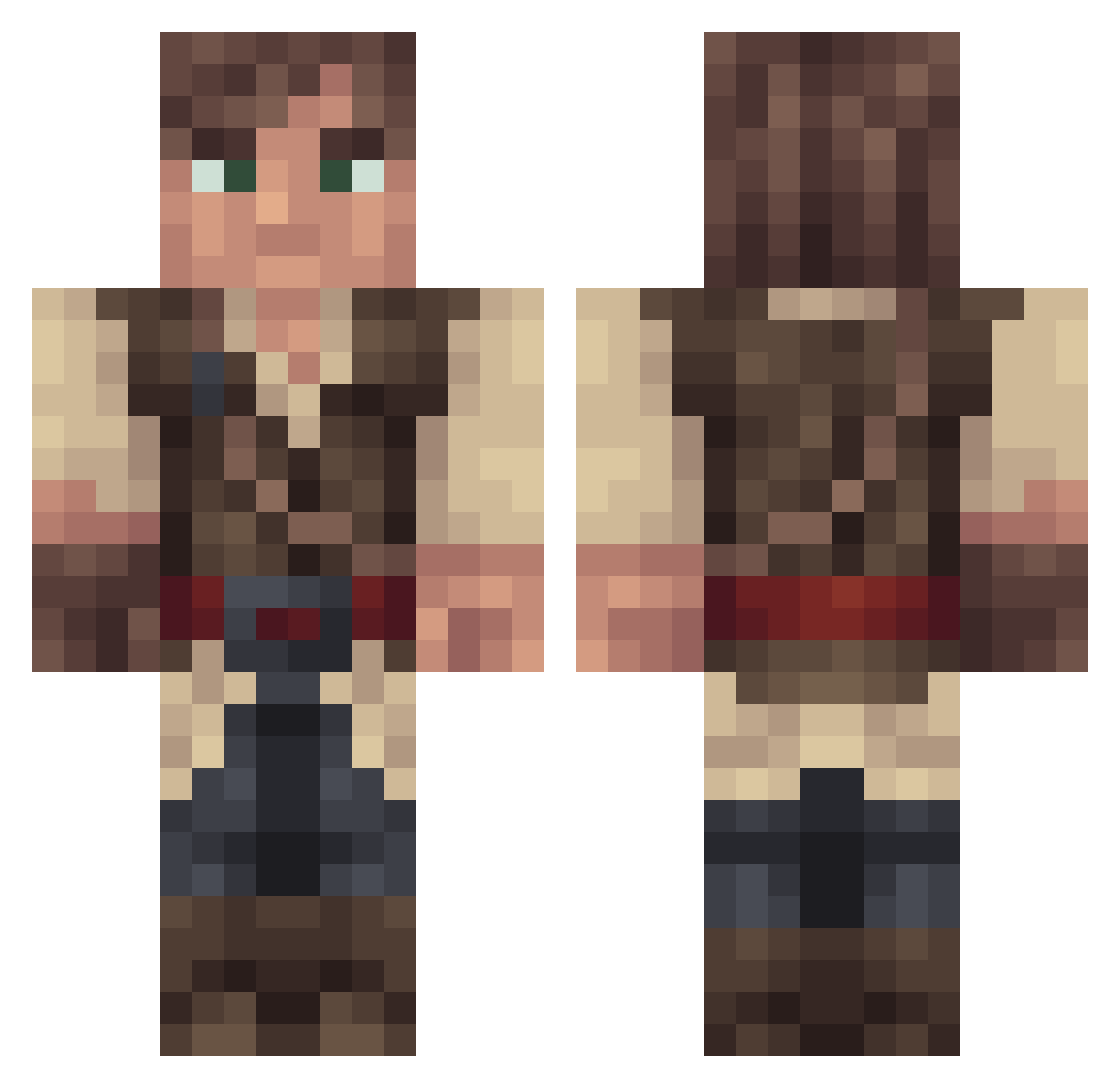
Current Minecraft skin of the player pimpz0r, loaded from the official Mojang API. Rotate the 3D model with your mouse or finger, then download the skin as a PNG file and use it in Minecraft: Bedrock Edition or Java Edition for free. When pimpz0r changes their skin, this page updates automatically and the old skin stays in the history below.
Other players with this skin (315)
pimpz0r was the 227th player we have seen with this skin, first spotted on 08.10.2026. The same skin was seen on these players. Open a nickname to see their current skin and skin history.
 Lenzy2496 glitch_redux jfzq Kastland Rinkexd44 Premmie BSD11 Jubax26 oldsoul_ GroovyGrim KastianPhrog Jos070 Rowipo1 Amani1Z Valentino500 Nithiriel canonsvogel LarsFL Tom72685 FallenMoonZ2 Claud_eb PatrickSNZ Falsissimo Vicnia DJCabbage14 blaujaful NewtScamandar Jasonayla N0xus07 Rtyti TreeMapled Guyj2 NichtsKoenner _Wattz FanaticDuck UllrBravnikh BrandoRobbo ConfirmedCrit RAW1209 ghastings59 Supalast foreverjun TheHatter Raidenfall DearkovzZ Tixsman l4k1P TheBiggDaddy Ghost897 Toruk01 Nico_XD93 cadfish snakestu Alfradil Diiink GentlemanLoser bjorvack _Azerio_ Hyp3rscor3 Djelina
More Nathan Drake Minecraft skins
See all 114 Nathan Drake skins
How to install the pimpz0r skin
- Press the Download button above to save the skin as a PNG file.
- Minecraft: Bedrock Edition (PE): open the Dressing Room from the main menu (or tap your character → Edit Character), go to Classic Skins → Owned, press the + (new skin) button, choose the downloaded PNG and pick the Classic (Steve) model. Works on PC and mobile; consoles cannot import custom skins.
- Minecraft: Java Edition: open the Minecraft Launcher, go to the Skins tab, click New Skin, load the PNG, pick the Classic (Steve) model and press Save & Use. You can also upload it at minecraft.net → Profile → Change Skin.
The skin does not show up after import - what should I do?
Restart Minecraft and open the Dressing Room again - imported skins sometimes appear only after a restart. Also make sure you selected the imported skin and picked the Classic (Steve) model.
Which model should I choose, Classic or Slim?
This skin is designed for the Classic (Steve) model. If you pick the wrong model, the arms of the skin will look stretched or squeezed.
Is the skin of pimpz0r free to download?
Yes. Press Download, save the PNG file and use it in Minecraft: Bedrock Edition or Java Edition - no payment or registration needed. The skin also works on multiplayer servers and Realms.
More skins
Looking for more? Go back to all Minecraft skins and check the top skins of the week, month and all time, or find any player's skin by nickname.