
physwm2501 - Minecraft Skins & Skin History
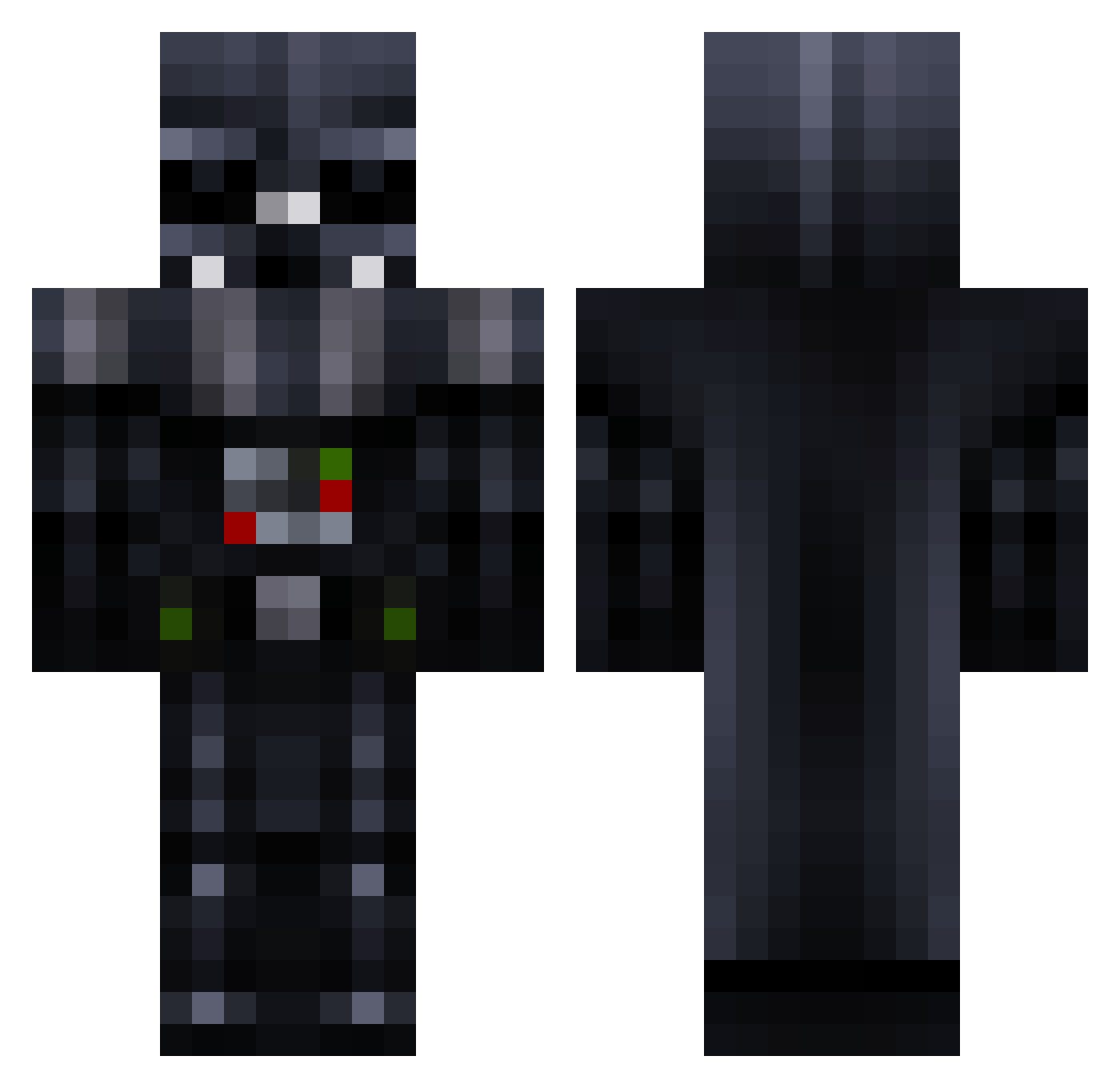
Current Minecraft skin of the player physwm2501, loaded from the official Mojang API. Rotate the 3D model with your mouse or finger, then download the skin as a PNG file and use it in Minecraft: Bedrock Edition or Java Edition for free. When physwm2501 changes their skin, this page updates automatically and the old skin stays in the history below.
Other players with this skin (967)
physwm2501 was the 931st player we have seen with this skin, first spotted on 16.11.2026. The same skin was seen on these players. Open a nickname to see their current skin and skin history.
 mickex Ashcall BossBeardy superpatate666 GamersNautas Amphibole JIG0918 jeffoohhi mbrew8 wonnetug bpen011 360_MLG_NOSCOPER DasDissel Krono1213 Wimlol Trunks1180 Joshcielny BananaNinja18 Apolloduxe pastaremix CarterVader Shiryu51 VoradorEngels SarpBabaxD XxRoxasxX12 Tyler28Miller BO0tman6 ThijsTerminator DonZaror DarthRoonus CaptainMC_ Zeekij Theblackman1234 Darth_Frodo Drogahn Aycormier Dr_Zoidberg5813 EREN10 jack_yaz Gamer_Games_K7 Dr_Vader237 SexyYaman odda_johhny SapphireSinful OverGame_ Shaggydog627 sophgrct Vader_sama moab6 few7 mnvdk Swivvle sirmaxalot007 GustavoManuel MOA_Oscar Graydogboss brod321 Josh_Fulton La_BloodZ D4rkL1ch
More Darth Vader Minecraft skins
How to install the physwm2501 skin
- Press the Download button above to save the skin as a PNG file.
- Minecraft: Bedrock Edition (PE): open the Dressing Room from the main menu (or tap your character → Edit Character), go to Classic Skins → Owned, press the + (new skin) button, choose the downloaded PNG and pick the Classic (Steve) model. Works on PC and mobile; consoles cannot import custom skins.
- Minecraft: Java Edition: open the Minecraft Launcher, go to the Skins tab, click New Skin, load the PNG, pick the Classic (Steve) model and press Save & Use. You can also upload it at minecraft.net → Profile → Change Skin.
The skin does not show up after import - what should I do?
Restart Minecraft and open the Dressing Room again - imported skins sometimes appear only after a restart. Also make sure you selected the imported skin and picked the Classic (Steve) model.
Which model should I choose, Classic or Slim?
This skin is designed for the Classic (Steve) model. If you pick the wrong model, the arms of the skin will look stretched or squeezed.
Is the skin of physwm2501 free to download?
Yes. Press Download, save the PNG file and use it in Minecraft: Bedrock Edition or Java Edition - no payment or registration needed. The skin also works on multiplayer servers and Realms.
More skins
Looking for more? Go back to all Minecraft skins and check the top skins of the week, month and all time, or find any player's skin by nickname.