
phx932 - Minecraft Skins & Skin History
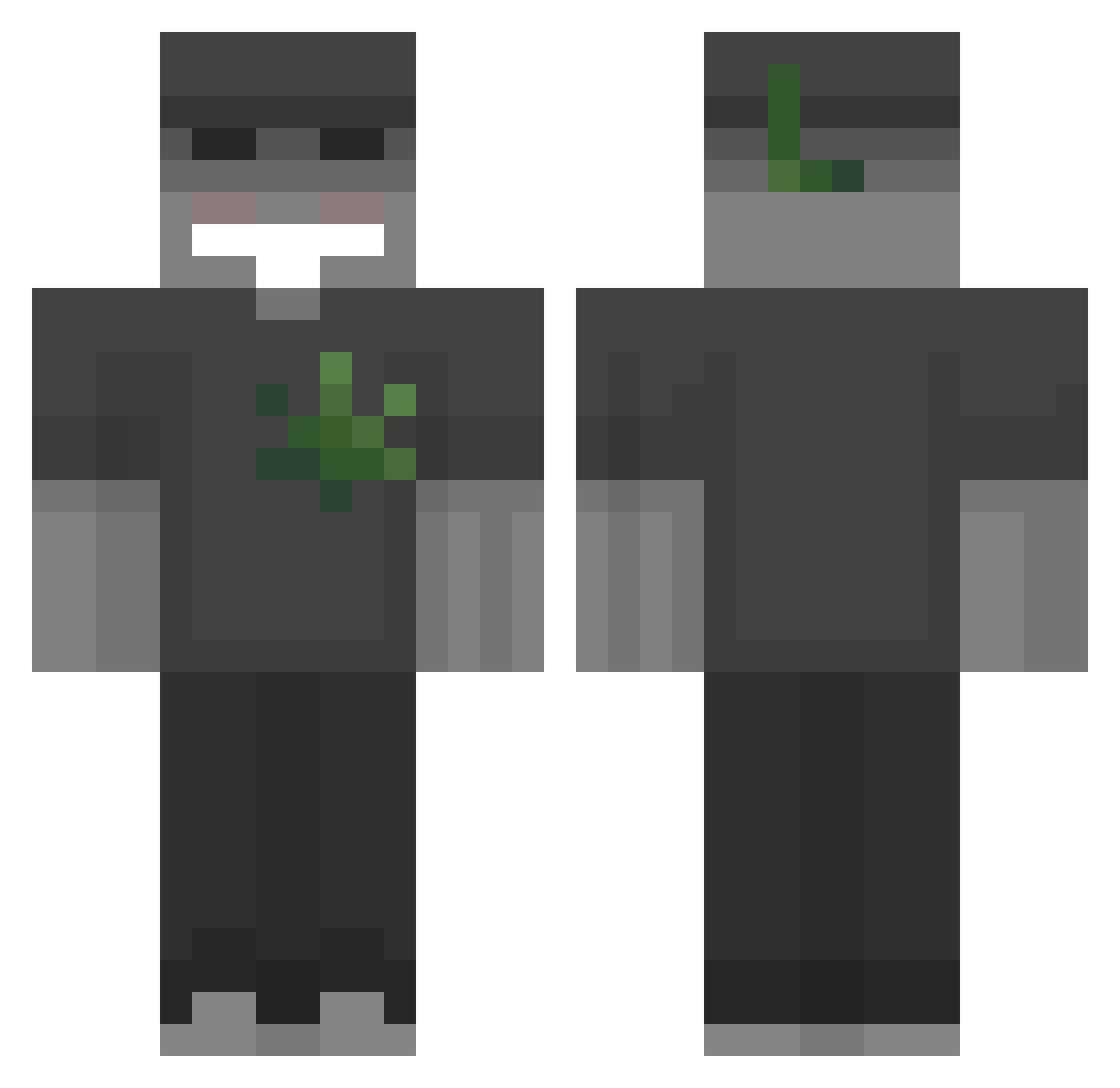
Current Minecraft skin of the player phx932, loaded from the official Mojang API. Rotate the 3D model with your mouse or finger, then download the skin as a PNG file and use it in Minecraft: Bedrock Edition or Java Edition for free. When phx932 changes their skin, this page updates automatically and the old skin stays in the history below.
Other players with this skin (54)
phx932 was the 48th player we have seen with this skin, first spotted on 22.10.2026. The same skin was seen on these players. Open a nickname to see their current skin and skin history.
 S1kii ZelekSzef Sharkito87 Titos_The_Guru sono_scomodo02 TheChillB0ne otemido romin26 nickita_rmx JGZIN021 bagofnuts_uwu EBEN_21K Crazy_Reznik Cem7k BochendeAtom Omapoper123 ALLE_CG benjamon9999 kikou_sous_jnr LEOZAO00 agvsblsdd bol4dogg TheyCallMeNoa Mizzymp4 cxxfabi tade0 rixua Mork_Graff z83s Egrassellx Lyppy AjronW3jder brajanek2017 piachuFN Modemsilk NoxSpace Zielomek309 MaciussSzefito zombie_rep moumy420 JoTsuuuuu Nax006 Thug1ife nicomoge
 Lord_Gartenstuhl d8w9 Js2active
 Tobicrafter5 earth002 OOCactus JuniorK007 GKBollin Bodiedo Dedosrapidus77
More Cannabis Minecraft skins
How to install the phx932 skin
- Press the Download button above to save the skin as a PNG file.
- Minecraft: Bedrock Edition (PE): open the Dressing Room from the main menu (or tap your character → Edit Character), go to Classic Skins → Owned, press the + (new skin) button, choose the downloaded PNG and pick the Classic (Steve) model. Works on PC and mobile; consoles cannot import custom skins.
- Minecraft: Java Edition: open the Minecraft Launcher, go to the Skins tab, click New Skin, load the PNG, pick the Classic (Steve) model and press Save & Use. You can also upload it at minecraft.net → Profile → Change Skin.
The skin does not show up after import - what should I do?
Restart Minecraft and open the Dressing Room again - imported skins sometimes appear only after a restart. Also make sure you selected the imported skin and picked the Classic (Steve) model.
Which model should I choose, Classic or Slim?
This skin is designed for the Classic (Steve) model. If you pick the wrong model, the arms of the skin will look stretched or squeezed.
Is the skin of phx932 free to download?
Yes. Press Download, save the PNG file and use it in Minecraft: Bedrock Edition or Java Edition - no payment or registration needed. The skin also works on multiplayer servers and Realms.
More skins
Looking for more? Go back to all Minecraft skins and check the top skins of the week, month and all time, or find any player's skin by nickname.