
philipp1285 - Minecraft Skins & Skin History
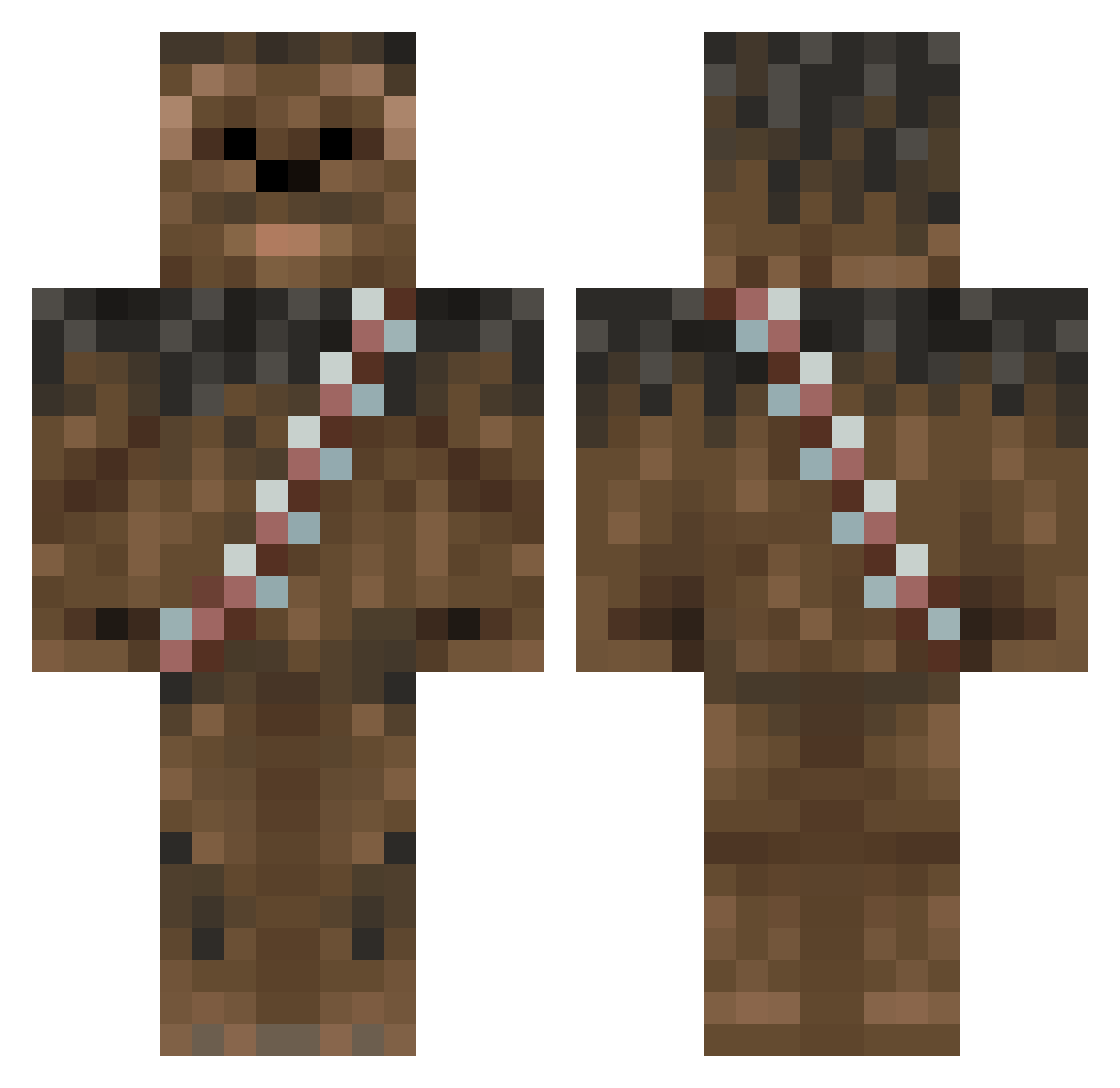
Current Minecraft skin of the player philipp1285, loaded from the official Mojang API. Rotate the 3D model with your mouse or finger, then download the skin as a PNG file and use it in Minecraft: Bedrock Edition or Java Edition for free. When philipp1285 changes their skin, this page updates automatically and the old skin stays in the history below.
Other players with this skin (122)
philipp1285 was the 103rd player we have seen with this skin, first spotted on 18.10.2026. The same skin was seen on these players. Open a nickname to see their current skin and skin history.
 johnnelp13 OnceForLife XxJON18xX BaccaWarriorASF DartBane TommyAngelo15467 andrew6395 FozzieBear2014 Jowcef EmilyBarkley Stohkos EproxXx Rakhuun camerinb ATLFAN_2 Obamasama spiderbyte77 Krauty717 Ch0ubaka ErichErichson Mossf boreham123 ZKiller107 too_stoned jcl228 TheBodo oggamogga ItsAutism ABOMB113 chavis1991 Jerik1703 TRAFFY1234 chewy1234 MagMidt Keezyoo PurpleRainn Pendrakkonson samspud7 SacredSamich HecMan232 Chewbacca6903 GrandmasterOmega Noximm7 Areyem MichaelDanglelow APEwithCAPE Smithmyer22 awheel robgravesny deathtrooper9 Joebucko runhoff NeoPayne op_janko NatureCloud nmcshane Vegeta187x Sk4face SpiritDooM Luk3Cr4ft
More Wookiee Minecraft skins
How to install the philipp1285 skin
- Press the Download button above to save the skin as a PNG file.
- Minecraft: Bedrock Edition (PE): open the Dressing Room from the main menu (or tap your character → Edit Character), go to Classic Skins → Owned, press the + (new skin) button, choose the downloaded PNG and pick the Classic (Steve) model. Works on PC and mobile; consoles cannot import custom skins.
- Minecraft: Java Edition: open the Minecraft Launcher, go to the Skins tab, click New Skin, load the PNG, pick the Classic (Steve) model and press Save & Use. You can also upload it at minecraft.net → Profile → Change Skin.
The skin does not show up after import - what should I do?
Restart Minecraft and open the Dressing Room again - imported skins sometimes appear only after a restart. Also make sure you selected the imported skin and picked the Classic (Steve) model.
Which model should I choose, Classic or Slim?
This skin is designed for the Classic (Steve) model. If you pick the wrong model, the arms of the skin will look stretched or squeezed.
Is the skin of philipp1285 free to download?
Yes. Press Download, save the PNG file and use it in Minecraft: Bedrock Edition or Java Edition - no payment or registration needed. The skin also works on multiplayer servers and Realms.
More skins
Looking for more? Go back to all Minecraft skins and check the top skins of the week, month and all time, or find any player's skin by nickname.