
pgc_7NiCX_0403 - Minecraft Skins & Skin History
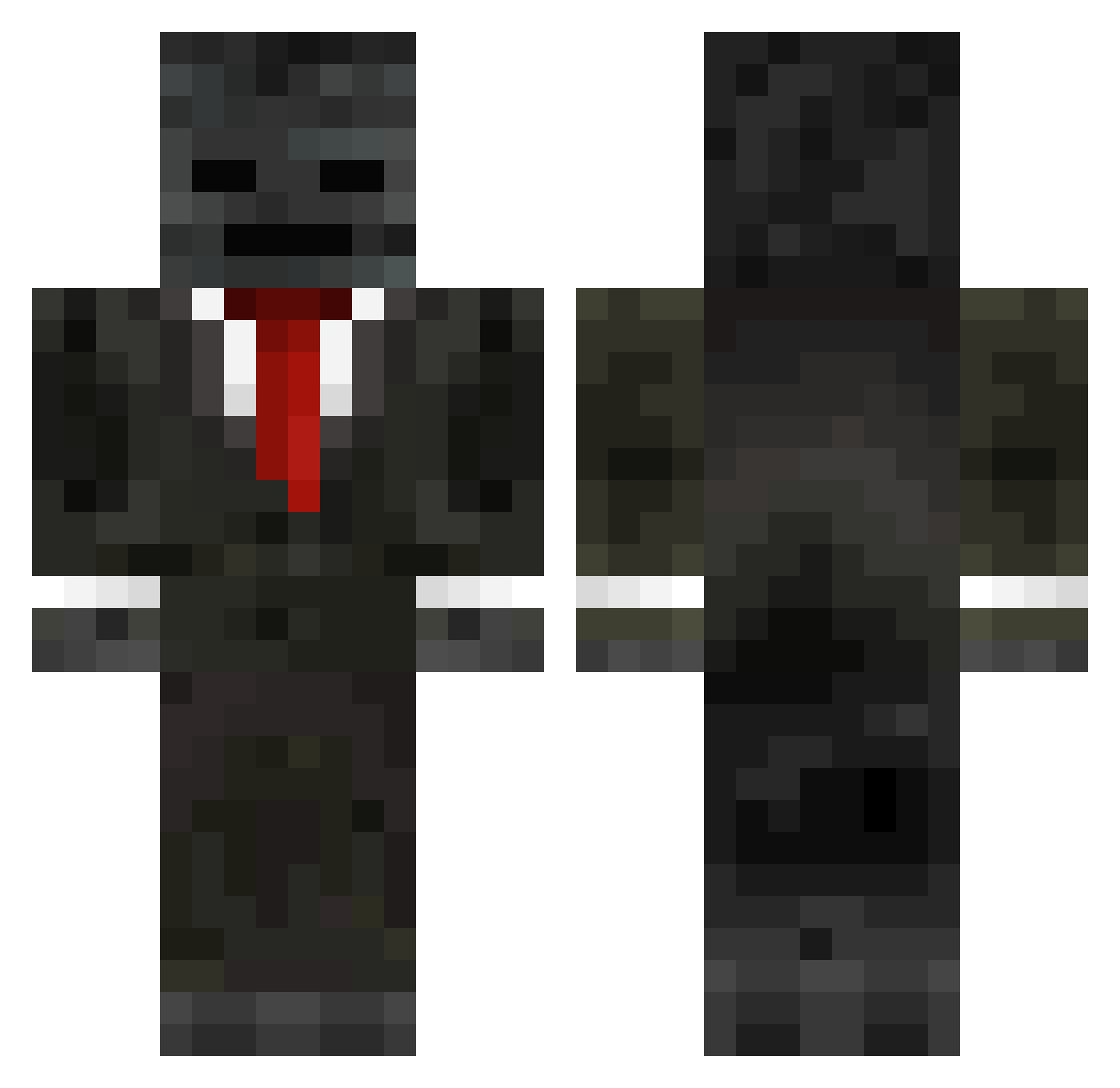
Current Minecraft skin of the player pgc_7NiCX_0403, loaded from the official Mojang API. Rotate the 3D model with your mouse or finger, then download the skin as a PNG file and use it in Minecraft: Bedrock Edition or Java Edition for free. When pgc_7NiCX_0403 changes their skin, this page updates automatically and the old skin stays in the history below.
Other players with this skin (274)
pgc_7NiCX_0403 was the 269th player we have seen with this skin, first spotted on 07.11.2026. The same skin was seen on these players. Open a nickname to see their current skin and skin history.
 Newko0550 dloge ChickenBeak12 Pedro227df felipemarx86 GroxMC AXPBLH Deniz_31_69 bobo457 Fullhouse02 boneyRL ZWazabi rip_yessir LilTh11 Khorne_PureFear FierFox112 ka1ro__ im_not_grox addrood Exodi icarinho52 ZjaranyXerqu villagernpc_ BiggesBird88 Saipan670 KWOKHIN2829 Artymiomio butler115 MightyRaven12152 YYYYYth RedCheetah77 FlipFlops3000 UNKNOW_1080 s666a YourMOM154 W1th_red GioTheBest1010 NaluEtienne SteamMoon Tomikcz_2 sukuna2304 yue71 RUIN45 Oikn _Minecrafterz Shadows312 BradenK99 RustDuckling267 ElproRodriGamer1 Arian_Pro2011 xiaochou10 McDrive007 Viboi LJB7317 Sam10276 ilovetoedge Ryebread292 D00M_WAK3 aazzaa9900 i3_1
More Wither Skeleton Minecraft skins
See all 440 Wither Skeleton skins
How to install the pgc_7NiCX_0403 skin
- Press the Download button above to save the skin as a PNG file.
- Minecraft: Bedrock Edition (PE): open the Dressing Room from the main menu (or tap your character → Edit Character), go to Classic Skins → Owned, press the + (new skin) button, choose the downloaded PNG and pick the Classic (Steve) model. Works on PC and mobile; consoles cannot import custom skins.
- Minecraft: Java Edition: open the Minecraft Launcher, go to the Skins tab, click New Skin, load the PNG, pick the Classic (Steve) model and press Save & Use. You can also upload it at minecraft.net → Profile → Change Skin.
The skin does not show up after import - what should I do?
Restart Minecraft and open the Dressing Room again - imported skins sometimes appear only after a restart. Also make sure you selected the imported skin and picked the Classic (Steve) model.
Which model should I choose, Classic or Slim?
This skin is designed for the Classic (Steve) model. If you pick the wrong model, the arms of the skin will look stretched or squeezed.
Is the skin of pgc_7NiCX_0403 free to download?
Yes. Press Download, save the PNG file and use it in Minecraft: Bedrock Edition or Java Edition - no payment or registration needed. The skin also works on multiplayer servers and Realms.
More skins
Looking for more? Go back to all Minecraft skins and check the top skins of the week, month and all time, or find any player's skin by nickname.