
pflaumkuchen - Minecraft Skins & Skin History
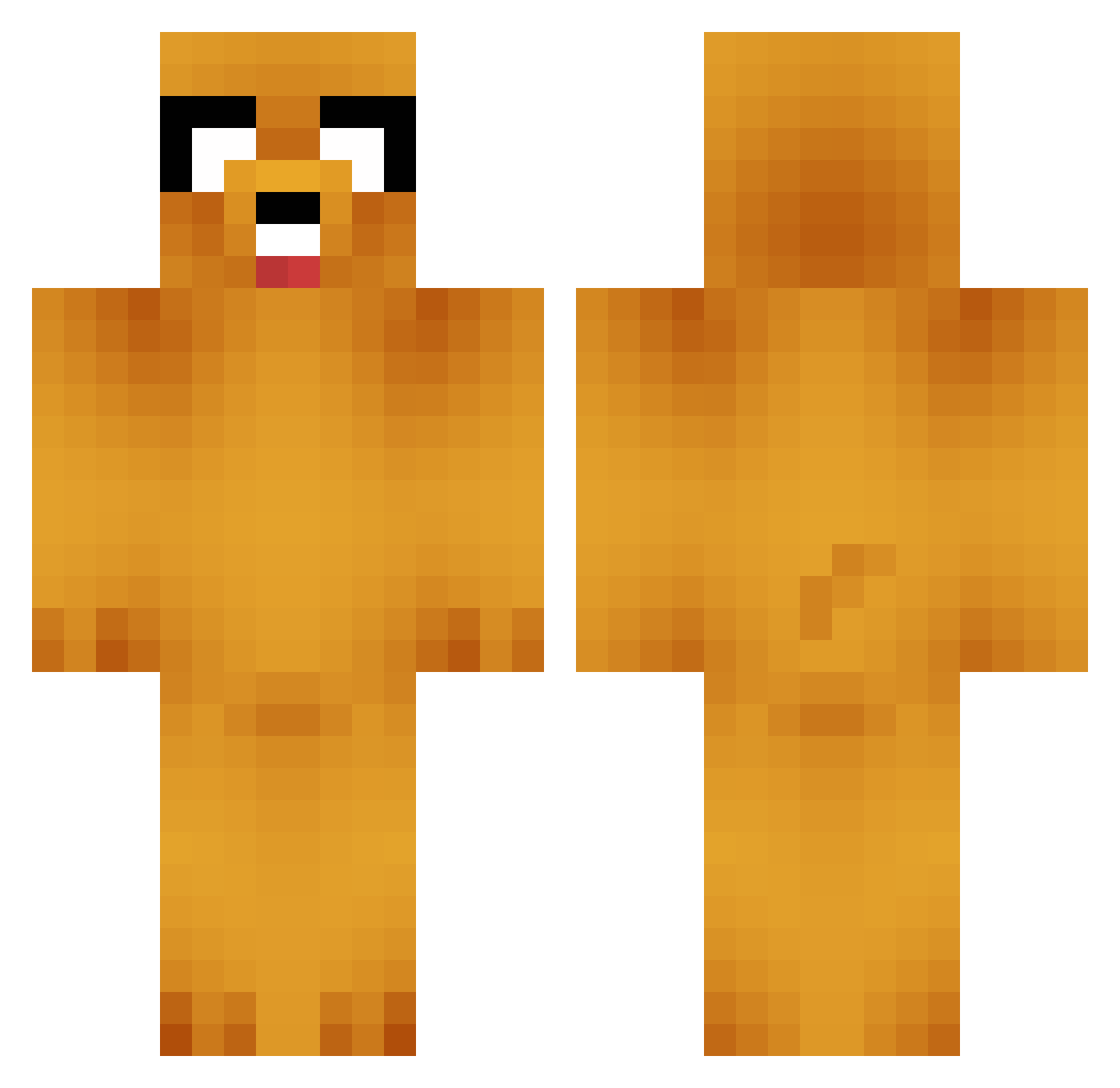
Current Minecraft skin of the player pflaumkuchen, loaded from the official Mojang API. Rotate the 3D model with your mouse or finger, then download the skin as a PNG file and use it in Minecraft: Bedrock Edition or Java Edition for free. When pflaumkuchen changes their skin, this page updates automatically and the old skin stays in the history below.
Other players with this skin (658)
pflaumkuchen was the 124th player we have seen with this skin, first spotted on 11.08.2026. The same skin was seen on these players. Open a nickname to see their current skin and skin history.
 summer1901 LocalNative Moenkosaurus xXNecroPheonixXx buildinsh1t Elkorv ForgottenHero04 ChefLilly orangetaco21 FluffyBITW slashmax1 Shawzy Patrick768 kaitlynn999 penguinpsml yournewrival flipswep SCVR Saohesc MrBoy maxwellmccoy FergieBoiiii JeefsHD Taehwagang Gituy FAKEfortnite wijwij stranglerBIA playingboy8 _pjonteg Kevinato fcoutino trillolivo carsonjones43 LordLuc12 Jake179 iPapasmurf13 ThatsD MrBanana777 SnoopyDoom FreeKmoon Lokepk holyskittlez jacjax AlPhA_TwO BebbeTheKing cullin8 i_doughnut_care Lewdia666 mew43341 link3908 PatterEllerBacon Snowbird21 Adam91940 IgotKidnapped JedSanders Z000T Hexas08 KIDKILLER456 Jason1567
More Jake Minecraft skins
How to install the pflaumkuchen skin
- Press the Download button above to save the skin as a PNG file.
- Minecraft: Bedrock Edition (PE): open the Dressing Room from the main menu (or tap your character → Edit Character), go to Classic Skins → Owned, press the + (new skin) button, choose the downloaded PNG and pick the Classic (Steve) model. Works on PC and mobile; consoles cannot import custom skins.
- Minecraft: Java Edition: open the Minecraft Launcher, go to the Skins tab, click New Skin, load the PNG, pick the Classic (Steve) model and press Save & Use. You can also upload it at minecraft.net → Profile → Change Skin.
The skin does not show up after import - what should I do?
Restart Minecraft and open the Dressing Room again - imported skins sometimes appear only after a restart. Also make sure you selected the imported skin and picked the Classic (Steve) model.
Which model should I choose, Classic or Slim?
This skin is designed for the Classic (Steve) model. If you pick the wrong model, the arms of the skin will look stretched or squeezed.
Is the skin of pflaumkuchen free to download?
Yes. Press Download, save the PNG file and use it in Minecraft: Bedrock Edition or Java Edition - no payment or registration needed. The skin also works on multiplayer servers and Realms.
More skins
Looking for more? Go back to all Minecraft skins and check the top skins of the week, month and all time, or find any player's skin by nickname.