
peepere - Minecraft Skins & Skin History
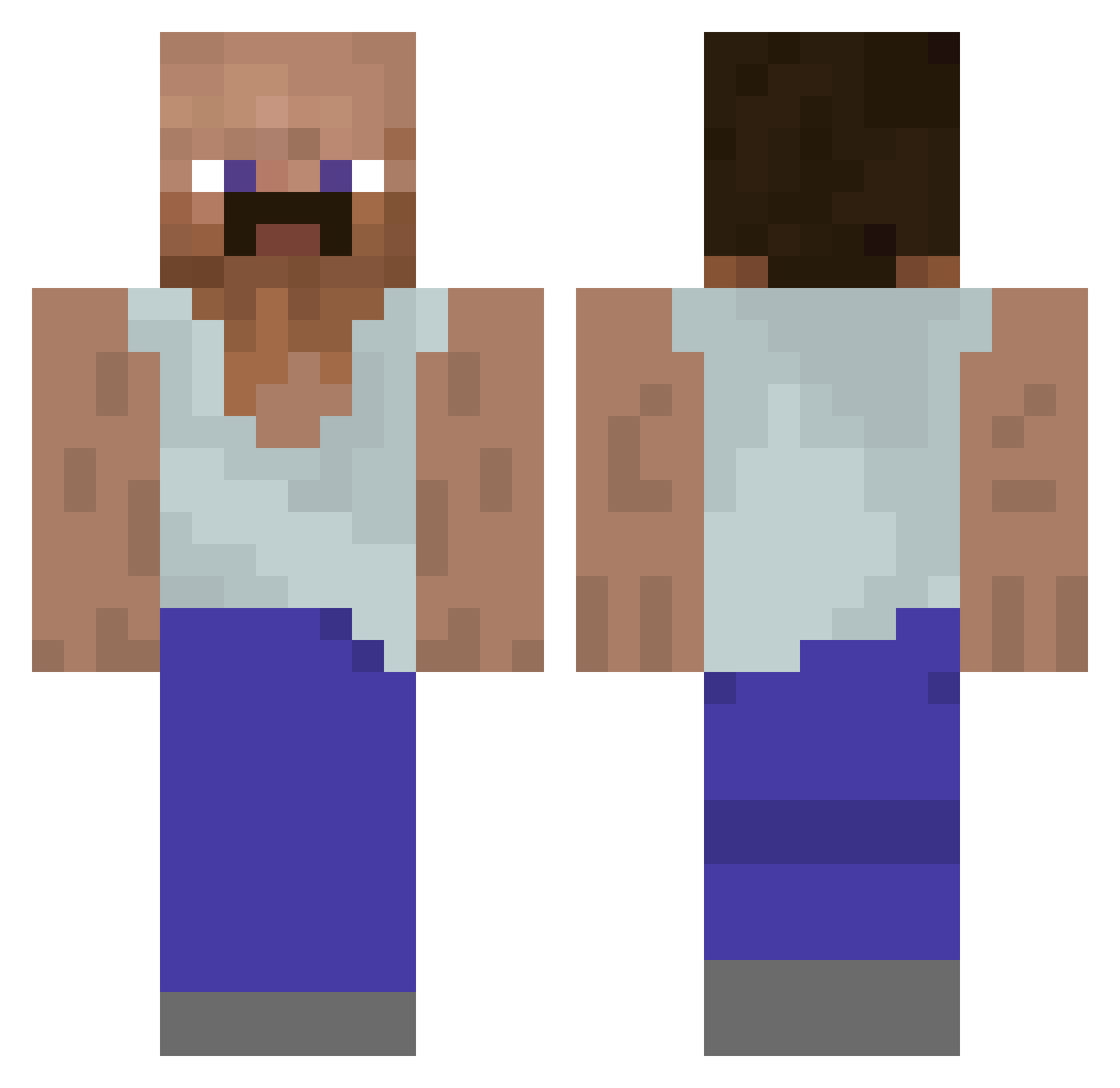
Current Minecraft skin of the player peepere, loaded from the official Mojang API. Rotate the 3D model with your mouse or finger, then download the skin as a PNG file and use it in Minecraft: Bedrock Edition or Java Edition for free. When peepere changes their skin, this page updates automatically and the old skin stays in the history below.
Other players with this skin (929)
peepere was the 443rd player we have seen with this skin, first spotted on 15.09.2026. The same skin was seen on these players. Open a nickname to see their current skin and skin history.
 kentuckybound bais08 Bomic Maximus5467 Chubnub22 IshTheFishy ABU5LOD8943 Jiba0211 MigrantDuck09 StefanZeromski Edukacja20 Buddydubs D4rfe Gronken_12 d8__ JoblessJelqer400 Honorar Optimus20000 Luiiigi123 PickleDuCucumber Emincredible TuffNun m6rco Derpypokemon1 rip_philo Ch0rles16 Sovik12 gdlvskv Apointy Malphite_Bot Sterydziak hamsan34 Malda7 Alphalifa CHAINBREAKER29 Yuutss Flapjack_417 ZemnieksLV RonaldBaginas Marek859 pi3141592653etc AlexInPain CrustyFeetLicker Joao_0 Lightbulb20001 ouayen84 artjom Pottabb Kungen_Titus XZ_BV alanb5622 Maniek512 BATONIKKKKKK Arnoox StxnedUndAllein TheSavageCrafter lena160707 Dorsatas jesuisunpigeon VaultMasterExe
More Mustache Minecraft skins
How to install the peepere skin
- Press the Download button above to save the skin as a PNG file.
- Minecraft: Bedrock Edition (PE): open the Dressing Room from the main menu (or tap your character → Edit Character), go to Classic Skins → Owned, press the + (new skin) button, choose the downloaded PNG and pick the Classic (Steve) model. Works on PC and mobile; consoles cannot import custom skins.
- Minecraft: Java Edition: open the Minecraft Launcher, go to the Skins tab, click New Skin, load the PNG, pick the Classic (Steve) model and press Save & Use. You can also upload it at minecraft.net → Profile → Change Skin.
The skin does not show up after import - what should I do?
Restart Minecraft and open the Dressing Room again - imported skins sometimes appear only after a restart. Also make sure you selected the imported skin and picked the Classic (Steve) model.
Which model should I choose, Classic or Slim?
This skin is designed for the Classic (Steve) model. If you pick the wrong model, the arms of the skin will look stretched or squeezed.
Is the skin of peepere free to download?
Yes. Press Download, save the PNG file and use it in Minecraft: Bedrock Edition or Java Edition - no payment or registration needed. The skin also works on multiplayer servers and Realms.
More skins
Looking for more? Go back to all Minecraft skins and check the top skins of the week, month and all time, or find any player's skin by nickname.