
peeetu - Minecraft Skins & Skin History
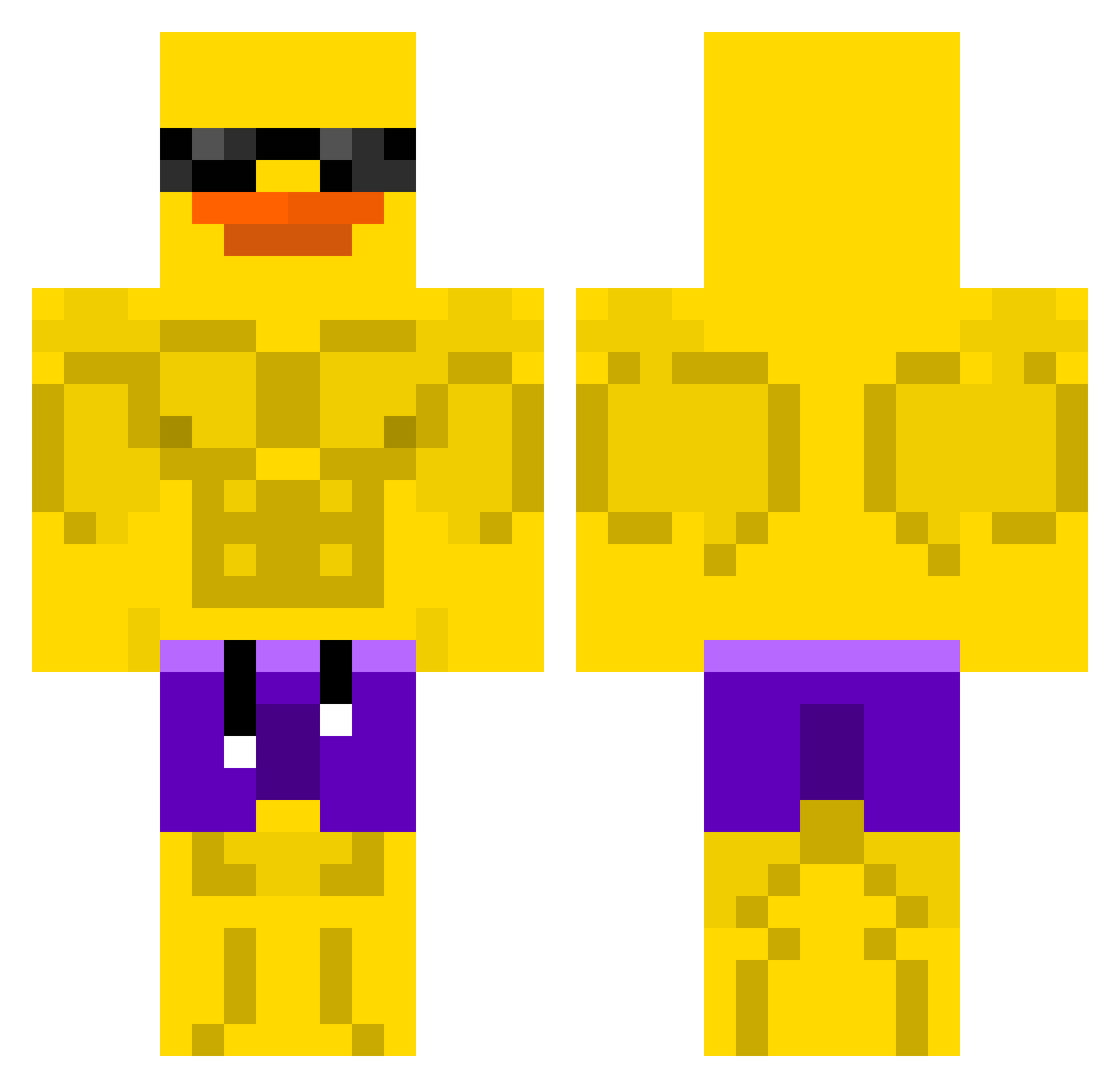
Current Minecraft skin of the player peeetu, loaded from the official Mojang API. Rotate the 3D model with your mouse or finger, then download the skin as a PNG file and use it in Minecraft: Bedrock Edition or Java Edition for free. When peeetu changes their skin, this page updates automatically and the old skin stays in the history below.
Other players with this skin (507)
peeetu was the 243rd player we have seen with this skin, first spotted on 10.09.2026. The same skin was seen on these players. Open a nickname to see their current skin and skin history.
 ErnestRuffleford LikorA24 Pypciu24 hilgton ThatOneNerd_ ajoona Roessls zuxleon ShaDoW_XTM Crazy_Ape31 AgentDucky08 hahahahahj TelePato CODYRYCHKUN Rocky10814 BroXTHATSME Barbiemel Pengu343 embc Fuzi123 Riverrside GOA_MINJUNSEO2 BROOK9575 brando52 and14 Luddebast XanneFrank69 WahW33 Lonedragon28 Draxsadz Zero2Her0 SatanicDucky DieZombie82 Gilpapa NOHEATED MrArbitraj DragonXZ9 kacperthe_ghost Motojoy KYGTI IczenFr noel8282 SR3L4 CAb0L Einzigartig2023 sepocu wanju9002 Ryuu__SenSeii yokoi451 JGAMESYT lothus2 Toxic_50 ThatDanko UnhipWalrus1331 laureng_outang33 ZP1Z piet_save sakuto009 minki0528 pobrediabl0
More Swim Trunks Minecraft skins
How to install the peeetu skin
- Press the Download button above to save the skin as a PNG file.
- Minecraft: Bedrock Edition (PE): open the Dressing Room from the main menu (or tap your character → Edit Character), go to Classic Skins → Owned, press the + (new skin) button, choose the downloaded PNG and pick the Classic (Steve) model. Works on PC and mobile; consoles cannot import custom skins.
- Minecraft: Java Edition: open the Minecraft Launcher, go to the Skins tab, click New Skin, load the PNG, pick the Classic (Steve) model and press Save & Use. You can also upload it at minecraft.net → Profile → Change Skin.
The skin does not show up after import - what should I do?
Restart Minecraft and open the Dressing Room again - imported skins sometimes appear only after a restart. Also make sure you selected the imported skin and picked the Classic (Steve) model.
Which model should I choose, Classic or Slim?
This skin is designed for the Classic (Steve) model. If you pick the wrong model, the arms of the skin will look stretched or squeezed.
Is the skin of peeetu free to download?
Yes. Press Download, save the PNG file and use it in Minecraft: Bedrock Edition or Java Edition - no payment or registration needed. The skin also works on multiplayer servers and Realms.
More skins
Looking for more? Go back to all Minecraft skins and check the top skins of the week, month and all time, or find any player's skin by nickname.