
pedrojamess - Minecraft Skins & Skin History
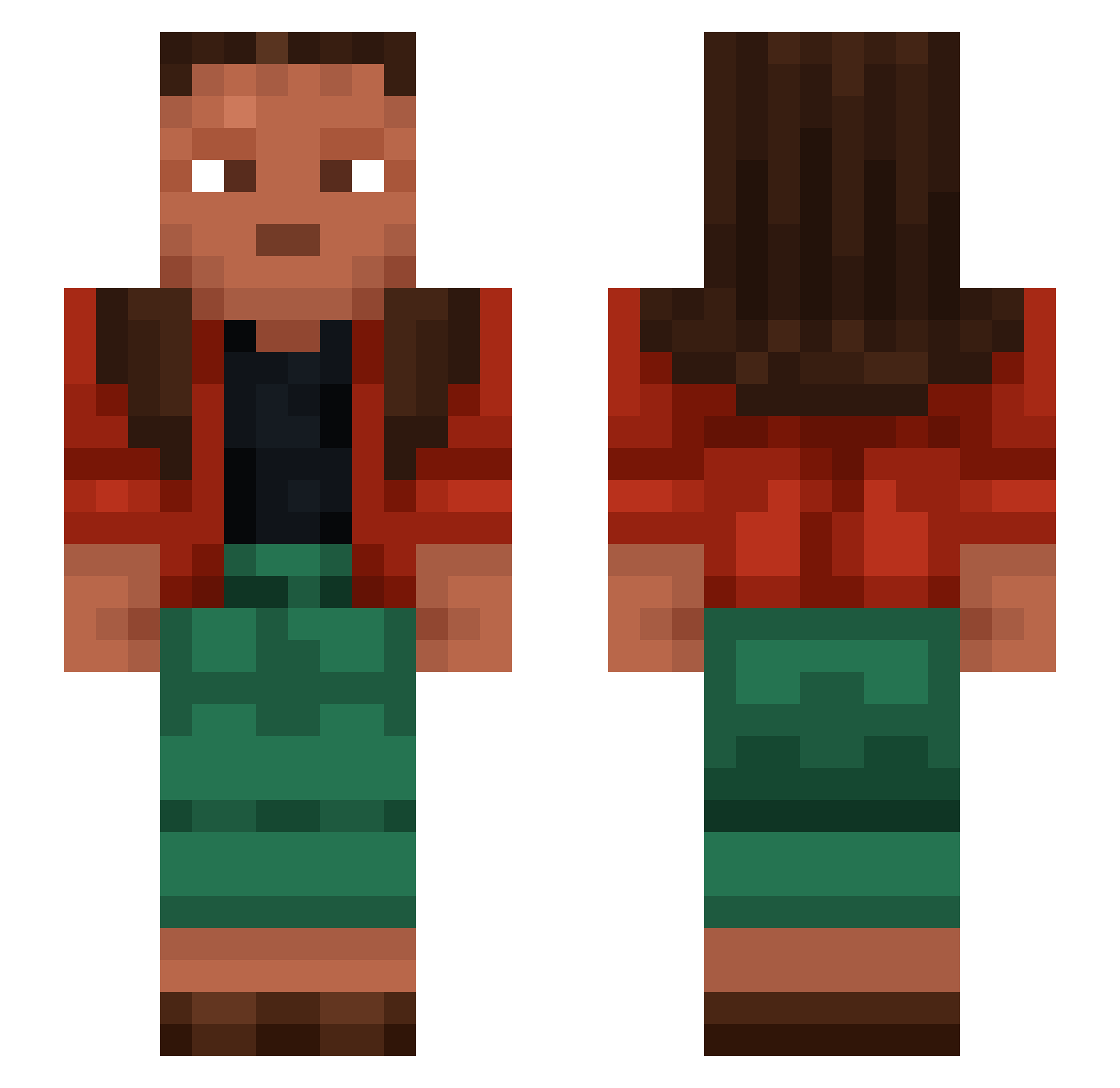
Current Minecraft skin of the player pedrojamess, loaded from the official Mojang API. Rotate the 3D model with your mouse or finger, then download the skin as a PNG file and use it in Minecraft: Bedrock Edition or Java Edition for free. When pedrojamess changes their skin, this page updates automatically and the old skin stays in the history below.
Other players with this skin (1455)
pedrojamess was the 1287th player we have seen with this skin, first spotted on 08.11.2026. The same skin was seen on these players. Open a nickname to see their current skin and skin history.
 ConnectedYouth1 iSmoochFeet Boce Cetus xDianoraa qewh pdll XxanXx_ strowold tulwar Matapi Juderenee mignonx Exceptor NetoBarros JohanSkyler xIGenti Termiik Weeping AsstraBoy glycogen Unfired critzon KINGJAMES777 hitlerdemented yugo1221 LinhDKpAM0203 Kobee MealyBug xiaomingovo Ziuumu beanhead12 Vdoggo Melounovec ShadowL4ncer Requy SKN360 Capons Tweil Jack_Roche Gultronk flywheels ConnectedYouth7 Idiocies 7987 Roszpunaa__ Eyesights KodiakMajor szoposImike Chrissypo05 Take23 payni V1tal1ty tombak Thxx ww2 Arratel BIGJAKUB p1doRR SirWusch
How to install the pedrojamess skin
- Press the Download button above to save the skin as a PNG file.
- Minecraft: Bedrock Edition (PE): open the Dressing Room from the main menu (or tap your character → Edit Character), go to Classic Skins → Owned, press the + (new skin) button, choose the downloaded PNG and pick the Slim (Alex) model. Works on PC and mobile; consoles cannot import custom skins.
- Minecraft: Java Edition: open the Minecraft Launcher, go to the Skins tab, click New Skin, load the PNG, pick the Slim (Alex) model and press Save & Use. You can also upload it at minecraft.net → Profile → Change Skin.
The skin does not show up after import - what should I do?
Restart Minecraft and open the Dressing Room again - imported skins sometimes appear only after a restart. Also make sure you selected the imported skin and picked the Slim (Alex) model.
Which model should I choose, Classic or Slim?
This skin is designed for the Slim (Alex) model. If you pick the wrong model, the arms of the skin will look stretched or squeezed.
Is the skin of pedrojamess free to download?
Yes. Press Download, save the PNG file and use it in Minecraft: Bedrock Edition or Java Edition - no payment or registration needed. The skin also works on multiplayer servers and Realms.
More skins
Looking for more? Go back to all Minecraft skins and check the top skins of the week, month and all time, or find any player's skin by nickname.