
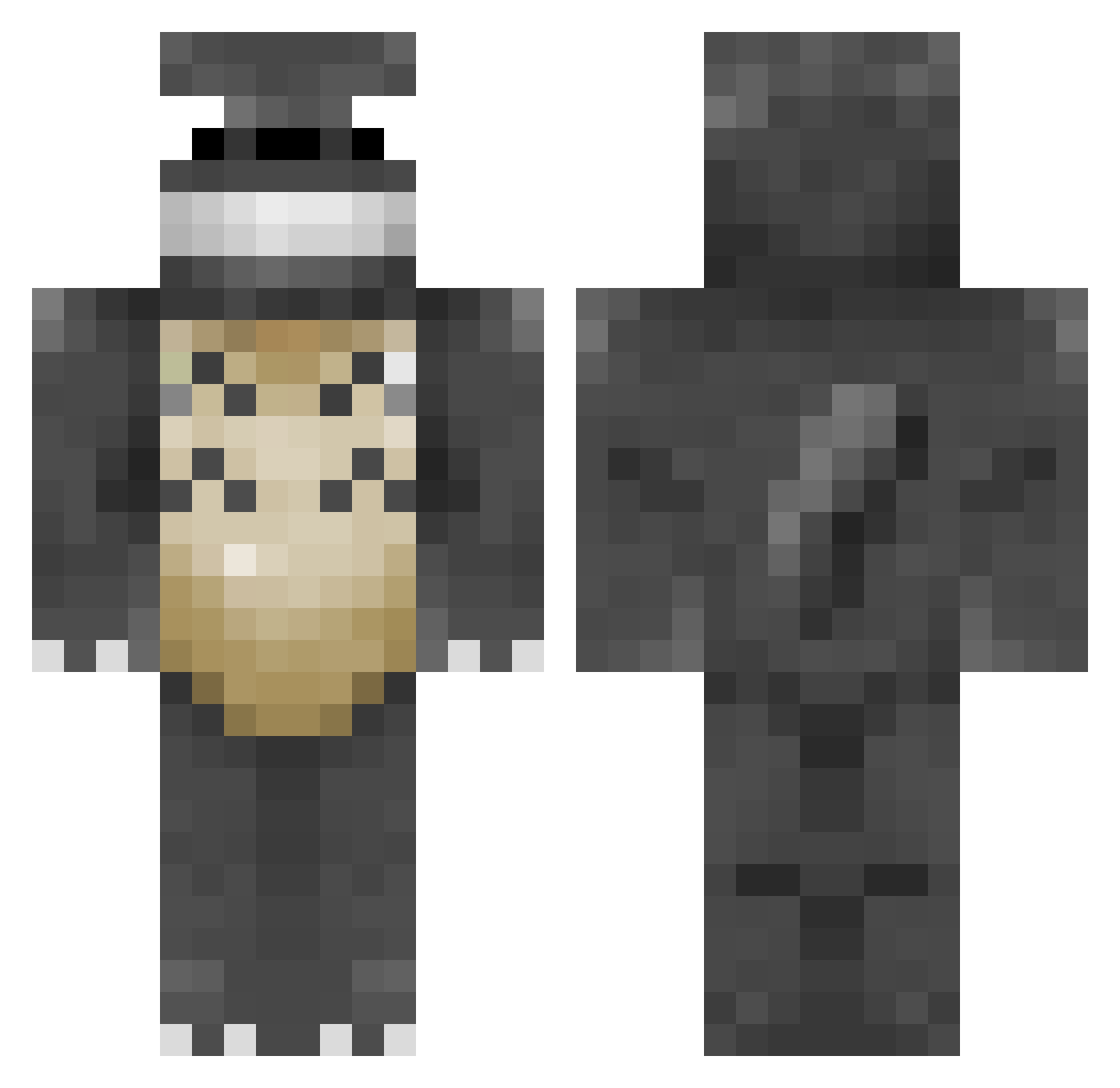
Current Minecraft skin of the player pebbles2011, loaded from the official Mojang API. Rotate the 3D model with your mouse or finger, then download the skin as a PNG file and use it in Minecraft: Bedrock Edition or Java Edition for free. When pebbles2011 changes their skin, this page updates automatically and the old skin stays in the history below.
Other players with this skin (203)
pebbles2011 was the 123rd player we have seen with this skin, first spotted on 18.09.2026. The same skin was seen on these players. Open a nickname to see their current skin and skin history.
 Sovrazen goldencaroline Smaldo ITSGEORGIA Louiszeboss Hownowcow SnOwpanDAz Ninouxen louie322 SuperHiruma21 Himura1 philippchen13 Crazymerlin1 EDDK Totoro2222 BallonBobby lnxfan Kim_Jeti 788 Milchmaennchen datsmoke Sky_MG JakeFishX Ayavy TheStrudelKing GokuZ24 Ace0610 kontraks Cowydon double_142 windy_vyo SirZenith2 fooster82 jokeplug 6070 clarachristensen Savingsilva1994 kaizer81 Klara_g LedjinofEzra AsterCody blubird4 coaldreary ChaneeS2 MrTeddyWaffles VSMonty alfreedom4all Gabuwu JesiDeeAnia TheCarrasm xXNathanXx Explosion22 bobby56 0xyd Makk20 ClumsyLaura jhorton01 Mr_Bowjangles younessco H0neyBadgerz
More My Neighbor Totoro Minecraft skins
See all 17 My Neighbor Totoro skins
How to install the pebbles2011 skin
- Press the Download button above to save the skin as a PNG file.
- Minecraft: Bedrock Edition (PE): open the Dressing Room from the main menu (or tap your character → Edit Character), go to Classic Skins → Owned, press the + (new skin) button, choose the downloaded PNG and pick the Classic (Steve) model. Works on PC and mobile; consoles cannot import custom skins.
- Minecraft: Java Edition: open the Minecraft Launcher, go to the Skins tab, click New Skin, load the PNG, pick the Classic (Steve) model and press Save & Use. You can also upload it at minecraft.net → Profile → Change Skin.
The skin does not show up after import - what should I do?
Restart Minecraft and open the Dressing Room again - imported skins sometimes appear only after a restart. Also make sure you selected the imported skin and picked the Classic (Steve) model.
Which model should I choose, Classic or Slim?
This skin is designed for the Classic (Steve) model. If you pick the wrong model, the arms of the skin will look stretched or squeezed.
Is the skin of pebbles2011 free to download?
Yes. Press Download, save the PNG file and use it in Minecraft: Bedrock Edition or Java Edition - no payment or registration needed. The skin also works on multiplayer servers and Realms.
More skins
Looking for more? Go back to all Minecraft skins and check the top skins of the week, month and all time, or find any player's skin by nickname.