
peanut30 - Minecraft Skins & Skin History
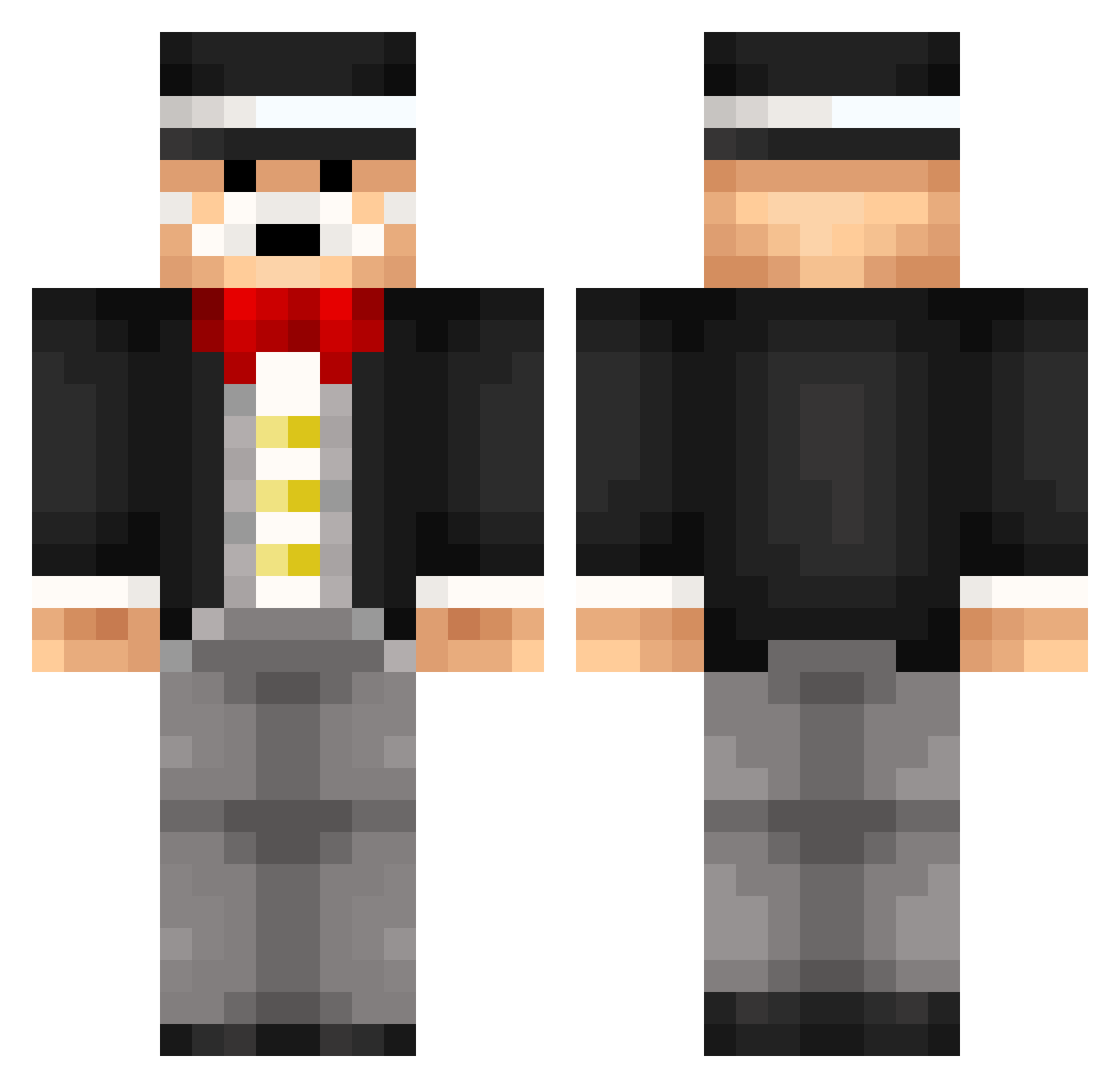
Current Minecraft skin of the player peanut30, loaded from the official Mojang API. Rotate the 3D model with your mouse or finger, then download the skin as a PNG file and use it in Minecraft: Bedrock Edition or Java Edition for free. When peanut30 changes their skin, this page updates automatically and the old skin stays in the history below.
Other players with this skin (265)
peanut30 was the 144th player we have seen with this skin, first spotted on 27.09.2026. The same skin was seen on these players. Open a nickname to see their current skin and skin history.
 LewisJonJon Oceancraft2005 defabricated rcromar77 BachoTV jmeken Basketballman72 sacha1234 blkanaki Yeene DJMinnich Chey0s encho112 foxgutt10 NeoCrafter97 Jeromoam mazorcaretro TalkTalk TurbidCornet7 enderjosh9 Stieltjes M0rban Sir_Mustache IngaSwe smelly_fart ErwinEater Houself01 rbjlaxgym Eric09q loufran12 Siguy27 NotMoodha Boudreaux23 Skywalker_0G_ Cylais DeenB Vexy Sgt_morningwood freeciv Gpelle baumio Richmos lumatron1999 antbor007 LordBaconis ElMamutse2 NoviceOfMusic Jesze_ 6Firmin9 YourLocalTrader Vincent_FT Dreywon Shakem_Bakem3 Pinguz ser99gamer Funky_Nels Razov_Doritos OompaLoompa21 alejandro_w ame_b
More Monopoly Minecraft skins
How to install the peanut30 skin
- Press the Download button above to save the skin as a PNG file.
- Minecraft: Bedrock Edition (PE): open the Dressing Room from the main menu (or tap your character → Edit Character), go to Classic Skins → Owned, press the + (new skin) button, choose the downloaded PNG and pick the Classic (Steve) model. Works on PC and mobile; consoles cannot import custom skins.
- Minecraft: Java Edition: open the Minecraft Launcher, go to the Skins tab, click New Skin, load the PNG, pick the Classic (Steve) model and press Save & Use. You can also upload it at minecraft.net → Profile → Change Skin.
The skin does not show up after import - what should I do?
Restart Minecraft and open the Dressing Room again - imported skins sometimes appear only after a restart. Also make sure you selected the imported skin and picked the Classic (Steve) model.
Which model should I choose, Classic or Slim?
This skin is designed for the Classic (Steve) model. If you pick the wrong model, the arms of the skin will look stretched or squeezed.
Is the skin of peanut30 free to download?
Yes. Press Download, save the PNG file and use it in Minecraft: Bedrock Edition or Java Edition - no payment or registration needed. The skin also works on multiplayer servers and Realms.
More skins
Looking for more? Go back to all Minecraft skins and check the top skins of the week, month and all time, or find any player's skin by nickname.