
pcdavistoo - Minecraft Skins & Skin History
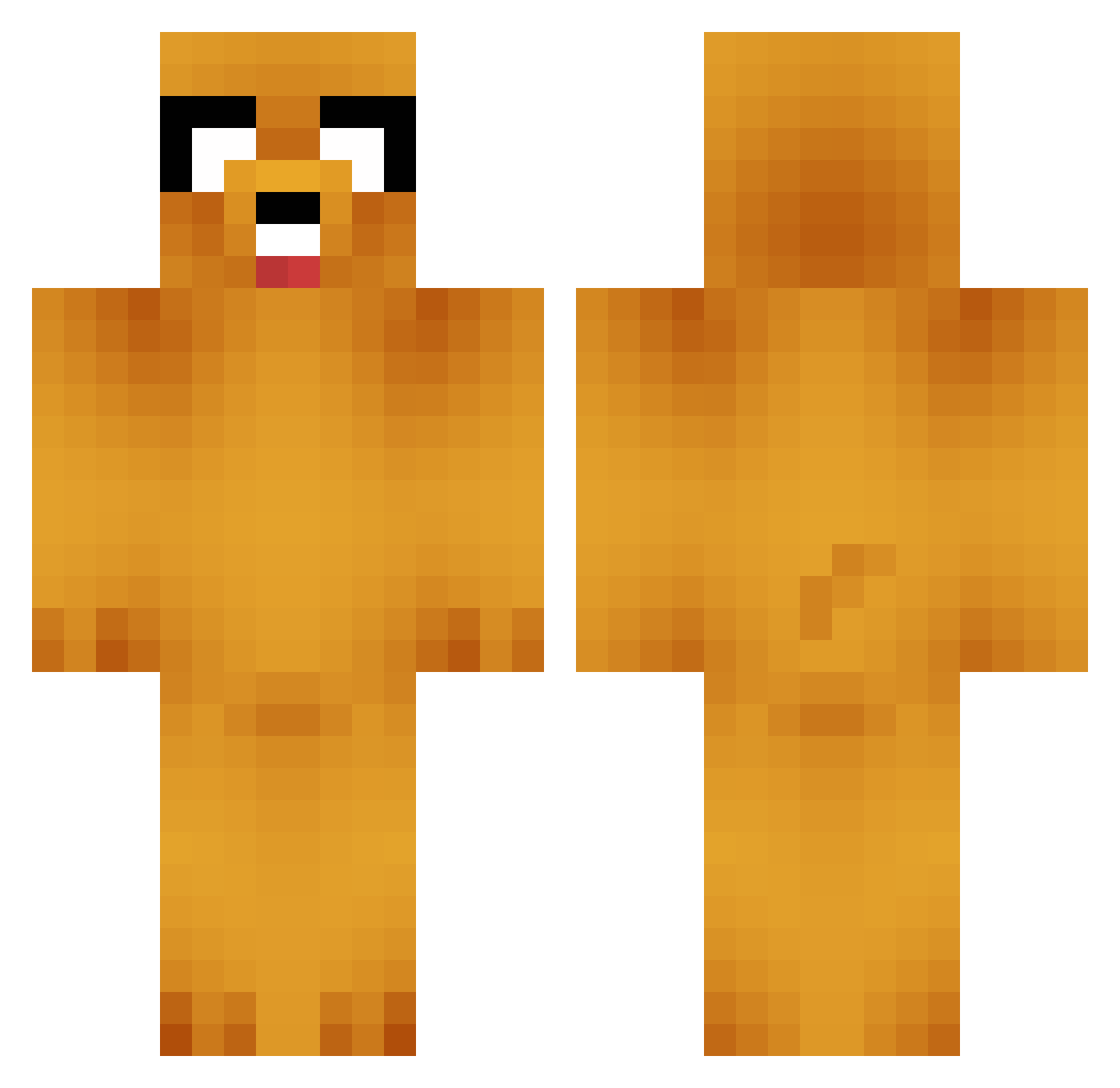
Current Minecraft skin of the player pcdavistoo, loaded from the official Mojang API. Rotate the 3D model with your mouse or finger, then download the skin as a PNG file and use it in Minecraft: Bedrock Edition or Java Edition for free. When pcdavistoo changes their skin, this page updates automatically and the old skin stays in the history below.
Other players with this skin (658)
pcdavistoo was the 27th player we have seen with this skin, first spotted on 27.07.2026. The same skin was seen on these players. Open a nickname to see their current skin and skin history.
 FatJesus1212 dogaelmas Psv_Agrsv_Potato TaraH Erok69 SykoFazAM TheEpicMelon _Ougi_ HappyLady101 fantala02 GeorgiaBoyPW heatsek Nashayummy RICEPTION MelissaJaneXo crystal172004 EngrGeek3 Shikaka02 SierraMike1995 Aelidon Axel_002 tomeczeq mosesdigiorno hair0doom hazza1313 kl_kion raymond_000 conquestador1234 carew2012 Eyewitness666 newusernam3 luisquid Bonkingtons Mick200803 WherezBobby Evajade1234 Tynreen GokuBaka hunter1977 Homo_Stannum DangerManDan t32Bit Graystone_ Tyme7 KILLAMERIKA Hoppetrollet speyton monkeypaw15 emg8294 MrDoubleTap phrann viggojansson schugoche bryzayjer ItzL3na Sucky10dollar SammyTheCreator1 Nacrugu insanefury10 TheDoomslayin
More Jake Minecraft skins
How to install the pcdavistoo skin
- Press the Download button above to save the skin as a PNG file.
- Minecraft: Bedrock Edition (PE): open the Dressing Room from the main menu (or tap your character → Edit Character), go to Classic Skins → Owned, press the + (new skin) button, choose the downloaded PNG and pick the Classic (Steve) model. Works on PC and mobile; consoles cannot import custom skins.
- Minecraft: Java Edition: open the Minecraft Launcher, go to the Skins tab, click New Skin, load the PNG, pick the Classic (Steve) model and press Save & Use. You can also upload it at minecraft.net → Profile → Change Skin.
The skin does not show up after import - what should I do?
Restart Minecraft and open the Dressing Room again - imported skins sometimes appear only after a restart. Also make sure you selected the imported skin and picked the Classic (Steve) model.
Which model should I choose, Classic or Slim?
This skin is designed for the Classic (Steve) model. If you pick the wrong model, the arms of the skin will look stretched or squeezed.
Is the skin of pcdavistoo free to download?
Yes. Press Download, save the PNG file and use it in Minecraft: Bedrock Edition or Java Edition - no payment or registration needed. The skin also works on multiplayer servers and Realms.
More skins
Looking for more? Go back to all Minecraft skins and check the top skins of the week, month and all time, or find any player's skin by nickname.