
pawel958 - Minecraft Skins & Skin History
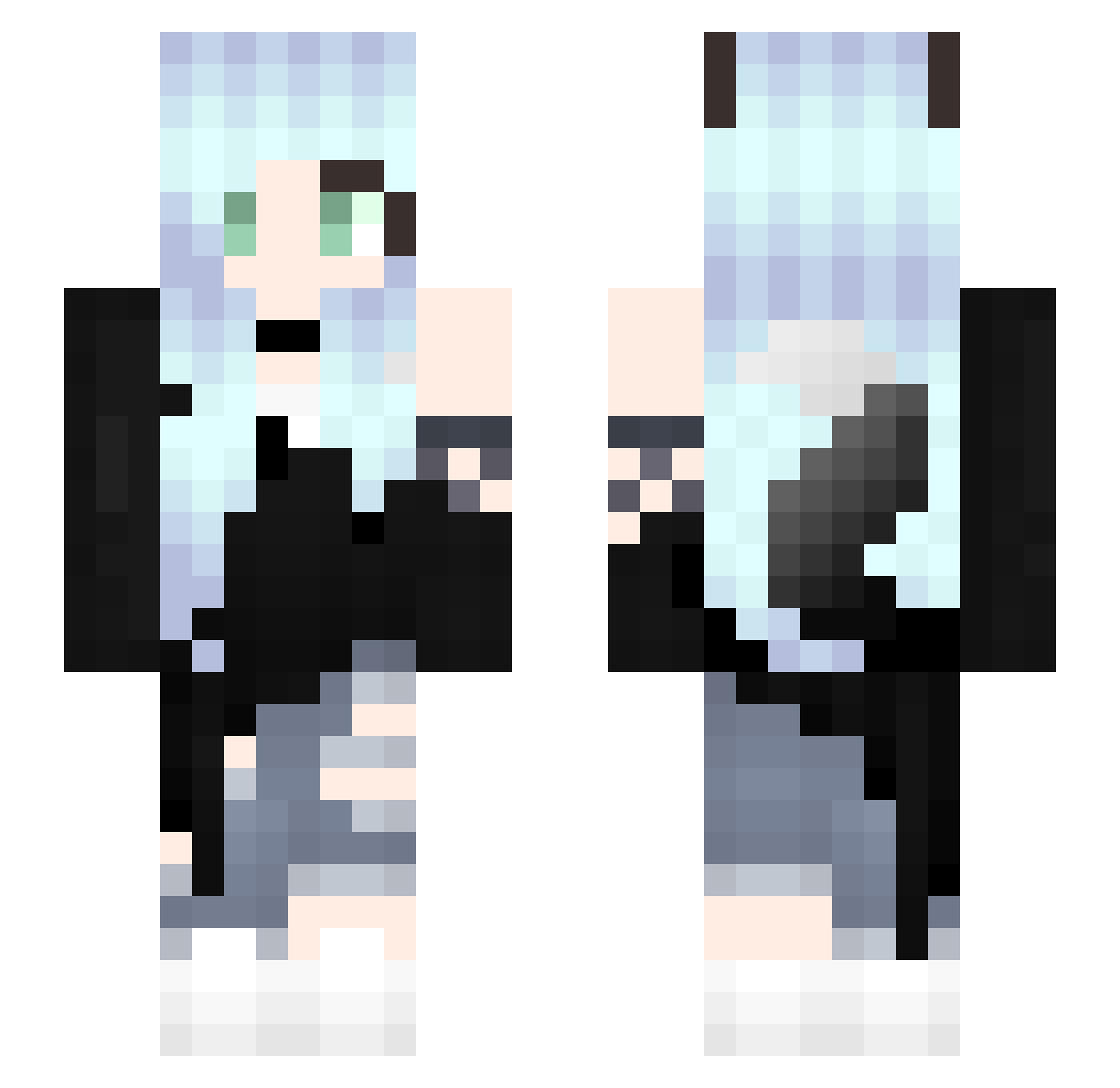
Current Minecraft skin of the player pawel958, loaded from the official Mojang API. Rotate the 3D model with your mouse or finger, then download the skin as a PNG file and use it in Minecraft: Bedrock Edition or Java Edition for free. When pawel958 changes their skin, this page updates automatically and the old skin stays in the history below.
Other players with this skin (272)
pawel958 was the 52nd player we have seen with this skin, first spotted on 10.08.2026. The same skin was seen on these players. Open a nickname to see their current skin and skin history.
 LunaMayson Papilioprotenor Alezia23 yessi_liz Ch33rioK1lla JuinOwO LoLoPepe18 le0rca7 Blueblooy lilac1120 Jajalife DrewLove_ You_Ye_Meng W0lf64 janina666 melossss4 kokoa6z MINTO892 LightningEevee FrostySpud hename405 Kail23 B3AST556 Miger777 MadieZwiss mamechon Kitsune_null sama65 Kitsunemomo lishixin123 SHEUNNN RemyM6 lKingl AriButFunny Mivits YueYangVR
 syake_ikura shadowwolf1565 Master_Pantsu Derytea wocaoweiruanqinm RiaSummer KarmaMitake darkpidgeon I_Layra_I Karie_0609 yukinon1126 parashoots DDGamer90 LynxLizard Yukino404 HayamiUwU liuyutin OliviaPlayzMC lariseppe Chihiromaru321 taso_1802 odasi RecycledWeasel SoyaSun
More Fox Ears Minecraft skins
How to install the pawel958 skin
- Press the Download button above to save the skin as a PNG file.
- Minecraft: Bedrock Edition (PE): open the Dressing Room from the main menu (or tap your character → Edit Character), go to Classic Skins → Owned, press the + (new skin) button, choose the downloaded PNG and pick the Slim (Alex) model. Works on PC and mobile; consoles cannot import custom skins.
- Minecraft: Java Edition: open the Minecraft Launcher, go to the Skins tab, click New Skin, load the PNG, pick the Slim (Alex) model and press Save & Use. You can also upload it at minecraft.net → Profile → Change Skin.
The skin does not show up after import - what should I do?
Restart Minecraft and open the Dressing Room again - imported skins sometimes appear only after a restart. Also make sure you selected the imported skin and picked the Slim (Alex) model.
Which model should I choose, Classic or Slim?
This skin is designed for the Slim (Alex) model. If you pick the wrong model, the arms of the skin will look stretched or squeezed.
Is the skin of pawel958 free to download?
Yes. Press Download, save the PNG file and use it in Minecraft: Bedrock Edition or Java Edition - no payment or registration needed. The skin also works on multiplayer servers and Realms.
More skins
Looking for more? Go back to all Minecraft skins and check the top skins of the week, month and all time, or find any player's skin by nickname.