
patyus_ - Minecraft Skins & Skin History
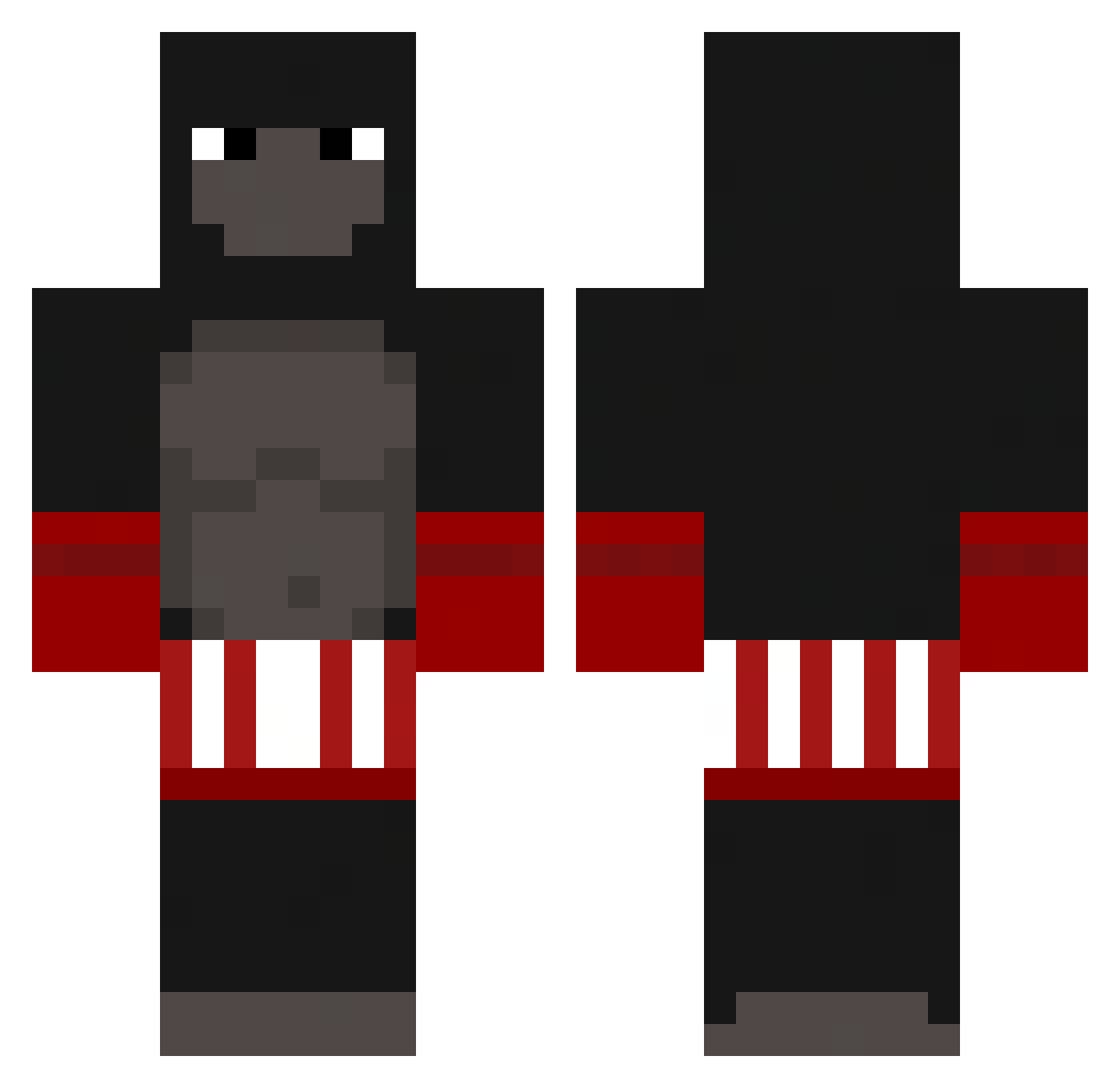
Current Minecraft skin of the player patyus_, loaded from the official Mojang API. Rotate the 3D model with your mouse or finger, then download the skin as a PNG file and use it in Minecraft: Bedrock Edition or Java Edition for free. When patyus_ changes their skin, this page updates automatically and the old skin stays in the history below.
Other players with this skin (236)
patyus_ was the 24th player we have seen with this skin, first spotted on 07.08.2026. The same skin was seen on these players. Open a nickname to see their current skin and skin history.
 majoodah lorenzoxml Kqwq EyeZec JamesBoz land0n28 Ibimslol2008 PeterBurger39 Kuramathy HairyGuac kiril_tripl_kill James303r ChildDrinker bordeuxxd ClampedByEthan xthediIIer Elcalderon845__ SAMBAR_DESTROYER dennisbath samosha_123 Aprendadetdgames slonarius treezycrazy Ivanhard666 idontwantthat minecraftPRO180 Akaston Forestmegaman Sywvv Castiga155 Provoda66 GremioFBPA MICH4ELv2 ixceyvybzYT jehhhhtoch BobbyBouchee Yahetta Plemniczek_ indomieguy Patrc1o nicetomeechyou SolitudeAlways BradGammer Getting20FPS GameDeveloper Sxries Spluddss dreee_ Bezu01 KKameRR danya22876 GUI_12 OldManMacey FxBush Creepeeink KaliDrew MERTOOO IPunchMonkeys DarkDragonFight thebreezy516
More Boxer Minecraft skins
How to install the patyus_ skin
- Press the Download button above to save the skin as a PNG file.
- Minecraft: Bedrock Edition (PE): open the Dressing Room from the main menu (or tap your character → Edit Character), go to Classic Skins → Owned, press the + (new skin) button, choose the downloaded PNG and pick the Classic (Steve) model. Works on PC and mobile; consoles cannot import custom skins.
- Minecraft: Java Edition: open the Minecraft Launcher, go to the Skins tab, click New Skin, load the PNG, pick the Classic (Steve) model and press Save & Use. You can also upload it at minecraft.net → Profile → Change Skin.
The skin does not show up after import - what should I do?
Restart Minecraft and open the Dressing Room again - imported skins sometimes appear only after a restart. Also make sure you selected the imported skin and picked the Classic (Steve) model.
Which model should I choose, Classic or Slim?
This skin is designed for the Classic (Steve) model. If you pick the wrong model, the arms of the skin will look stretched or squeezed.
Is the skin of patyus_ free to download?
Yes. Press Download, save the PNG file and use it in Minecraft: Bedrock Edition or Java Edition - no payment or registration needed. The skin also works on multiplayer servers and Realms.
More skins
Looking for more? Go back to all Minecraft skins and check the top skins of the week, month and all time, or find any player's skin by nickname.