
patrickrw10 - Minecraft Skins & Skin History
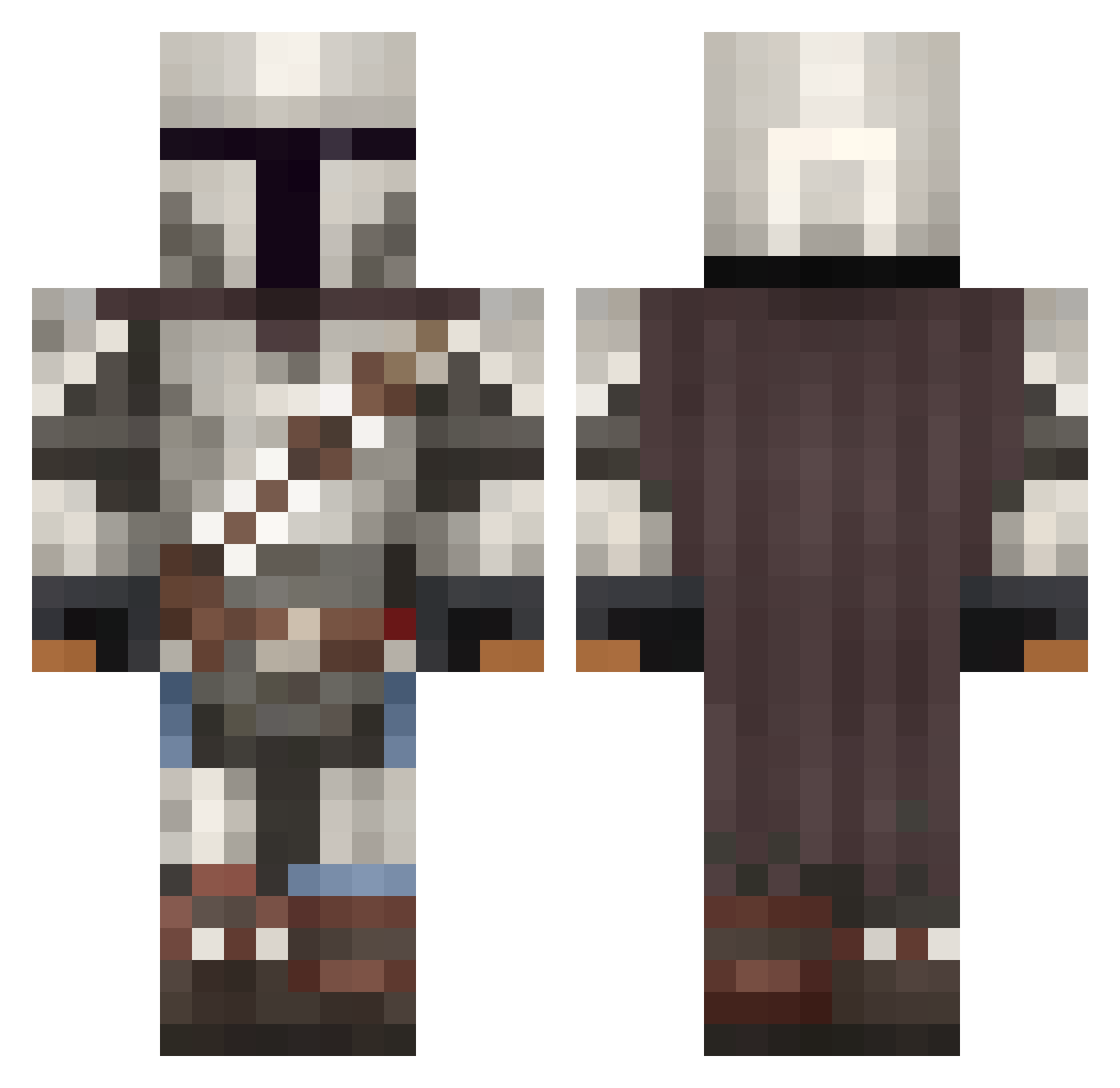
Current Minecraft skin of the player patrickrw10, loaded from the official Mojang API. Rotate the 3D model with your mouse or finger, then download the skin as a PNG file and use it in Minecraft: Bedrock Edition or Java Edition for free. When patrickrw10 changes their skin, this page updates automatically and the old skin stays in the history below.
Other players with this skin (1092)
patrickrw10 was the 833rd player we have seen with this skin, first spotted on 16.10.2026. The same skin was seen on these players. Open a nickname to see their current skin and skin history.
 Thorondor zump98 PuddinBender General_GON Deathscrims RMPNRK2 BoostBen MGough1200 DerQuoc ReignOverShadows Garadain PapiPeach _Block_Man DryYeti67 Albin031 Heisengreg ninjedi127 foxking5000 DNARWI23 Beekeeper_uwu 48sharks gianni_dtz EDDI3 ItsFakedtiger Jaggerfrost Statix66 TP14 AcrazyBones MieZe_nibba hankerchief007 pilootje777 DDUNCAN69 L2DBlutigerEngel LogicalPazLopez AkinaWins A_Devildancer DennisX492X dewdrop_ DruidFlame clxpzOnHotelWifi SciChronic ThatKinkySmurf JLMC5075 TheRealPEasy Dylan1234567 9000w ShroomNV Gm0nster26 1Pyran Viccuco Ermakko7 MegaChungus56 wifri169 CoktomasPrime Unfassbier84 CC248 Skoot340 LucasJC2 SebaOS ExileOnMc
More The Mandalorian Minecraft skins
See all 620 The Mandalorian skins
How to install the patrickrw10 skin
- Press the Download button above to save the skin as a PNG file.
- Minecraft: Bedrock Edition (PE): open the Dressing Room from the main menu (or tap your character → Edit Character), go to Classic Skins → Owned, press the + (new skin) button, choose the downloaded PNG and pick the Classic (Steve) model. Works on PC and mobile; consoles cannot import custom skins.
- Minecraft: Java Edition: open the Minecraft Launcher, go to the Skins tab, click New Skin, load the PNG, pick the Classic (Steve) model and press Save & Use. You can also upload it at minecraft.net → Profile → Change Skin.
The skin does not show up after import - what should I do?
Restart Minecraft and open the Dressing Room again - imported skins sometimes appear only after a restart. Also make sure you selected the imported skin and picked the Classic (Steve) model.
Which model should I choose, Classic or Slim?
This skin is designed for the Classic (Steve) model. If you pick the wrong model, the arms of the skin will look stretched or squeezed.
Is the skin of patrickrw10 free to download?
Yes. Press Download, save the PNG file and use it in Minecraft: Bedrock Edition or Java Edition - no payment or registration needed. The skin also works on multiplayer servers and Realms.
More skins
Looking for more? Go back to all Minecraft skins and check the top skins of the week, month and all time, or find any player's skin by nickname.