
paston04 - Minecraft Skins & Skin History
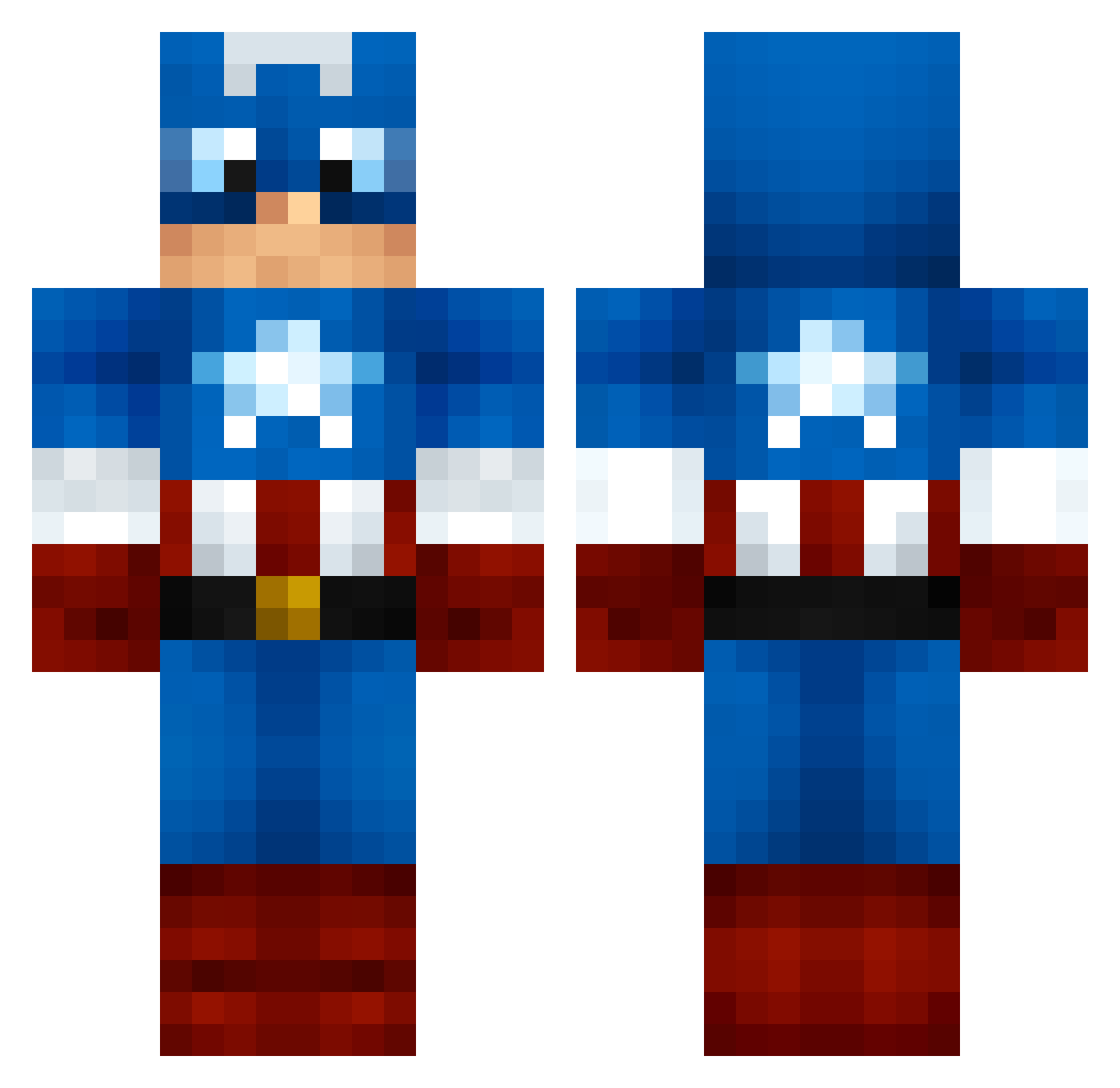
Current Minecraft skin of the player paston04, loaded from the official Mojang API. Rotate the 3D model with your mouse or finger, then download the skin as a PNG file and use it in Minecraft: Bedrock Edition or Java Edition for free. When paston04 changes their skin, this page updates automatically and the old skin stays in the history below.
Other players with this skin (999)
paston04 was the 122nd player we have seen with this skin, first spotted on 03.08.2026. The same skin was seen on these players. Open a nickname to see their current skin and skin history.
 CollectorEdition Jamesai Warrock killermathias147 srogers912 dedjoux MrByte11 drew1298 ojo_minecraft Madd0321 Cheesepuffnstuff LeTos tichie7673 Mr_Reed RecklessKid1 sukle nascar39 Emrdmrci lighdoor lukyluky665 Dylan_Rob17 HBoomer floody17 antipodeus UnleashedPower LewisEagland brio69 D_Blocalypse airchino32 MuFFuK parthchauhan123 rayanefairouze10 vyber_MC Payoso Hermass Lnang123 OldDirtyTube Debob2 QENTIN_the_QTIP Isranes scarycoma KMANBEAST1234 ajj3 OberFlunder st69 epicmonster920 TopsNinja soccerattack5000 DNS99 supermegajason TheFlyingBaboon Rubber_Biscuit freezefox3 agentcooley Lump654321 beastsocool TheSnipingShadow hades59950 ohchickenfarmer pannotskiy
More Captain America Minecraft skins
See all 148 Captain America skins
How to install the paston04 skin
- Press the Download button above to save the skin as a PNG file.
- Minecraft: Bedrock Edition (PE): open the Dressing Room from the main menu (or tap your character → Edit Character), go to Classic Skins → Owned, press the + (new skin) button, choose the downloaded PNG and pick the Classic (Steve) model. Works on PC and mobile; consoles cannot import custom skins.
- Minecraft: Java Edition: open the Minecraft Launcher, go to the Skins tab, click New Skin, load the PNG, pick the Classic (Steve) model and press Save & Use. You can also upload it at minecraft.net → Profile → Change Skin.
The skin does not show up after import - what should I do?
Restart Minecraft and open the Dressing Room again - imported skins sometimes appear only after a restart. Also make sure you selected the imported skin and picked the Classic (Steve) model.
Which model should I choose, Classic or Slim?
This skin is designed for the Classic (Steve) model. If you pick the wrong model, the arms of the skin will look stretched or squeezed.
Is the skin of paston04 free to download?
Yes. Press Download, save the PNG file and use it in Minecraft: Bedrock Edition or Java Edition - no payment or registration needed. The skin also works on multiplayer servers and Realms.
More skins
Looking for more? Go back to all Minecraft skins and check the top skins of the week, month and all time, or find any player's skin by nickname.