
pasterz456 - Minecraft Skins & Skin History
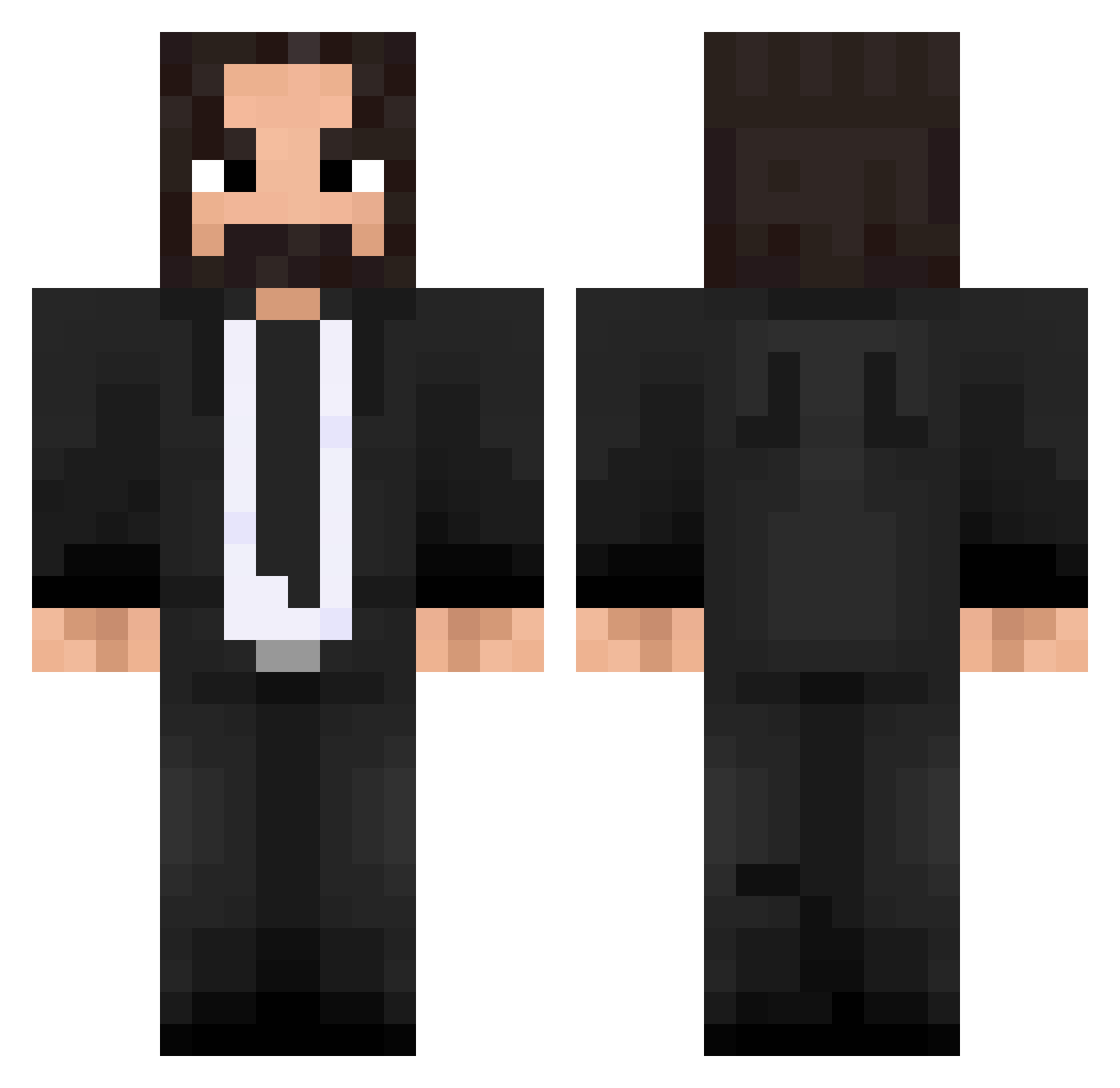
Current Minecraft skin of the player pasterz456, loaded from the official Mojang API. Rotate the 3D model with your mouse or finger, then download the skin as a PNG file and use it in Minecraft: Bedrock Edition or Java Edition for free. When pasterz456 changes their skin, this page updates automatically and the old skin stays in the history below.
Other players with this skin (475)
pasterz456 was the 411th player we have seen with this skin, first spotted on 22.10.2026. The same skin was seen on these players. Open a nickname to see their current skin and skin history.
 nickzombie860 Schol0920 ZeyDawn normpad FlyingFijian679 suzuiscool KiwiKyle4 DovaKG Bogeyman PresPoggers Andre_lrichter Shruirkan KernelVonUnix Pochita666 xJDAMx Pancho_69 andreruchel TavaresDad CutieGuard DrZyko JinHan0421 Soryn105 Mercuc lindembergk12 Chan_Shige AgentSerro MrJohnWick ktx2014 Doctor_Bonda eFanya jian8766 Zrryttyy Apaullo12 MASTERNINJA_25 myClorox Bhoenix0 HyperHot TheDatTriple Haven_Devil koQQQ Titorblr Tis3 TopBlox JOHN_WEEDS olo233 AVPatriot John019 dmajikes GaMeCrUsHr97 hackills EPStrider009 TheWick_YT JoeWess03 _N4T0_ Asmaber10 PatrickLane_oiko Dr_Pepper_Simp tdg SirRifleHead Booske
More John Wick Minecraft skins
How to install the pasterz456 skin
- Press the Download button above to save the skin as a PNG file.
- Minecraft: Bedrock Edition (PE): open the Dressing Room from the main menu (or tap your character → Edit Character), go to Classic Skins → Owned, press the + (new skin) button, choose the downloaded PNG and pick the Classic (Steve) model. Works on PC and mobile; consoles cannot import custom skins.
- Minecraft: Java Edition: open the Minecraft Launcher, go to the Skins tab, click New Skin, load the PNG, pick the Classic (Steve) model and press Save & Use. You can also upload it at minecraft.net → Profile → Change Skin.
The skin does not show up after import - what should I do?
Restart Minecraft and open the Dressing Room again - imported skins sometimes appear only after a restart. Also make sure you selected the imported skin and picked the Classic (Steve) model.
Which model should I choose, Classic or Slim?
This skin is designed for the Classic (Steve) model. If you pick the wrong model, the arms of the skin will look stretched or squeezed.
Is the skin of pasterz456 free to download?
Yes. Press Download, save the PNG file and use it in Minecraft: Bedrock Edition or Java Edition - no payment or registration needed. The skin also works on multiplayer servers and Realms.
More skins
Looking for more? Go back to all Minecraft skins and check the top skins of the week, month and all time, or find any player's skin by nickname.