
parker0099 - Minecraft Skins & Skin History
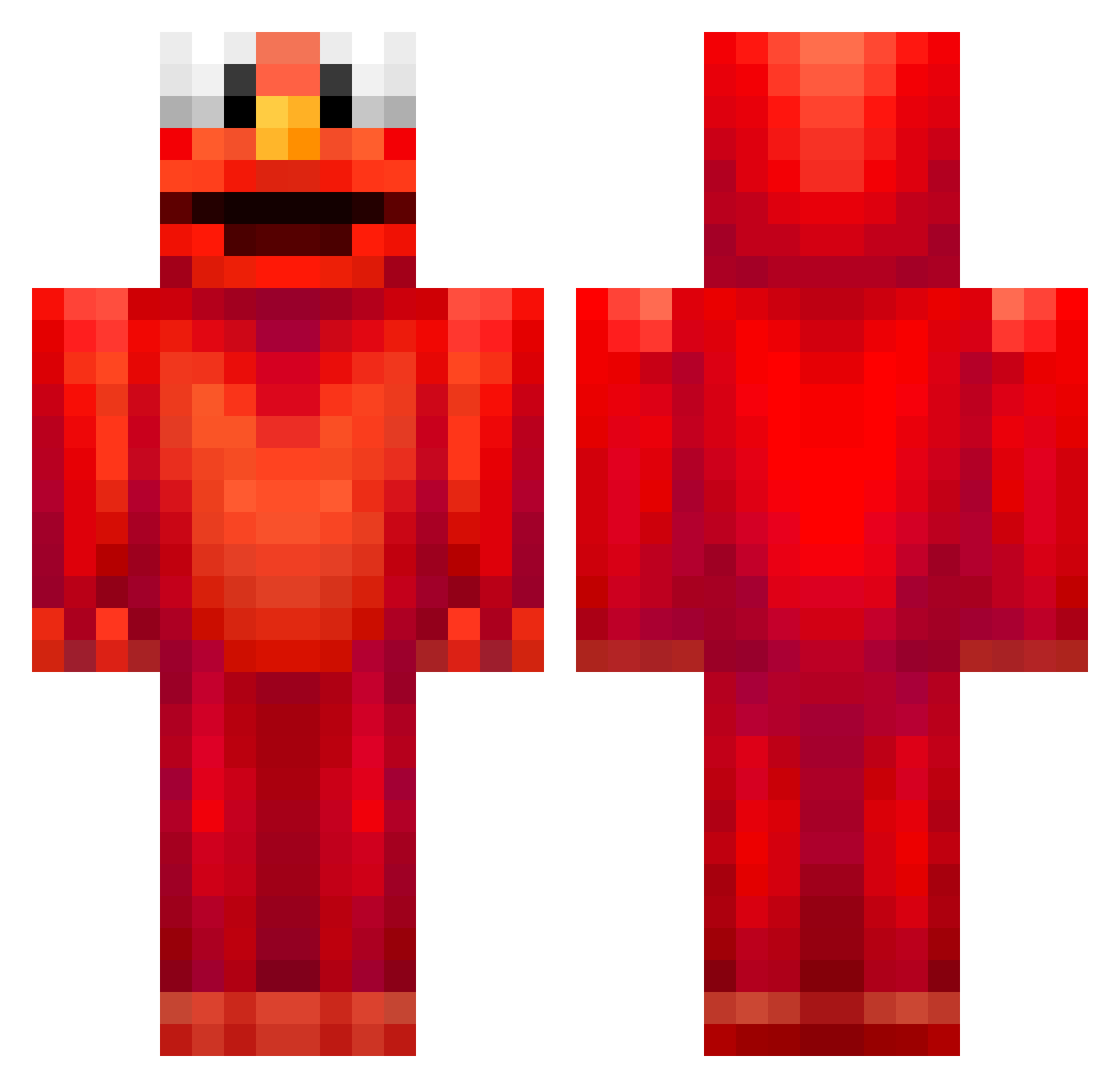
Current Minecraft skin of the player parker0099, loaded from the official Mojang API. Rotate the 3D model with your mouse or finger, then download the skin as a PNG file and use it in Minecraft: Bedrock Edition or Java Edition for free. When parker0099 changes their skin, this page updates automatically and the old skin stays in the history below.
Other players with this skin (679)
parker0099 was the 419th player we have seen with this skin, first spotted on 01.10.2026. The same skin was seen on these players. Open a nickname to see their current skin and skin history.
 DrBravoLP EricGeon tijcla kaasflippertje _ItsNightmare_ marsteau MrNips MiracleCaptain TDman bumbaclawtt DSQ2 privee zurawikk Brymow nikhc3 jMower Flo_with_the_O w00l23 MattGRL ElmoSweatGod twcul edm_e46 prof_snape21 kingmick84 Charlottertje Kalefcito Smallepatat progamer18769 besenfresser0108 Eierbirne2009 short_goose backdrops9 FatherChriss Sl0w16 amir_gamer1231 Gepoptes_Corn Slubbur BigBillyBob1234 noblehack meaghanrayner00 _Gindy_ w1LLKRYPTON zookobop KerstKlaas8 Wekar kong_fu_panda654 DrinkDemonade ziomonterosa Jo5e06 OzzyyYaY crustywater DiggleFit Tom1832 sw0rd1 Try_pinguin_07 DAVIDHWANG NinoDifferent dusbrandongames Fitz_vr AlaphaTigers
More Elmo Minecraft skins
How to install the parker0099 skin
- Press the Download button above to save the skin as a PNG file.
- Minecraft: Bedrock Edition (PE): open the Dressing Room from the main menu (or tap your character → Edit Character), go to Classic Skins → Owned, press the + (new skin) button, choose the downloaded PNG and pick the Classic (Steve) model. Works on PC and mobile; consoles cannot import custom skins.
- Minecraft: Java Edition: open the Minecraft Launcher, go to the Skins tab, click New Skin, load the PNG, pick the Classic (Steve) model and press Save & Use. You can also upload it at minecraft.net → Profile → Change Skin.
The skin does not show up after import - what should I do?
Restart Minecraft and open the Dressing Room again - imported skins sometimes appear only after a restart. Also make sure you selected the imported skin and picked the Classic (Steve) model.
Which model should I choose, Classic or Slim?
This skin is designed for the Classic (Steve) model. If you pick the wrong model, the arms of the skin will look stretched or squeezed.
Is the skin of parker0099 free to download?
Yes. Press Download, save the PNG file and use it in Minecraft: Bedrock Edition or Java Edition - no payment or registration needed. The skin also works on multiplayer servers and Realms.
More skins
Looking for more? Go back to all Minecraft skins and check the top skins of the week, month and all time, or find any player's skin by nickname.