
paodbatatae - Minecraft Skins & Skin History
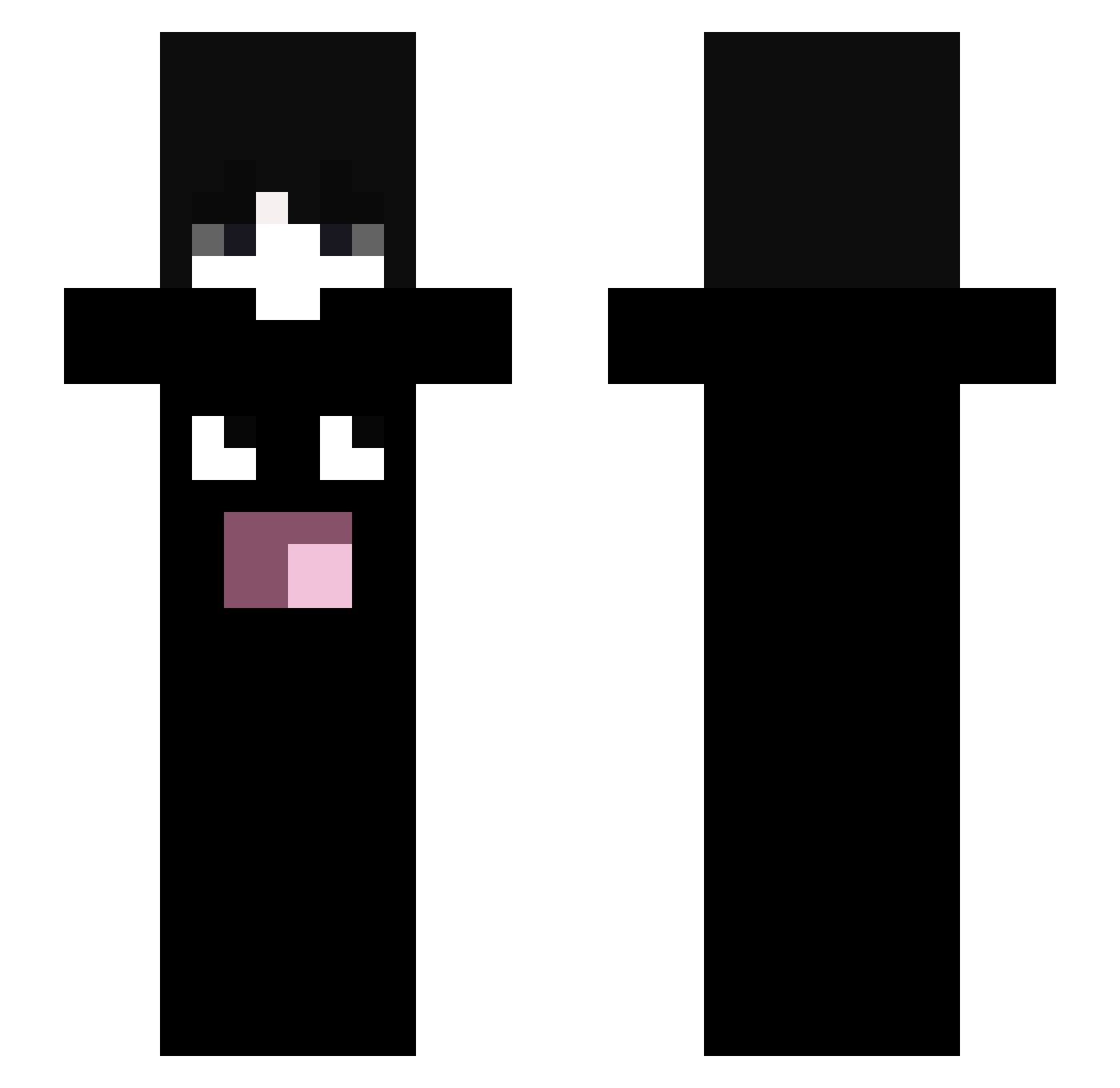
Current Minecraft skin of the player paodbatatae, loaded from the official Mojang API. Rotate the 3D model with your mouse or finger, then download the skin as a PNG file and use it in Minecraft: Bedrock Edition or Java Edition for free. When paodbatatae changes their skin, this page updates automatically and the old skin stays in the history below.
Other players with this skin (82)
paodbatatae was the 78th player we have seen with this skin, first spotted on 27.10.2026. The same skin was seen on these players. Open a nickname to see their current skin and skin history.
 tian5432 olxwcva Moon_Star12323 inferyns Vendendo txnzn rybigsheep moonlit_v Niel_z PHR099 wioistired AlperennD ethan981 Pibble45 XY3K tur33 LITCYCLE Aztrosist Kesmeseker Zu1os xyzoomexe Chilicly zvho ws0t ahahlol burgerlover72 frso LarpFinalBoss serk4rx Yeepyeep3 adasiu ASTRYC wctu kism3 R3ZMC syrvx dwwgo itz_taga Puff_Myrtille Unslemia0 estudei Silky_ovo Blairy_3 livelyperson Fichbtw chenbo04 ew2d 556x YangYang596 Salvatoredad 23xu 1kryx andyko Kaos33
 sageMM trrdvgy Danielgix4 trydemon
 rreminiscence N4Wx
More Omori Minecraft skins
How to install the paodbatatae skin
- Press the Download button above to save the skin as a PNG file.
- Minecraft: Bedrock Edition (PE): open the Dressing Room from the main menu (or tap your character → Edit Character), go to Classic Skins → Owned, press the + (new skin) button, choose the downloaded PNG and pick the Slim (Alex) model. Works on PC and mobile; consoles cannot import custom skins.
- Minecraft: Java Edition: open the Minecraft Launcher, go to the Skins tab, click New Skin, load the PNG, pick the Slim (Alex) model and press Save & Use. You can also upload it at minecraft.net → Profile → Change Skin.
The skin does not show up after import - what should I do?
Restart Minecraft and open the Dressing Room again - imported skins sometimes appear only after a restart. Also make sure you selected the imported skin and picked the Slim (Alex) model.
Which model should I choose, Classic or Slim?
This skin is designed for the Slim (Alex) model. If you pick the wrong model, the arms of the skin will look stretched or squeezed.
Is the skin of paodbatatae free to download?
Yes. Press Download, save the PNG file and use it in Minecraft: Bedrock Edition or Java Edition - no payment or registration needed. The skin also works on multiplayer servers and Realms.
More skins
Looking for more? Go back to all Minecraft skins and check the top skins of the week, month and all time, or find any player's skin by nickname.