
p53n00b - Minecraft Skins & Skin History
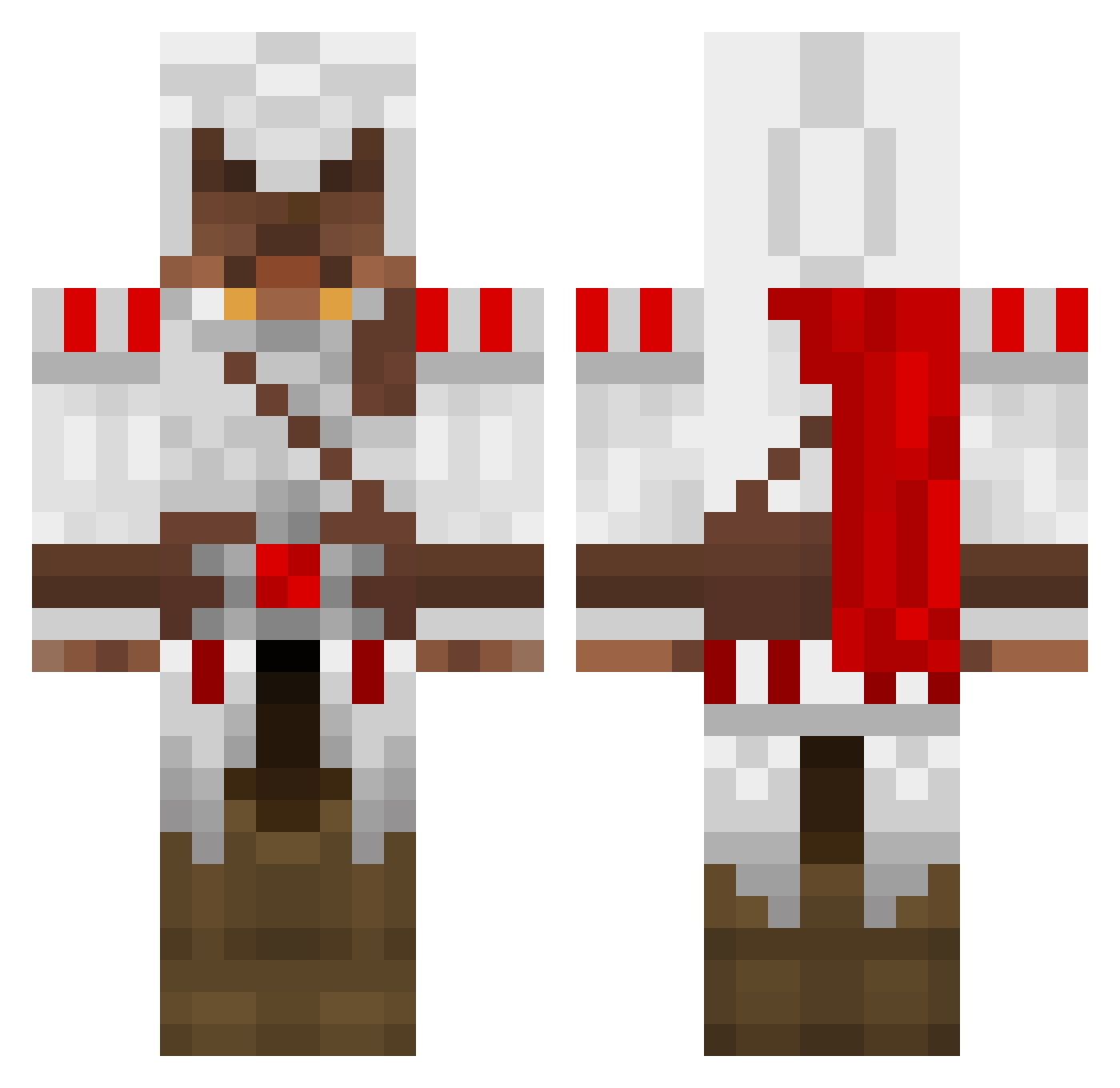
Current Minecraft skin of the player p53n00b, loaded from the official Mojang API. Rotate the 3D model with your mouse or finger, then download the skin as a PNG file and use it in Minecraft: Bedrock Edition or Java Edition for free. When p53n00b changes their skin, this page updates automatically and the old skin stays in the history below.
Other players with this skin (1388)
p53n00b was the 128th player we have seen with this skin, first spotted on 03.08.2026. The same skin was seen on these players. Open a nickname to see their current skin and skin history.
 Studmuffin2423 PuntoVia TAP0R_ quonw Fat_Duck10 Flame115 fromagesalsa noxqcz liquidyuki cooltwiggy TheBeanGiant connor247 Tomatodude95 Jeterturn2 xXOsirisXx420 SlipperySanchez waterplayer BlackRoseWater42 Fishwind Mufassa_Is_Dead FinalD4wn Satnerp MR2Hugh P_A_S_S_W_O_R_D gc0310 LightZangetsu Muskelmorgan Pr0methe0s noahwf flytrap28 legoman4505 Joonn xST33ZxIXIV chuyista Shironiki digitalmayhem escape_hitman mr_turkovic peterconversino Mr_Cowie harvey3890 bount3hunter Kabaheld jesus12 Westandready TheChapi joey3338 SoNear Crokyz ZeroichiOG Tronkat allianzjaeger MonkaF Burzul firemamma BossHound combatwombat777 McMuffinlovin 214ASsassiN Pachuco
More Altair Ibn La Ahad Minecraft skins
See all 196 Altair Ibn La Ahad skins
How to install the p53n00b skin
- Press the Download button above to save the skin as a PNG file.
- Minecraft: Bedrock Edition (PE): open the Dressing Room from the main menu (or tap your character → Edit Character), go to Classic Skins → Owned, press the + (new skin) button, choose the downloaded PNG and pick the Classic (Steve) model. Works on PC and mobile; consoles cannot import custom skins.
- Minecraft: Java Edition: open the Minecraft Launcher, go to the Skins tab, click New Skin, load the PNG, pick the Classic (Steve) model and press Save & Use. You can also upload it at minecraft.net → Profile → Change Skin.
The skin does not show up after import - what should I do?
Restart Minecraft and open the Dressing Room again - imported skins sometimes appear only after a restart. Also make sure you selected the imported skin and picked the Classic (Steve) model.
Which model should I choose, Classic or Slim?
This skin is designed for the Classic (Steve) model. If you pick the wrong model, the arms of the skin will look stretched or squeezed.
Is the skin of p53n00b free to download?
Yes. Press Download, save the PNG file and use it in Minecraft: Bedrock Edition or Java Edition - no payment or registration needed. The skin also works on multiplayer servers and Realms.
More skins
Looking for more? Go back to all Minecraft skins and check the top skins of the week, month and all time, or find any player's skin by nickname.