
p1resx - Minecraft Skins & Skin History
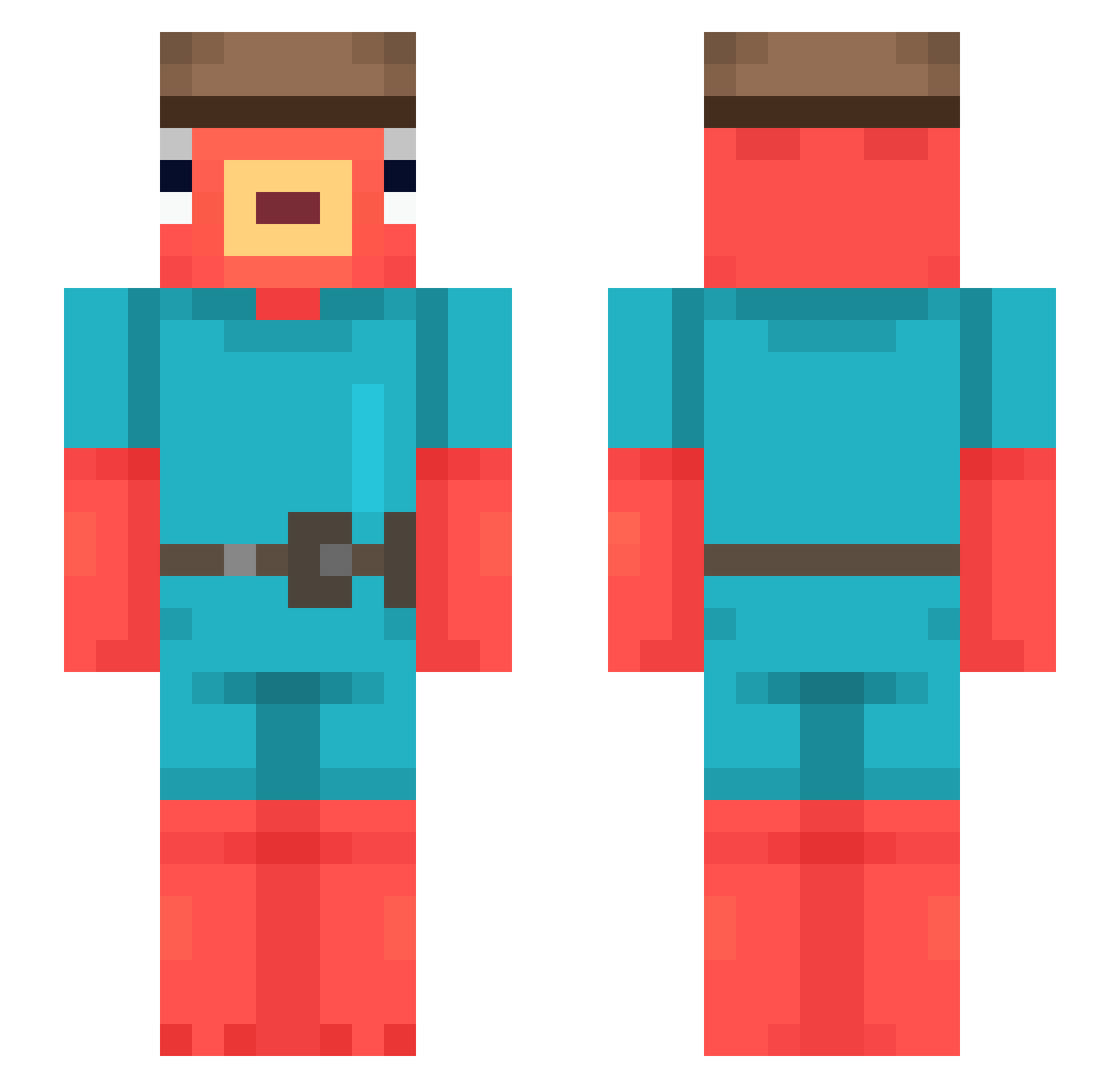
Current Minecraft skin of the player p1resx, loaded from the official Mojang API. Rotate the 3D model with your mouse or finger, then download the skin as a PNG file and use it in Minecraft: Bedrock Edition or Java Edition for free. When p1resx changes their skin, this page updates automatically and the old skin stays in the history below.
Other players with this skin (543)
p1resx was the 504th player we have seen with this skin, first spotted on 25.10.2026. The same skin was seen on these players. Open a nickname to see their current skin and skin history.
 blueicee WhelanOnTheBus OGKapex kj0312 DaRealChuckles pola1to iFreeware MCH_X3W SaumonEnrager ButterToast911 thog2 cool696969 Scarx_00 Uqus FrostyFruits Zbyszko2137 Dionysos_12 try_later Johen1 goldfish18mk200 okazaki566 Forgitty Clelole Piootrekk1 MstrMineMan TakeFour billybonka_ CUThug SrFrango69 SMY34 Arxooo mikiaxel SebaHamster Myztic_YT xJADOMx lebollos Nas1kkk Bass__Potato utur dadaszko TalkinWaffle spicyfries22 Ecurti20 shammyyyy HarryCarpenter_ ThiccboyFrosty davixxxx BANDIT1337228 Memgon GoldenSharkFace best_dai TeamDodgers Rndmkai joshuatetsuo mangoguma Asvin26 qtMomo JM09 gryux Ssanetti
More Fishstick Minecraft skins
How to install the p1resx skin
- Press the Download button above to save the skin as a PNG file.
- Minecraft: Bedrock Edition (PE): open the Dressing Room from the main menu (or tap your character → Edit Character), go to Classic Skins → Owned, press the + (new skin) button, choose the downloaded PNG and pick the Slim (Alex) model. Works on PC and mobile; consoles cannot import custom skins.
- Minecraft: Java Edition: open the Minecraft Launcher, go to the Skins tab, click New Skin, load the PNG, pick the Slim (Alex) model and press Save & Use. You can also upload it at minecraft.net → Profile → Change Skin.
The skin does not show up after import - what should I do?
Restart Minecraft and open the Dressing Room again - imported skins sometimes appear only after a restart. Also make sure you selected the imported skin and picked the Slim (Alex) model.
Which model should I choose, Classic or Slim?
This skin is designed for the Slim (Alex) model. If you pick the wrong model, the arms of the skin will look stretched or squeezed.
Is the skin of p1resx free to download?
Yes. Press Download, save the PNG file and use it in Minecraft: Bedrock Edition or Java Edition - no payment or registration needed. The skin also works on multiplayer servers and Realms.
More skins
Looking for more? Go back to all Minecraft skins and check the top skins of the week, month and all time, or find any player's skin by nickname.