
oxXSavannahXxo - Minecraft Skins & Skin History
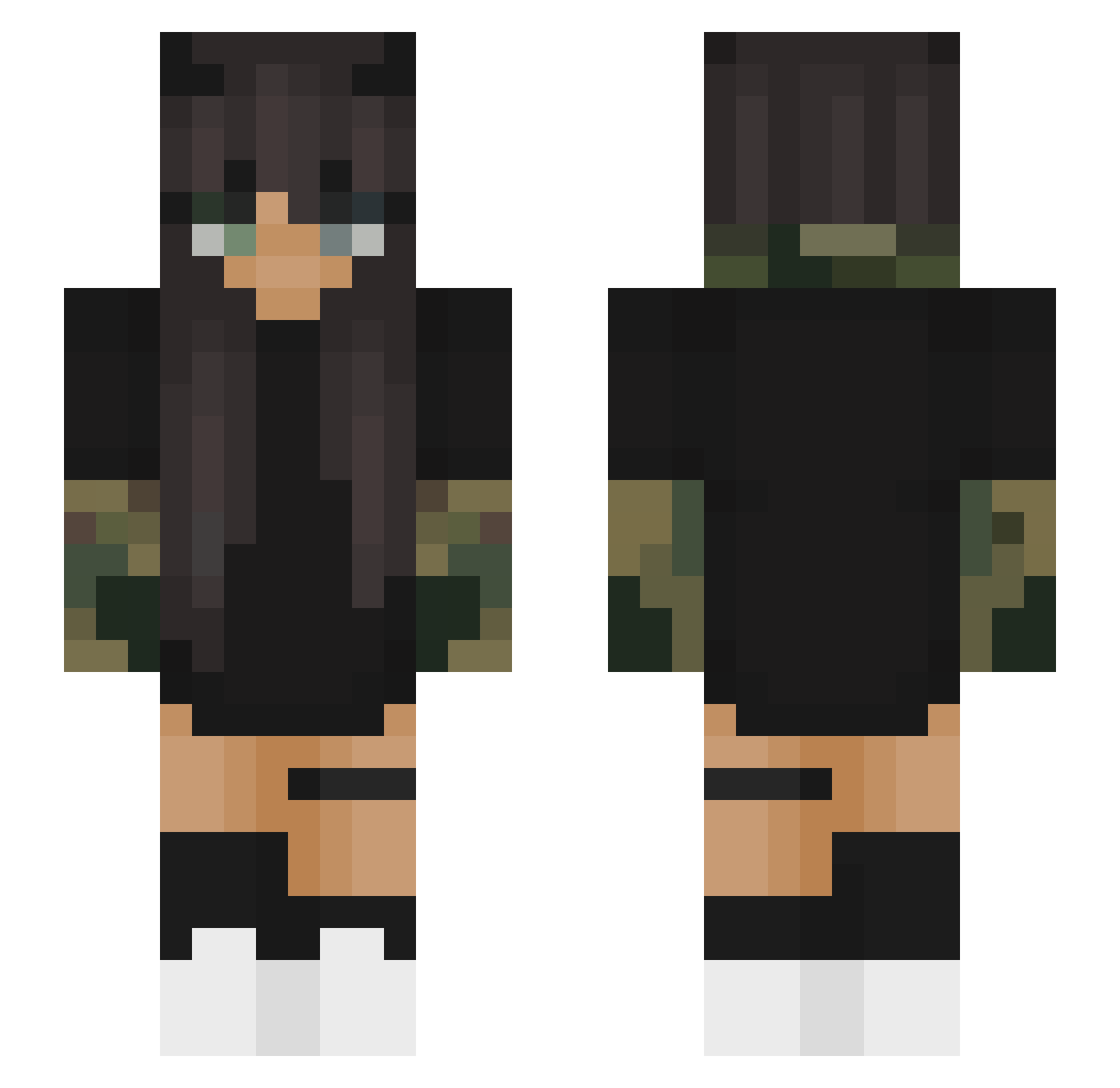
Current Minecraft skin of the player oxXSavannahXxo, loaded from the official Mojang API. Rotate the 3D model with your mouse or finger, then download the skin as a PNG file and use it in Minecraft: Bedrock Edition or Java Edition for free. When oxXSavannahXxo changes their skin, this page updates automatically and the old skin stays in the history below.
Other players with this skin (79)
oxXSavannahXxo was the 49th player we have seen with this skin, first spotted on 22.09.2026. The same skin was seen on these players. Open a nickname to see their current skin and skin history.
 Nour_Stars Jayman_730 _Maduu_ LoL50edu stormy0375 _a1ly TsukiNambour c0ldi exhaustedly alanabanana_ Hugoche IIsADonkey xWolv33 Manrok moedor466player Klonek5 toxicAlexia chimon6874 Martinitaaa ToksicniStakor iCutz BabyXPsycho Yelris_ xSzantix Yannamoo8 Waneiri apofite CmPunk31 zitiJ06 creeper_2026 shed_ fotographerr celia_lrh z74_ Carinaww memelorddd69 Caveyyy avacado0ooo Loraval Nini1223334444 IceColdL m4s_d33vil Tasca_ NO0R velisslavaa_ dolous IIaycwI snapczat asiaaa9707 Maiyya Ikigai21 Checkslist NatyGamer01 Metanoiaaa KatSuMi0711 Azix_ 0_Grzybeq illGaung Kompanen lucymb
More Camo Sleeves Minecraft skins
How to install the oxXSavannahXxo skin
- Press the Download button above to save the skin as a PNG file.
- Minecraft: Bedrock Edition (PE): open the Dressing Room from the main menu (or tap your character → Edit Character), go to Classic Skins → Owned, press the + (new skin) button, choose the downloaded PNG and pick the Slim (Alex) model. Works on PC and mobile; consoles cannot import custom skins.
- Minecraft: Java Edition: open the Minecraft Launcher, go to the Skins tab, click New Skin, load the PNG, pick the Slim (Alex) model and press Save & Use. You can also upload it at minecraft.net → Profile → Change Skin.
The skin does not show up after import - what should I do?
Restart Minecraft and open the Dressing Room again - imported skins sometimes appear only after a restart. Also make sure you selected the imported skin and picked the Slim (Alex) model.
Which model should I choose, Classic or Slim?
This skin is designed for the Slim (Alex) model. If you pick the wrong model, the arms of the skin will look stretched or squeezed.
Is the skin of oxXSavannahXxo free to download?
Yes. Press Download, save the PNG file and use it in Minecraft: Bedrock Edition or Java Edition - no payment or registration needed. The skin also works on multiplayer servers and Realms.
More skins
Looking for more? Go back to all Minecraft skins and check the top skins of the week, month and all time, or find any player's skin by nickname.