
owensemegen - Minecraft Skins & Skin History
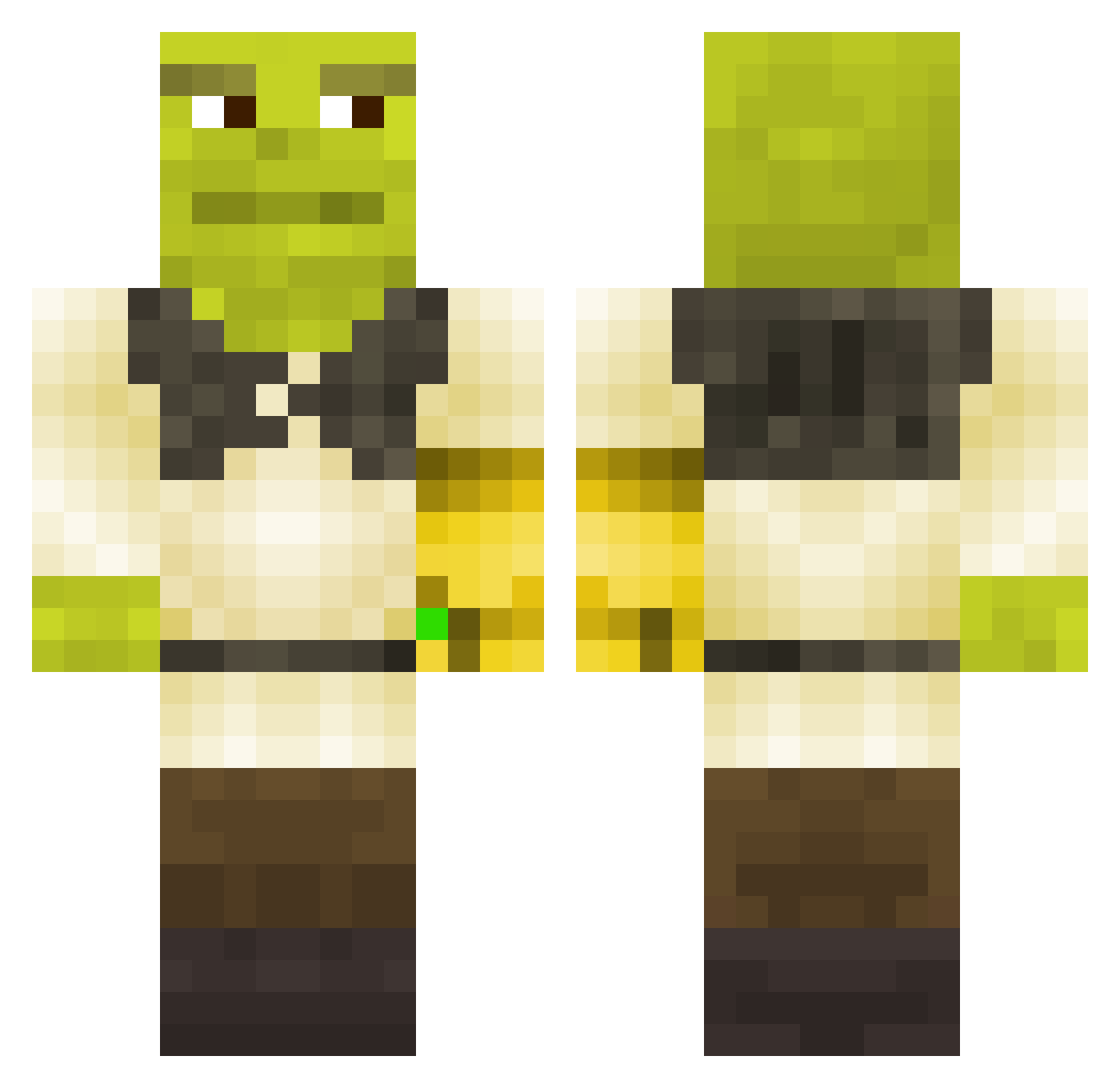
Current Minecraft skin of the player owensemegen, loaded from the official Mojang API. Rotate the 3D model with your mouse or finger, then download the skin as a PNG file and use it in Minecraft: Bedrock Edition or Java Edition for free. When owensemegen changes their skin, this page updates automatically and the old skin stays in the history below.
Other players with this skin (304)
owensemegen was the 80th player we have seen with this skin, first spotted on 25.08.2026. The same skin was seen on these players. Open a nickname to see their current skin and skin history.
 Juanathanos Ryan_Hart UnshavenSlurpee iBiggstaa lnick12 Numskull567 SmoothDaddyLarry MysticGreen Anseasoned Amheredoneman Zarron6 Goldfishonmeth wojteg_1213 ColonelCluckin hypedhouse dippindots325 LikeSlay Mannythe4 Tukvno phat_phart WasTe_Tiime hollae PimpCoat NinjaTyrone Pupxz Auzaif ecarel_33 Daniel2006ky HiddenSemicolons Papasote4k Stultum19 icbinh Krypplingur mo411 C4Pants ItsDiego08 Daxioio Turtlewrecker vicmarwest BastaNut69 moyannaisedog Washburd Theman8595 Jaabadahut tanman6789 StevenYounes hyph_n MikeWestyy MakTaleski Speakybutton Bjornar01 DS0DA madfknmax nardone88 TikiGod007 ___Sussy_Baka KVISTI Jacesrhapsody MonsieurAlban Kacperian
More Thanos Minecraft skins
How to install the owensemegen skin
- Press the Download button above to save the skin as a PNG file.
- Minecraft: Bedrock Edition (PE): open the Dressing Room from the main menu (or tap your character → Edit Character), go to Classic Skins → Owned, press the + (new skin) button, choose the downloaded PNG and pick the Classic (Steve) model. Works on PC and mobile; consoles cannot import custom skins.
- Minecraft: Java Edition: open the Minecraft Launcher, go to the Skins tab, click New Skin, load the PNG, pick the Classic (Steve) model and press Save & Use. You can also upload it at minecraft.net → Profile → Change Skin.
The skin does not show up after import - what should I do?
Restart Minecraft and open the Dressing Room again - imported skins sometimes appear only after a restart. Also make sure you selected the imported skin and picked the Classic (Steve) model.
Which model should I choose, Classic or Slim?
This skin is designed for the Classic (Steve) model. If you pick the wrong model, the arms of the skin will look stretched or squeezed.
Is the skin of owensemegen free to download?
Yes. Press Download, save the PNG file and use it in Minecraft: Bedrock Edition or Java Edition - no payment or registration needed. The skin also works on multiplayer servers and Realms.
More skins
Looking for more? Go back to all Minecraft skins and check the top skins of the week, month and all time, or find any player's skin by nickname.