
outjie - Minecraft Skins & Skin History
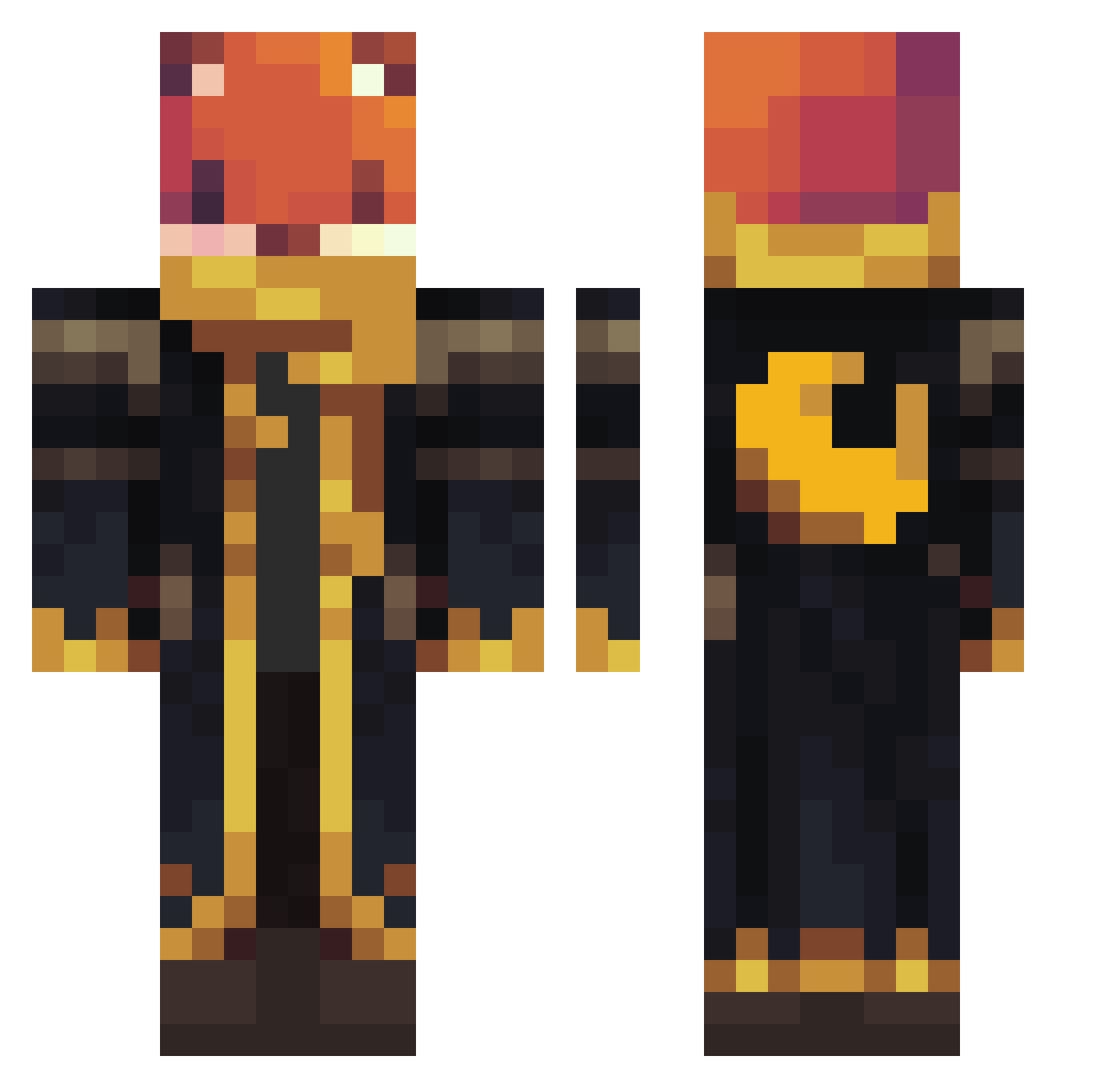
Current Minecraft skin of the player outjie, loaded from the official Mojang API. Rotate the 3D model with your mouse or finger, then download the skin as a PNG file and use it in Minecraft: Bedrock Edition or Java Edition for free. When outjie changes their skin, this page updates automatically and the old skin stays in the history below.
Other players with this skin (926)
outjie was the 31st player we have seen with this skin, first spotted on 26.07.2026. The same skin was seen on these players. Open a nickname to see their current skin and skin history.
 OncleVince
 Aytochiro Mincraftgame1000 Thunderbolt0717 tutiojotis rosaazul6 KOPCRAFT123 MBZIN_GG germifobe100 Wishtower xraji
 TNQR_knight BRAUPRO MrPugChamp Smilrolle AquaDachshund TimAstro On3DyX DarkDashing IllagerKing16
 Mariowww_ DawidMan21 ProMario11 btutu 1Rashed
 Fietzilla Vaisius
 Pakarfoutt cozy_crepper AJisverycoolBEDR KOD_KMH seoyun0121 Karalyna21
 shrimpy_shows lord_mandac
 Lucas_hehe
 MayaxThePinkOgre blozye Bryangy_
 BierFahne MarcsurPC Green_lords_ BastiMD yagiz46 Woltemade5 IDK218 matikom13
 JIN0312 ToughBasil silver_37
 Entity_303137 yavuz_31
 _Rajal_ MartimTeixeira Chaos_000 Sif003 haseto504 IDONTTRUSTASOUL Onliverse johnpaws
More Crescent Moon Minecraft skins
See all 254 Crescent Moon skins
How to install the outjie skin
- Press the Download button above to save the skin as a PNG file.
- Minecraft: Bedrock Edition (PE): open the Dressing Room from the main menu (or tap your character → Edit Character), go to Classic Skins → Owned, press the + (new skin) button, choose the downloaded PNG and pick the Classic (Steve) model. Works on PC and mobile; consoles cannot import custom skins.
- Minecraft: Java Edition: open the Minecraft Launcher, go to the Skins tab, click New Skin, load the PNG, pick the Classic (Steve) model and press Save & Use. You can also upload it at minecraft.net → Profile → Change Skin.
The skin does not show up after import - what should I do?
Restart Minecraft and open the Dressing Room again - imported skins sometimes appear only after a restart. Also make sure you selected the imported skin and picked the Classic (Steve) model.
Which model should I choose, Classic or Slim?
This skin is designed for the Classic (Steve) model. If you pick the wrong model, the arms of the skin will look stretched or squeezed.
Is the skin of outjie free to download?
Yes. Press Download, save the PNG file and use it in Minecraft: Bedrock Edition or Java Edition - no payment or registration needed. The skin also works on multiplayer servers and Realms.
More skins
Looking for more? Go back to all Minecraft skins and check the top skins of the week, month and all time, or find any player's skin by nickname.