
ossianns - Minecraft Skins & Skin History
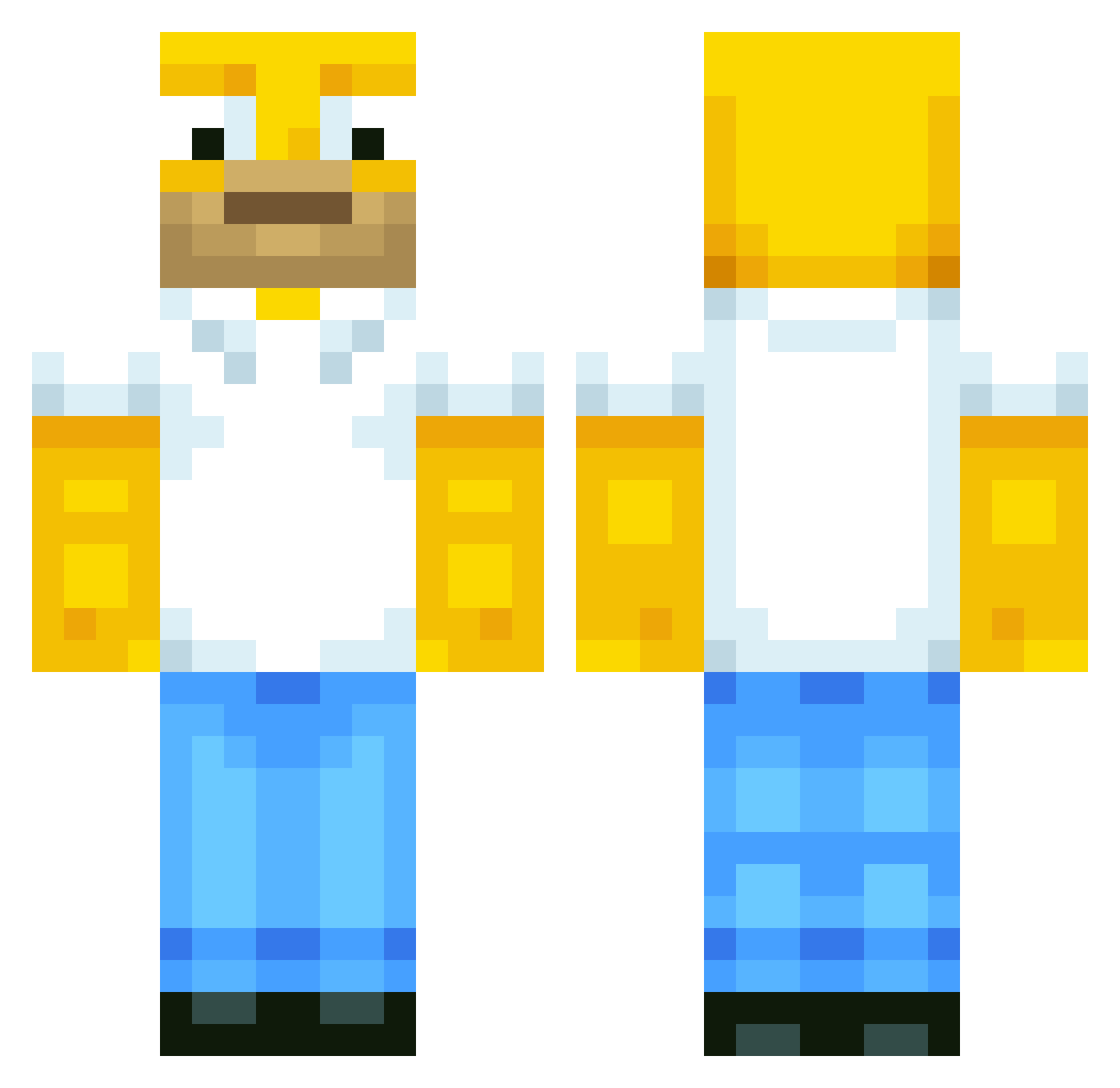
Current Minecraft skin of the player ossianns, loaded from the official Mojang API. Rotate the 3D model with your mouse or finger, then download the skin as a PNG file and use it in Minecraft: Bedrock Edition or Java Edition for free. When ossianns changes their skin, this page updates automatically and the old skin stays in the history below.
Other players with this skin (513)
ossianns was the 71st player we have seen with this skin, first spotted on 06.08.2026. The same skin was seen on these players. Open a nickname to see their current skin and skin history.
 Tomthumb10 fininena Bratwurst2101 horomoose liamvick JakGlenn AXEL_ll OHVH WeltmeisterTim MIZZOUROCKZ megamalte99 GoToSleep_ Afabi bluejabib caroe1234 DaddyJJ snowboardalfred titan22247 Muller89 schwa712 lacho999 ZzArexzZ ellisonfoster enderfca13 00tanner99 Hiroban Nickerss Guenther04 Greerdo mattyhart23 XxiProMattyXx adzilition ManuChow Ducksu Kelpo_xD filipethegamer DRABS WCGTOM coolguy100181 silus1016 R0gi0 MisTee13 Ninja_Schrummy nielshappy AquazStorm box02 BallinBoy11 tuabiht13 O_oBENNYo_O Bock_Broe MartiniOO numsejan KO8Y domizcool jamie_lassen Kommandant18 HomerShot1 atemminer xRedArrow Steelerfan5000
More Homer Simpson Minecraft skins
See all 283 Homer Simpson skins
How to install the ossianns skin
- Press the Download button above to save the skin as a PNG file.
- Minecraft: Bedrock Edition (PE): open the Dressing Room from the main menu (or tap your character → Edit Character), go to Classic Skins → Owned, press the + (new skin) button, choose the downloaded PNG and pick the Classic (Steve) model. Works on PC and mobile; consoles cannot import custom skins.
- Minecraft: Java Edition: open the Minecraft Launcher, go to the Skins tab, click New Skin, load the PNG, pick the Classic (Steve) model and press Save & Use. You can also upload it at minecraft.net → Profile → Change Skin.
The skin does not show up after import - what should I do?
Restart Minecraft and open the Dressing Room again - imported skins sometimes appear only after a restart. Also make sure you selected the imported skin and picked the Classic (Steve) model.
Which model should I choose, Classic or Slim?
This skin is designed for the Classic (Steve) model. If you pick the wrong model, the arms of the skin will look stretched or squeezed.
Is the skin of ossianns free to download?
Yes. Press Download, save the PNG file and use it in Minecraft: Bedrock Edition or Java Edition - no payment or registration needed. The skin also works on multiplayer servers and Realms.
More skins
Looking for more? Go back to all Minecraft skins and check the top skins of the week, month and all time, or find any player's skin by nickname.