
osei1999 - Minecraft Skins & Skin History
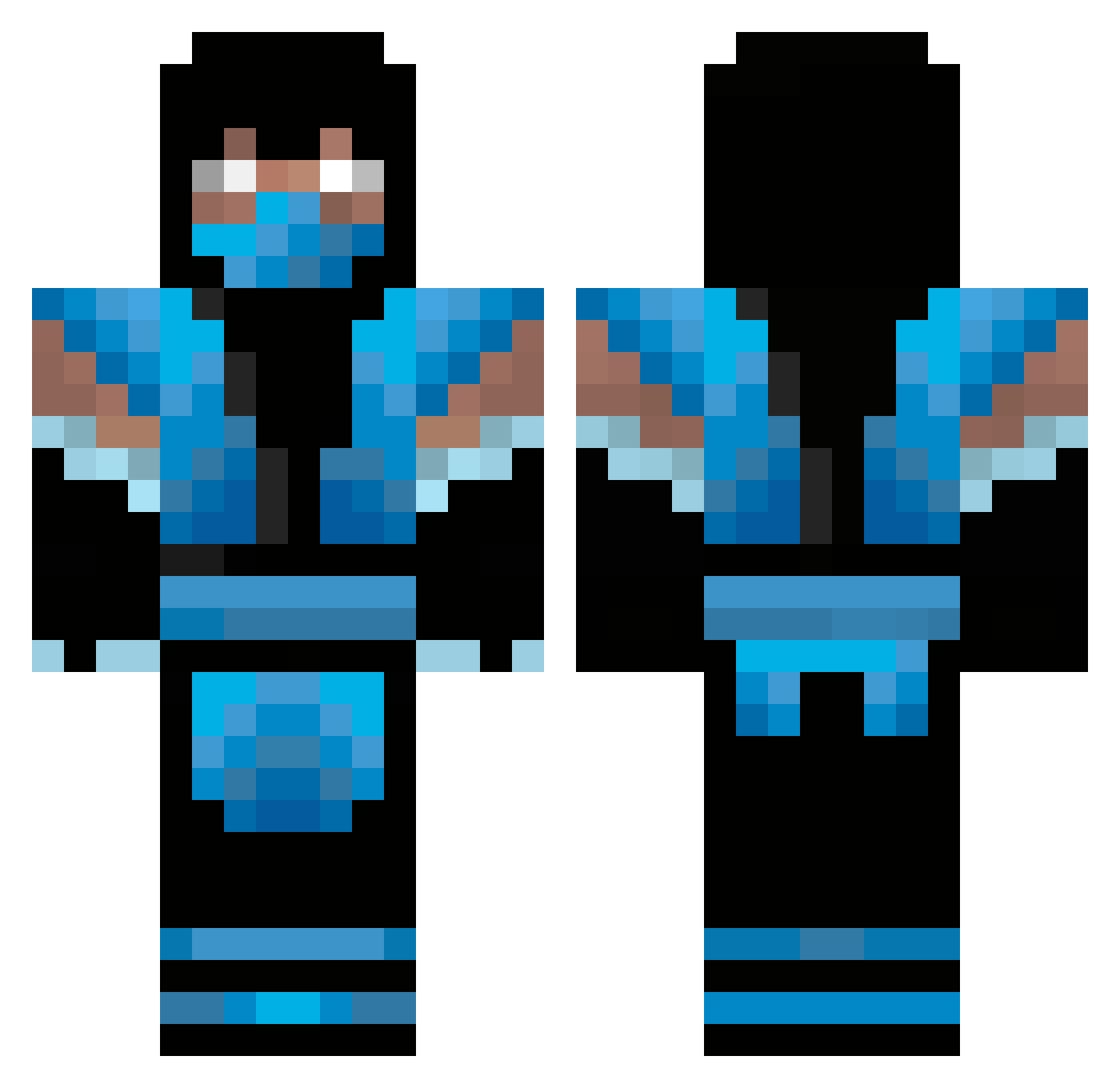
Current Minecraft skin of the player osei1999, loaded from the official Mojang API. Rotate the 3D model with your mouse or finger, then download the skin as a PNG file and use it in Minecraft: Bedrock Edition or Java Edition for free. When osei1999 changes their skin, this page updates automatically and the old skin stays in the history below.
Other players with this skin (347)
osei1999 was the 284th player we have seen with this skin, first spotted on 10.10.2026. The same skin was seen on these players. Open a nickname to see their current skin and skin history.
 Abayo potato_assasin22 MushieBoy Phreaqz jensthegreat WizzaWoo XxVOLTAGE00xX yungkickz wonder71 rockysonic747 Bobo5902 LadyGagaNA xPois0n Patchies prettyboy1123 Phozy Chilldownfall xxGHmaster98xx CyRiL13100 PharaohOsyris ChiCha025 Staticsprinter kidlynx Power235 D305 rainbowunicorn01 Janik8303 SWAGnificent108 ethanzane3 NeonSabre callumgurnhill Elsain Willi76192 Drama_king1126 Milocore Elluni Heavyice Mrs_Nesbitt67 BasArt tishboy L0N6 angleboy533 cookes_and_cream weeed_rules Edga72 AdrianLocs24 Smetarn jlentz7721 xxchch nasharts jason725 kellett12 meeksamix crazypig500 Chamorro123 Haydes581 user08642 Lethalz81 bustedknuckle the_master_09
More Sub-Zero Minecraft skins
How to install the osei1999 skin
- Press the Download button above to save the skin as a PNG file.
- Minecraft: Bedrock Edition (PE): open the Dressing Room from the main menu (or tap your character → Edit Character), go to Classic Skins → Owned, press the + (new skin) button, choose the downloaded PNG and pick the Classic (Steve) model. Works on PC and mobile; consoles cannot import custom skins.
- Minecraft: Java Edition: open the Minecraft Launcher, go to the Skins tab, click New Skin, load the PNG, pick the Classic (Steve) model and press Save & Use. You can also upload it at minecraft.net → Profile → Change Skin.
The skin does not show up after import - what should I do?
Restart Minecraft and open the Dressing Room again - imported skins sometimes appear only after a restart. Also make sure you selected the imported skin and picked the Classic (Steve) model.
Which model should I choose, Classic or Slim?
This skin is designed for the Classic (Steve) model. If you pick the wrong model, the arms of the skin will look stretched or squeezed.
Is the skin of osei1999 free to download?
Yes. Press Download, save the PNG file and use it in Minecraft: Bedrock Edition or Java Edition - no payment or registration needed. The skin also works on multiplayer servers and Realms.
More skins
Looking for more? Go back to all Minecraft skins and check the top skins of the week, month and all time, or find any player's skin by nickname.