
only404 - Minecraft Skins & Skin History
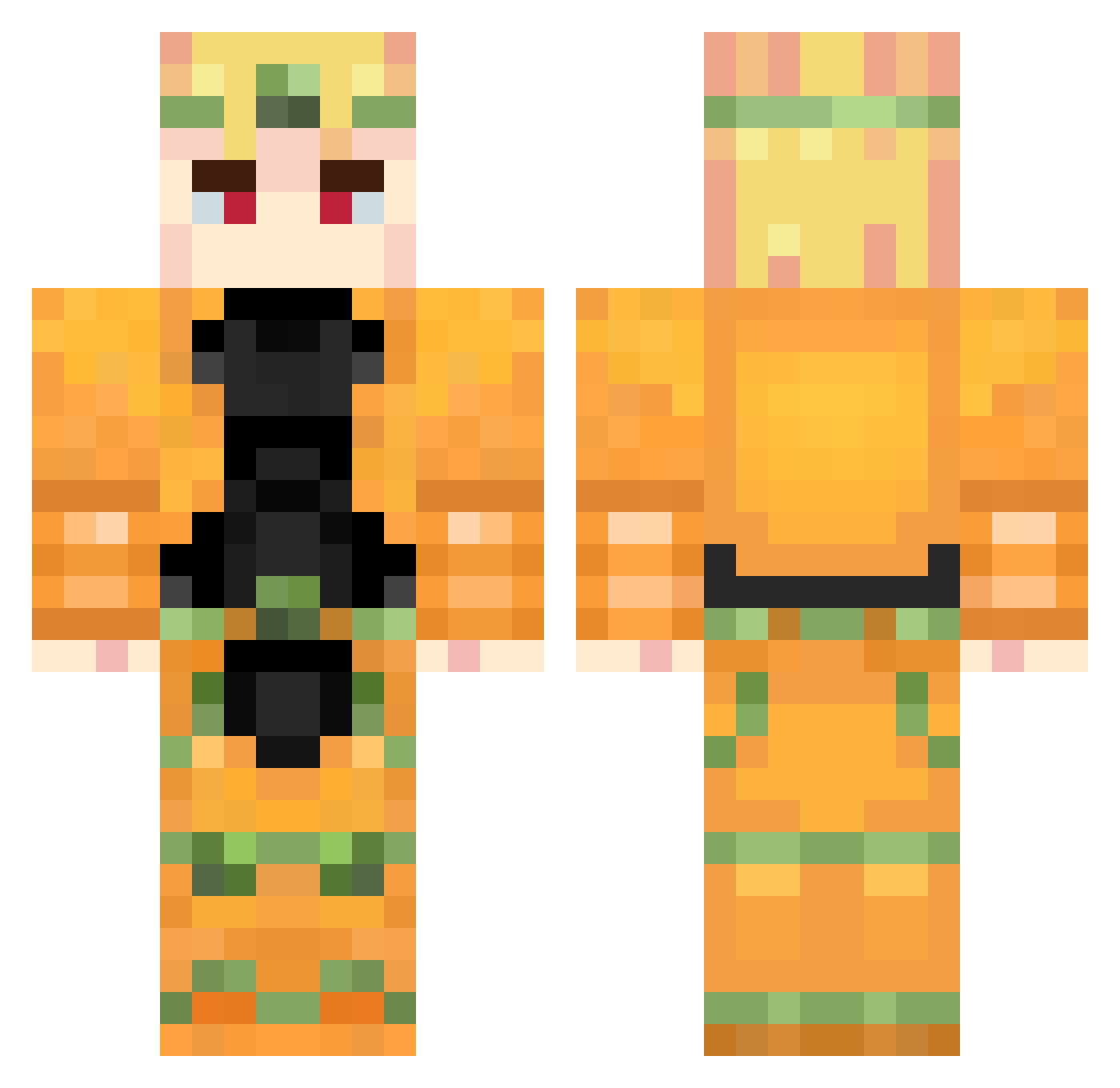
Current Minecraft skin of the player only404, loaded from the official Mojang API. Rotate the 3D model with your mouse or finger, then download the skin as a PNG file and use it in Minecraft: Bedrock Edition or Java Edition for free. When only404 changes their skin, this page updates automatically and the old skin stays in the history below.
Other players with this skin (738)
only404 was the 187th player we have seen with this skin, first spotted on 18.08.2026. The same skin was seen on these players. Open a nickname to see their current skin and skin history.
 speediloveyou El_Fanno G0DofShinobi Deven713 Camron2008 NEGA1N Inza1n DINGLONG6 kingjavier MCPEOzone batata282 Nalaxio pigfarmer69 St3ffens Kinoman Fergus03 daviday330 DIO_SENPAI URASHIMA0822 DAN_TAR pocketnife Savko177 Arcooss Albert_37 HALUMINN
 BrimX Asriel6996 TORERICK ProbablyNEO Usernamesmatter LegateMalpais DiPPinGFliP Safeet0o0 YxngSmite maxosaur
 LUNTICK_228 Neirach GyrZeppeli KaRToIIIKa1406 kotasan55 infimate BadPeopleSuk jaks228 Mando616 RiMo33 dio_zhouji_laoda _LaFF4ik_ Beelze_Real
 Noxlatin Twomroc u1ban NNKY xBekir ElWatashi
 Smoodeez Ost_Xm Spinincop MrChancla HaItWasMeDio SH3Zs
More Dio Brando Minecraft skins
How to install the only404 skin
- Press the Download button above to save the skin as a PNG file.
- Minecraft: Bedrock Edition (PE): open the Dressing Room from the main menu (or tap your character → Edit Character), go to Classic Skins → Owned, press the + (new skin) button, choose the downloaded PNG and pick the Classic (Steve) model. Works on PC and mobile; consoles cannot import custom skins.
- Minecraft: Java Edition: open the Minecraft Launcher, go to the Skins tab, click New Skin, load the PNG, pick the Classic (Steve) model and press Save & Use. You can also upload it at minecraft.net → Profile → Change Skin.
The skin does not show up after import - what should I do?
Restart Minecraft and open the Dressing Room again - imported skins sometimes appear only after a restart. Also make sure you selected the imported skin and picked the Classic (Steve) model.
Which model should I choose, Classic or Slim?
This skin is designed for the Classic (Steve) model. If you pick the wrong model, the arms of the skin will look stretched or squeezed.
Is the skin of only404 free to download?
Yes. Press Download, save the PNG file and use it in Minecraft: Bedrock Edition or Java Edition - no payment or registration needed. The skin also works on multiplayer servers and Realms.
More skins
Looking for more? Go back to all Minecraft skins and check the top skins of the week, month and all time, or find any player's skin by nickname.