
oncegood56 - Minecraft Skins & Skin History
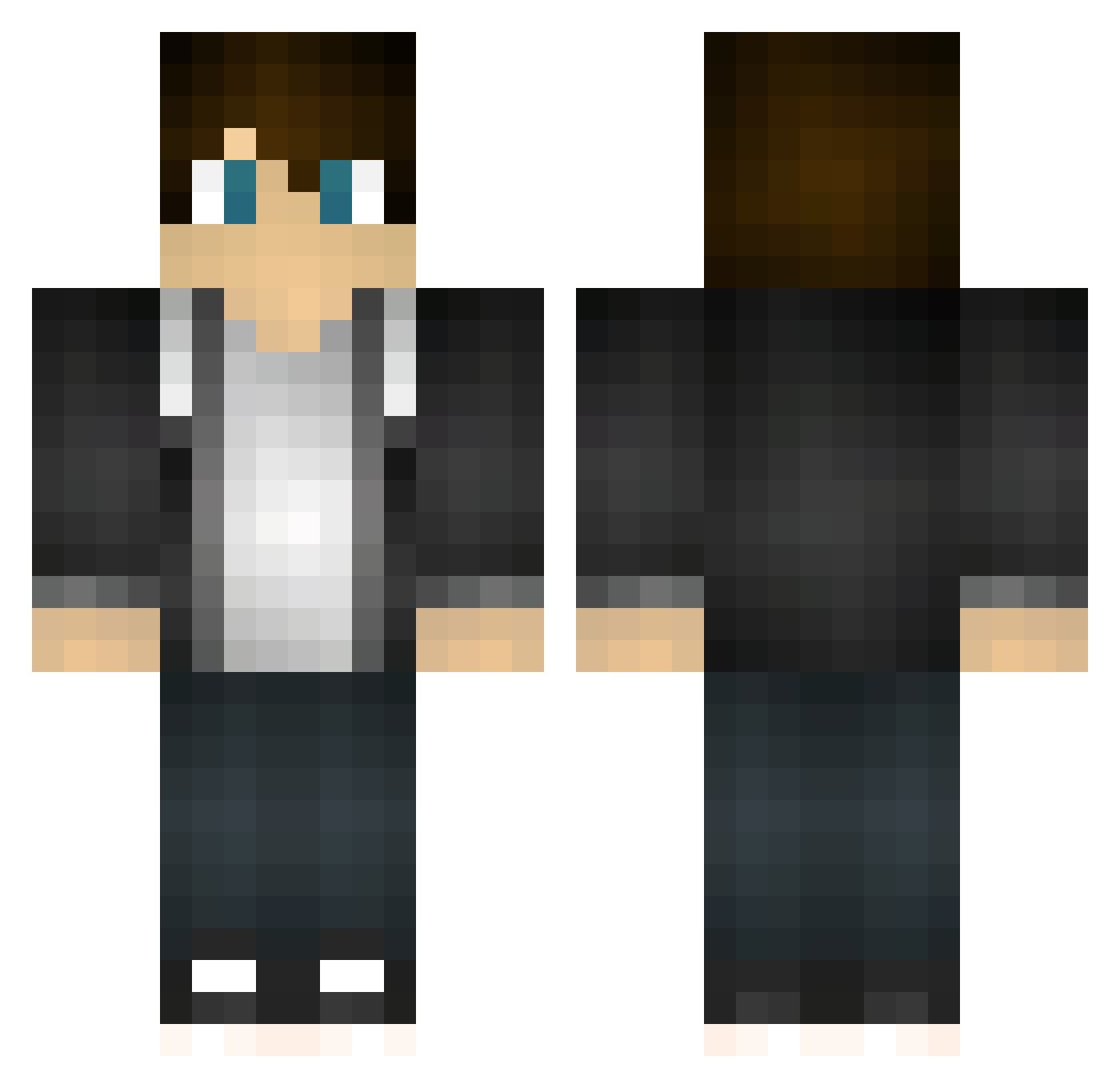
Current Minecraft skin of the player oncegood56, loaded from the official Mojang API. Rotate the 3D model with your mouse or finger, then download the skin as a PNG file and use it in Minecraft: Bedrock Edition or Java Edition for free. When oncegood56 changes their skin, this page updates automatically and the old skin stays in the history below.
Other players with this skin (137)
oncegood56 was the 94th player we have seen with this skin, first spotted on 02.10.2026. The same skin was seen on these players. Open a nickname to see their current skin and skin history.
 manu29p withstar11 2499922888 Lemon808 JondumBau Pro_Gamer0603 Tober7s Pr0pH3T123 TherealsteveV2 Leskin kangshifu951 McGeiber FreshBeat1337 slient_emo VanrosK LA0bingun gtttyt ZhangXC Jfonts01 Zabaconz xClonx Eternity_07 Rival7 msgaming154 ScarletElise whaxy1 _Eaden GHOSSS eeeeeeaaaaaa ZhangYHT NogameGS bonsai2k4 Thijs1403 crisss13 DarkX155 doge0006 XIOAGUO RTFS cjrea1625 Atomic_Grog KangGwangBae xiaotaiy Pogcha4mp guns_lol_69Louis Jak0bs_ Glasurmand QiangTouGrass3 Unsuspectingly _Carlyle_ huan22 GUIJIE Syphon05 IDoNotGiveATV XSharz Beat_0102 Muyu8038 yzbyx CybrPenguin yaoye9985 Scofield_Luo
How to install the oncegood56 skin
- Press the Download button above to save the skin as a PNG file.
- Minecraft: Bedrock Edition (PE): open the Dressing Room from the main menu (or tap your character → Edit Character), go to Classic Skins → Owned, press the + (new skin) button, choose the downloaded PNG and pick the Classic (Steve) model. Works on PC and mobile; consoles cannot import custom skins.
- Minecraft: Java Edition: open the Minecraft Launcher, go to the Skins tab, click New Skin, load the PNG, pick the Classic (Steve) model and press Save & Use. You can also upload it at minecraft.net → Profile → Change Skin.
The skin does not show up after import - what should I do?
Restart Minecraft and open the Dressing Room again - imported skins sometimes appear only after a restart. Also make sure you selected the imported skin and picked the Classic (Steve) model.
Which model should I choose, Classic or Slim?
This skin is designed for the Classic (Steve) model. If you pick the wrong model, the arms of the skin will look stretched or squeezed.
Is the skin of oncegood56 free to download?
Yes. Press Download, save the PNG file and use it in Minecraft: Bedrock Edition or Java Edition - no payment or registration needed. The skin also works on multiplayer servers and Realms.
More skins
Looking for more? Go back to all Minecraft skins and check the top skins of the week, month and all time, or find any player's skin by nickname.