
ohticon - Minecraft Skins & Skin History
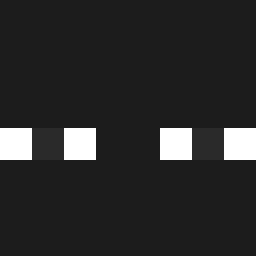
Current Minecraft skin of the player ohticon, loaded from the official Mojang API. Rotate the 3D model with your mouse or finger, then download the skin as a PNG file and use it in Minecraft: Bedrock Edition or Java Edition for free. When ohticon changes their skin, this page updates automatically and the old skin stays in the history below.

Other players with this skin (1122)
ohticon was the 648th player we have seen with this skin, first spotted on 24.09.2026. The same skin was seen on these players. Open a nickname to see their current skin and skin history.
 dona974 HuzaifaXYZ Leninse_12 Dno hoseong0618 Onyl ttyno LuccaFpss junkie69123 coldiddy MO_THE777 Kachotronko D0mz17 creampisland MoistKittyKat Whoct Grifitah Pistuca MightyWeasel75 Sh1zleDizzle isenfire130 Frodo1337_ Gmonster457 zBackFengz LegacyLoreLeaker Felixx____ Morphik94 n0msi AirvionYT RacBlu xenekan_ _Gozmit_ Xtrackk NiHAO1017 YanaFrancis pRayJannik JOKER_ZhangZhang W3SL3Y17 SphinckX Reynaldo3ro CaioSantos0 _NoLogic stankynut jenuine_ Valhallaaa__ elcomodi fifous dlsehwk Neofito LaPulgita22 Matvar Herobirayn DraGon2TV MarongCaronge perencejo wish19 slowtis Echooozin AmatsuReiki futurefish542
How to install the ohticon skin
- Press the Download button above to save the skin as a PNG file.
- Minecraft: Bedrock Edition (PE): open the Dressing Room from the main menu (or tap your character → Edit Character), go to Classic Skins → Owned, press the + (new skin) button, choose the downloaded PNG and pick the Classic (Steve) model. Works on PC and mobile; consoles cannot import custom skins.
- Minecraft: Java Edition: open the Minecraft Launcher, go to the Skins tab, click New Skin, load the PNG, pick the Classic (Steve) model and press Save & Use. You can also upload it at minecraft.net → Profile → Change Skin.
The skin does not show up after import - what should I do?
Restart Minecraft and open the Dressing Room again - imported skins sometimes appear only after a restart. Also make sure you selected the imported skin and picked the Classic (Steve) model.
Which model should I choose, Classic or Slim?
This skin is designed for the Classic (Steve) model. If you pick the wrong model, the arms of the skin will look stretched or squeezed.
Is the skin of ohticon free to download?
Yes. Press Download, save the PNG file and use it in Minecraft: Bedrock Edition or Java Edition - no payment or registration needed. The skin also works on multiplayer servers and Realms.
More skins
Looking for more? Go back to all Minecraft skins and check the top skins of the week, month and all time, or find any player's skin by nickname.