
ohbaddog - Minecraft Skins & Skin History
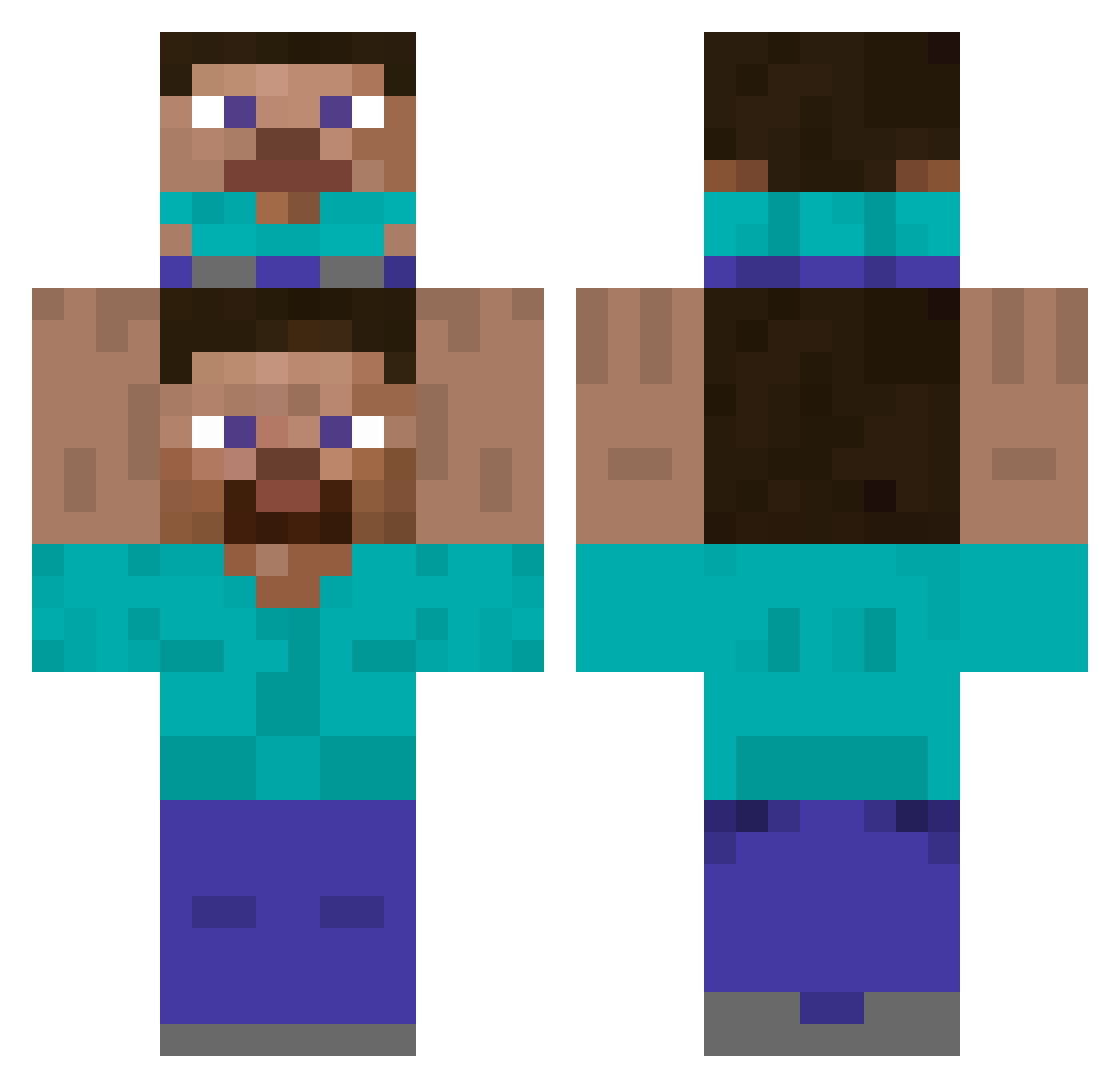
Current Minecraft skin of the player ohbaddog, loaded from the official Mojang API. Rotate the 3D model with your mouse or finger, then download the skin as a PNG file and use it in Minecraft: Bedrock Edition or Java Edition for free. When ohbaddog changes their skin, this page updates automatically and the old skin stays in the history below.
Other players with this skin (441)
ohbaddog was the 348th player we have seen with this skin, first spotted on 07.10.2026. The same skin was seen on these players. Open a nickname to see their current skin and skin history.
 wappers1 iLplum kiruchan JABCHAE28 milktoasttt Xhanga IndigentMars673 Aissur noma238 lambor999 HealthiestBoy Amawiw Th_Ms HaoLin_ Bruder_Jakob_ novanikoo JerryAttack alphamai1 nah088 T1tan_Gui zMaral ItIsItI guiguihello Nemesis8645 tennchaaan Karim_30 EVERCRAFTERO feetandbumlova GucciBear420 Taube_ mikurukurukuru IEvadeTaxes29 SlipperyUrodela Fayntek ReoCat zangerbas MickaLeMaudit kamil01390 yunsky200 PaprykP InkBoy5250 mym88 roblox7292 JaCeK_TNT SB_Balls SkiiLL07 Konbiini Nachoninxd Disgracedboy Articakes Spelleren PROBABA35 20011027_ naoki_1942 CHILLOUT_YT FouToN_Kou2Boul AAAAAAAAAAP xSw0qy BKeremK RabkaUhalla
How to install the ohbaddog skin
- Press the Download button above to save the skin as a PNG file.
- Minecraft: Bedrock Edition (PE): open the Dressing Room from the main menu (or tap your character → Edit Character), go to Classic Skins → Owned, press the + (new skin) button, choose the downloaded PNG and pick the Classic (Steve) model. Works on PC and mobile; consoles cannot import custom skins.
- Minecraft: Java Edition: open the Minecraft Launcher, go to the Skins tab, click New Skin, load the PNG, pick the Classic (Steve) model and press Save & Use. You can also upload it at minecraft.net → Profile → Change Skin.
The skin does not show up after import - what should I do?
Restart Minecraft and open the Dressing Room again - imported skins sometimes appear only after a restart. Also make sure you selected the imported skin and picked the Classic (Steve) model.
Which model should I choose, Classic or Slim?
This skin is designed for the Classic (Steve) model. If you pick the wrong model, the arms of the skin will look stretched or squeezed.
Is the skin of ohbaddog free to download?
Yes. Press Download, save the PNG file and use it in Minecraft: Bedrock Edition or Java Edition - no payment or registration needed. The skin also works on multiplayer servers and Realms.
More skins
Looking for more? Go back to all Minecraft skins and check the top skins of the week, month and all time, or find any player's skin by nickname.