
od9n - Minecraft Skins & Skin History
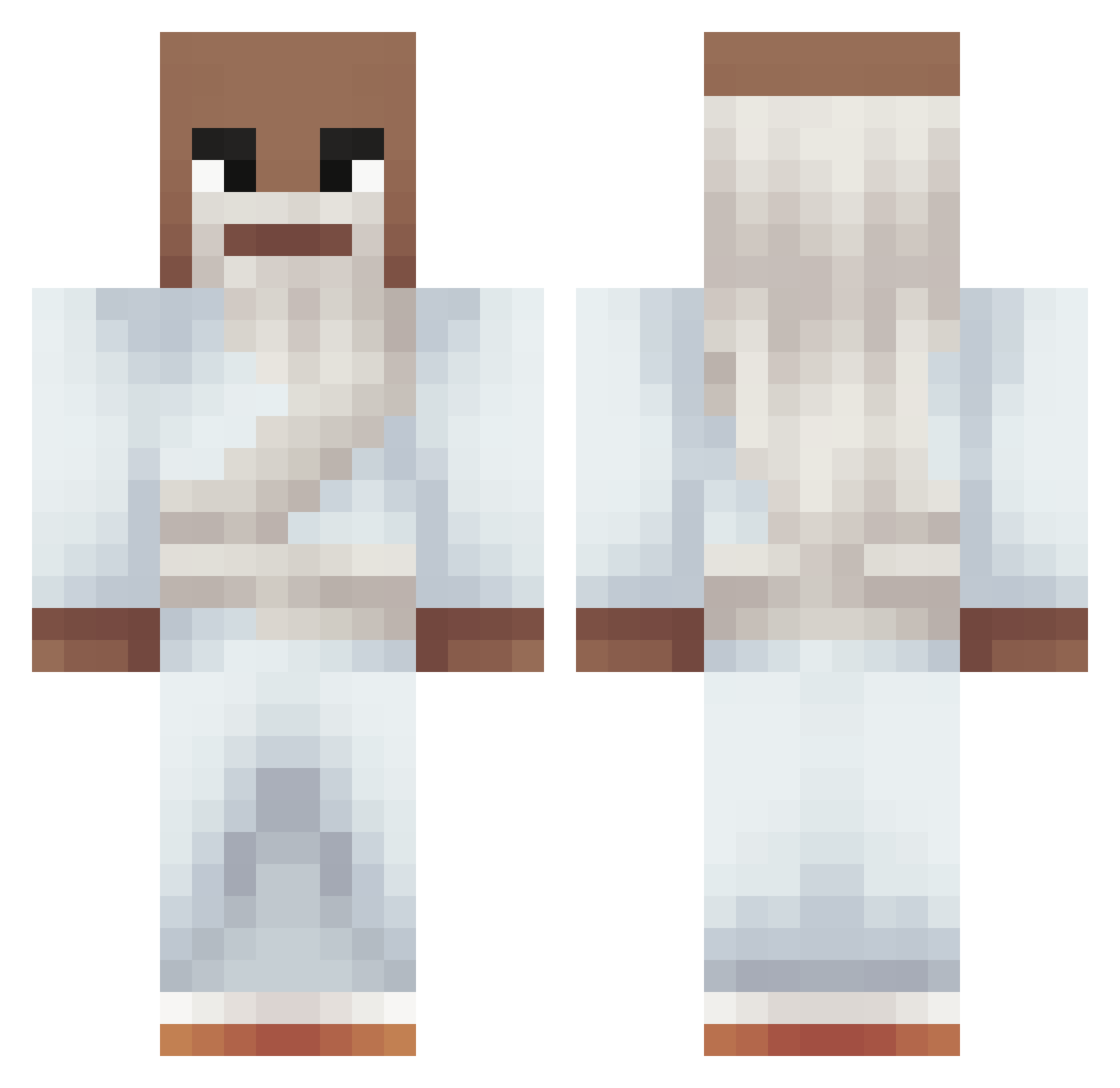
Current Minecraft skin of the player od9n, loaded from the official Mojang API. Rotate the 3D model with your mouse or finger, then download the skin as a PNG file and use it in Minecraft: Bedrock Edition or Java Edition for free. When od9n changes their skin, this page updates automatically and the old skin stays in the history below.
Other players with this skin (245)
od9n was the 151st player we have seen with this skin, first spotted on 28.09.2026. The same skin was seen on these players. Open a nickname to see their current skin and skin history.
 ZlowLyy sol712 Bluffy09 senyySV d0nk3h RaphaLeptic Darkoxir FelixNmecha Solyts Grautmo Biscuit126 BuxaCraft evan7718 DiegoFarias MR_Static247 zxqir PowerPover Moviiiiii ElFamosoLiamos Olligang7 ImVloc1Ty zinkzel AMMQ_ Kasia8987 Maldrella zzanellato_ WeirdUncleJoe m_rCow BedrokMaker 66hr kluddz Thijmun leodiams ICatified CatheNewGen Yohc Qwerkuuu Toastbrot8366 PugMuz10 4Fired soulcasterr Bunyamin1453 theozika Zen0x_exe lukascpu B2K45 Atazanado ega_zinho iqfa Baelx L0ngsh0t FARISIMP v7stary Aleekis migui7pimenta zabkapolska DAFERPA11 John2010W Millsss011 SmeshkoSS
More Prophet Minecraft skins
How to install the od9n skin
- Press the Download button above to save the skin as a PNG file.
- Minecraft: Bedrock Edition (PE): open the Dressing Room from the main menu (or tap your character → Edit Character), go to Classic Skins → Owned, press the + (new skin) button, choose the downloaded PNG and pick the Classic (Steve) model. Works on PC and mobile; consoles cannot import custom skins.
- Minecraft: Java Edition: open the Minecraft Launcher, go to the Skins tab, click New Skin, load the PNG, pick the Classic (Steve) model and press Save & Use. You can also upload it at minecraft.net → Profile → Change Skin.
The skin does not show up after import - what should I do?
Restart Minecraft and open the Dressing Room again - imported skins sometimes appear only after a restart. Also make sure you selected the imported skin and picked the Classic (Steve) model.
Which model should I choose, Classic or Slim?
This skin is designed for the Classic (Steve) model. If you pick the wrong model, the arms of the skin will look stretched or squeezed.
Is the skin of od9n free to download?
Yes. Press Download, save the PNG file and use it in Minecraft: Bedrock Edition or Java Edition - no payment or registration needed. The skin also works on multiplayer servers and Realms.
More skins
Looking for more? Go back to all Minecraft skins and check the top skins of the week, month and all time, or find any player's skin by nickname.