
o_Wild_Hog_x - Minecraft Skins & Skin History
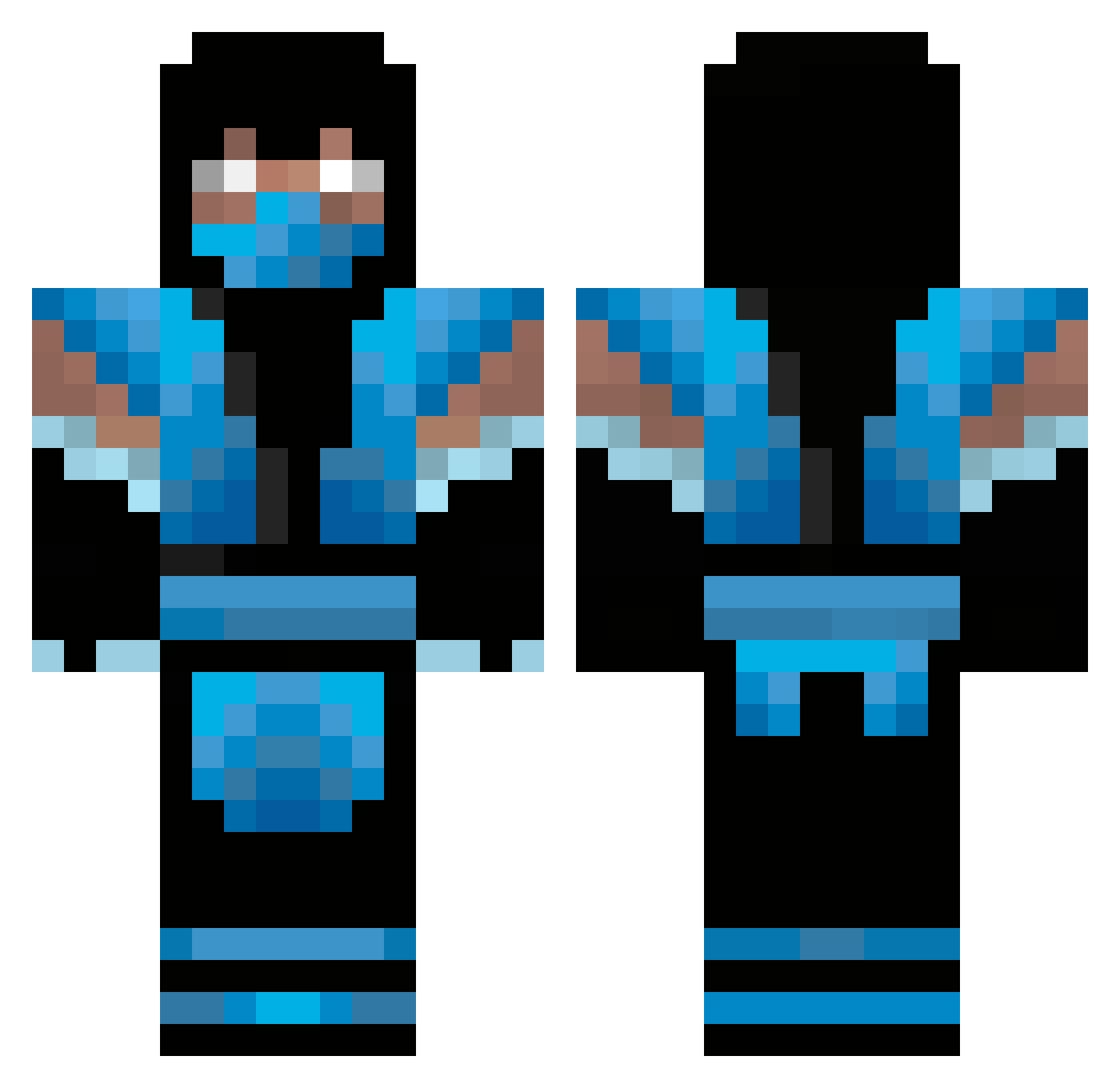
Current Minecraft skin of the player o_Wild_Hog_x, loaded from the official Mojang API. Rotate the 3D model with your mouse or finger, then download the skin as a PNG file and use it in Minecraft: Bedrock Edition or Java Edition for free. When o_Wild_Hog_x changes their skin, this page updates automatically and the old skin stays in the history below.
Other players with this skin (347)
o_Wild_Hog_x was the 216th player we have seen with this skin, first spotted on 25.09.2026. The same skin was seen on these players. Open a nickname to see their current skin and skin history.
 67767 BgBamBino mujulalou Rafaelhos chocolaterain234 DeathCreeper1204 tarturus21 Temporal_Wolf DemonTimeRex wabco1 CemAcarTR manevilus nacoya HambyPlaysGames cool_dood1 cordonier BigNastyOG DarkBishopsg parmer1 wooohooo69 JaceFel L3GITKILL3R bored5100 curlybrosif ReefWarrior0419 jesussida boxer4me nighthawk1938 ToughTaco06 bboy0414 Tacoinhalo117 zerohacker timzila JinxMan_69 lsoI diego2069 creepergreen26 jm_farrell m_brutus randomdom smearso Ice__Storm DzKhail vTev96 Speed273 Unbeatable_Force Ezzy_1142 TheFrostyLP Ashgrudge BovinePorcupine thelxd james1726354 uiu willyo0o kokosz133 zedhd92 aragorn1221 Kentin42_ jkimbo TheCheeeze
More Sub-Zero Minecraft skins
How to install the o_Wild_Hog_x skin
- Press the Download button above to save the skin as a PNG file.
- Minecraft: Bedrock Edition (PE): open the Dressing Room from the main menu (or tap your character → Edit Character), go to Classic Skins → Owned, press the + (new skin) button, choose the downloaded PNG and pick the Classic (Steve) model. Works on PC and mobile; consoles cannot import custom skins.
- Minecraft: Java Edition: open the Minecraft Launcher, go to the Skins tab, click New Skin, load the PNG, pick the Classic (Steve) model and press Save & Use. You can also upload it at minecraft.net → Profile → Change Skin.
The skin does not show up after import - what should I do?
Restart Minecraft and open the Dressing Room again - imported skins sometimes appear only after a restart. Also make sure you selected the imported skin and picked the Classic (Steve) model.
Which model should I choose, Classic or Slim?
This skin is designed for the Classic (Steve) model. If you pick the wrong model, the arms of the skin will look stretched or squeezed.
Is the skin of o_Wild_Hog_x free to download?
Yes. Press Download, save the PNG file and use it in Minecraft: Bedrock Edition or Java Edition - no payment or registration needed. The skin also works on multiplayer servers and Realms.
More skins
Looking for more? Go back to all Minecraft skins and check the top skins of the week, month and all time, or find any player's skin by nickname.