
nutpro - Minecraft Skins & Skin History
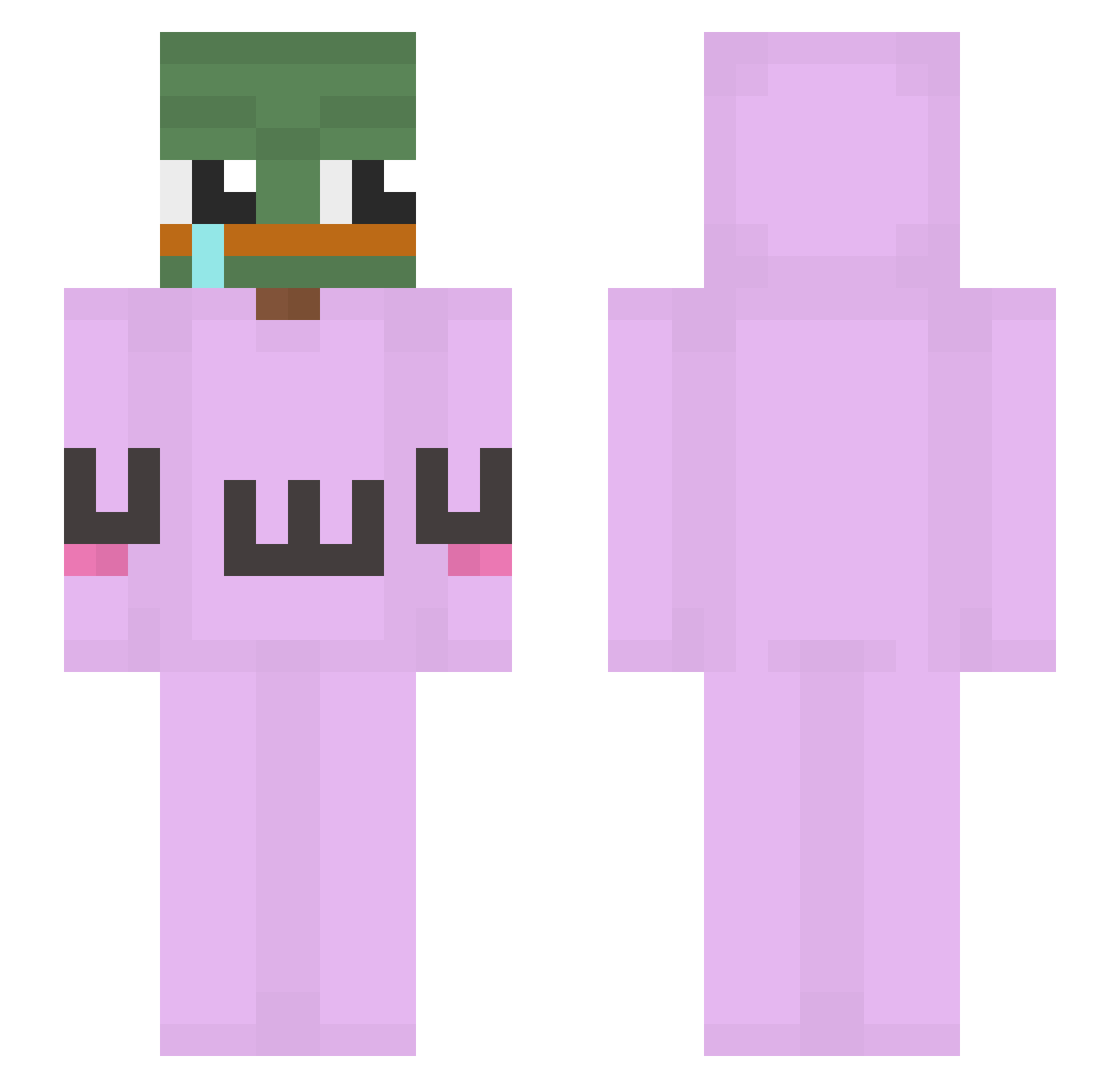
Current Minecraft skin of the player nutpro, loaded from the official Mojang API. Rotate the 3D model with your mouse or finger, then download the skin as a PNG file and use it in Minecraft: Bedrock Edition or Java Edition for free. When nutpro changes their skin, this page updates automatically and the old skin stays in the history below.
Other players with this skin (237)
nutpro was the 33rd player we have seen with this skin, first spotted on 13.08.2026. The same skin was seen on these players. Open a nickname to see their current skin and skin history.
 FI0NDECHIEN kimcert muddahello KoMMeHTaToR Pururu511 Insu_Choi Rhinosaurs Chop_Ssal jfuilo Sttatik xVivi3x dalogny bhopscripte justin9144 SadButCute yara200824 TyeBrah morphine43 bigdog749 SamTungOwO SeokJuu Adreedle xMeRk_YT Free4All TopHonk811 ZardAx3 Goni22 ElPapiRose IceColde124 Monkey_d_lufyy knight0ninja sexyjinwoo FlickShoy Alvarosiuu Malc69 SqueezyLizzy KingAimoose nununu0110 Cel3 Bueeen maefish hoosterino yoloago fidelkim Sternschreier LiXennn Duckmansomething Kitokan Zimpelll BadAssZombie69 xiao0106 DylanLigma GGMARUDER123 Demonixoxo Mcdarina OwO_Steve Pro_facerPT VVitold Oldman777 LoveYuanshen_
More Uwu Minecraft skins
How to install the nutpro skin
- Press the Download button above to save the skin as a PNG file.
- Minecraft: Bedrock Edition (PE): open the Dressing Room from the main menu (or tap your character → Edit Character), go to Classic Skins → Owned, press the + (new skin) button, choose the downloaded PNG and pick the Slim (Alex) model. Works on PC and mobile; consoles cannot import custom skins.
- Minecraft: Java Edition: open the Minecraft Launcher, go to the Skins tab, click New Skin, load the PNG, pick the Slim (Alex) model and press Save & Use. You can also upload it at minecraft.net → Profile → Change Skin.
The skin does not show up after import - what should I do?
Restart Minecraft and open the Dressing Room again - imported skins sometimes appear only after a restart. Also make sure you selected the imported skin and picked the Slim (Alex) model.
Which model should I choose, Classic or Slim?
This skin is designed for the Slim (Alex) model. If you pick the wrong model, the arms of the skin will look stretched or squeezed.
Is the skin of nutpro free to download?
Yes. Press Download, save the PNG file and use it in Minecraft: Bedrock Edition or Java Edition - no payment or registration needed. The skin also works on multiplayer servers and Realms.
More skins
Looking for more? Go back to all Minecraft skins and check the top skins of the week, month and all time, or find any player's skin by nickname.