
nunoloveskirk - Minecraft Skins & Skin History
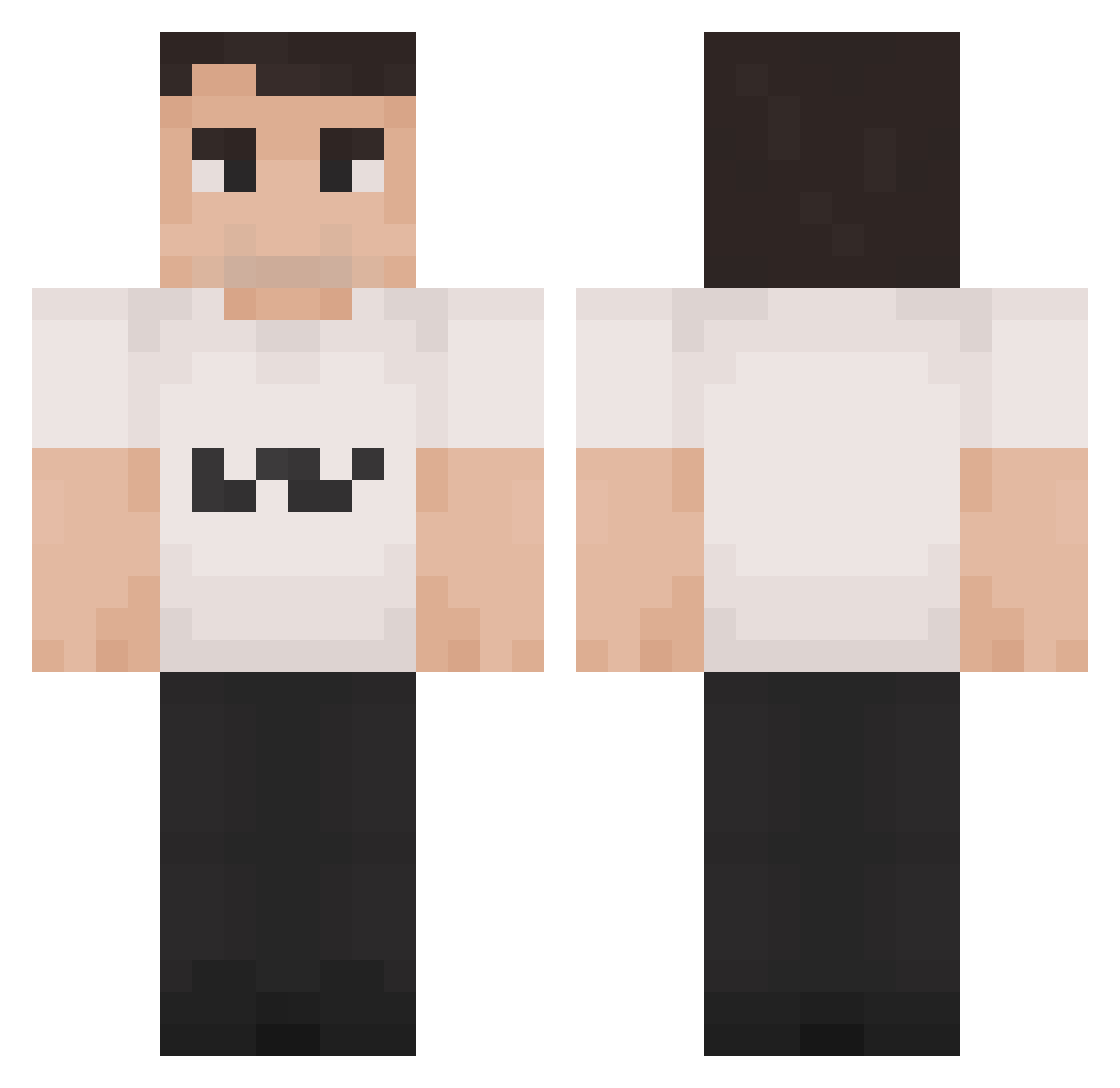
Current Minecraft skin of the player nunoloveskirk, loaded from the official Mojang API. Rotate the 3D model with your mouse or finger, then download the skin as a PNG file and use it in Minecraft: Bedrock Edition or Java Edition for free. When nunoloveskirk changes their skin, this page updates automatically and the old skin stays in the history below.
Other players with this skin (125)
nunoloveskirk was the 72nd player we have seen with this skin, first spotted on 01.10.2026. The same skin was seen on these players. Open a nickname to see their current skin and skin history.
 BigPP_MMaietta7 JewishJakob Trolly_DN WarrenBigToes RPM1134 ArmpitNegum Charlx2006 Titapoto misanthropev LuckyCIutch 3StabilaCM 1xar BrysonPlayz16 tooompie Bonguloj osc_ii Caluminous64 THELESBEAN delfinoesplosivo Alperen96 JuulHunter Malone78 Ilger rewtyui2000 c3ci tbu_ Cheris11 Chirpsss llamawarrior09 witimai precxxz methkits Redbradda AngelRauda femboybu55yl0ver SuperDuck9914 slippydipp ZabujczaMewa 1sl0w_ BLU_TARDLE ANT_28 Xyon_heh vamp_yre Zyrrox32 shoebob Lizardgame08 MinatoofPhoenix PeeHeff Hautna quargg Tyddas yanbr1 IBuyFriends MrStinkyMcSt1nk Denied60 Jabalster Markmyway Leopold2336 Moyiii14 gewoon_Emil
How to install the nunoloveskirk skin
- Press the Download button above to save the skin as a PNG file.
- Minecraft: Bedrock Edition (PE): open the Dressing Room from the main menu (or tap your character → Edit Character), go to Classic Skins → Owned, press the + (new skin) button, choose the downloaded PNG and pick the Classic (Steve) model. Works on PC and mobile; consoles cannot import custom skins.
- Minecraft: Java Edition: open the Minecraft Launcher, go to the Skins tab, click New Skin, load the PNG, pick the Classic (Steve) model and press Save & Use. You can also upload it at minecraft.net → Profile → Change Skin.
The skin does not show up after import - what should I do?
Restart Minecraft and open the Dressing Room again - imported skins sometimes appear only after a restart. Also make sure you selected the imported skin and picked the Classic (Steve) model.
Which model should I choose, Classic or Slim?
This skin is designed for the Classic (Steve) model. If you pick the wrong model, the arms of the skin will look stretched or squeezed.
Is the skin of nunoloveskirk free to download?
Yes. Press Download, save the PNG file and use it in Minecraft: Bedrock Edition or Java Edition - no payment or registration needed. The skin also works on multiplayer servers and Realms.
More skins
Looking for more? Go back to all Minecraft skins and check the top skins of the week, month and all time, or find any player's skin by nickname.