
ntter - Minecraft Skins & Skin History
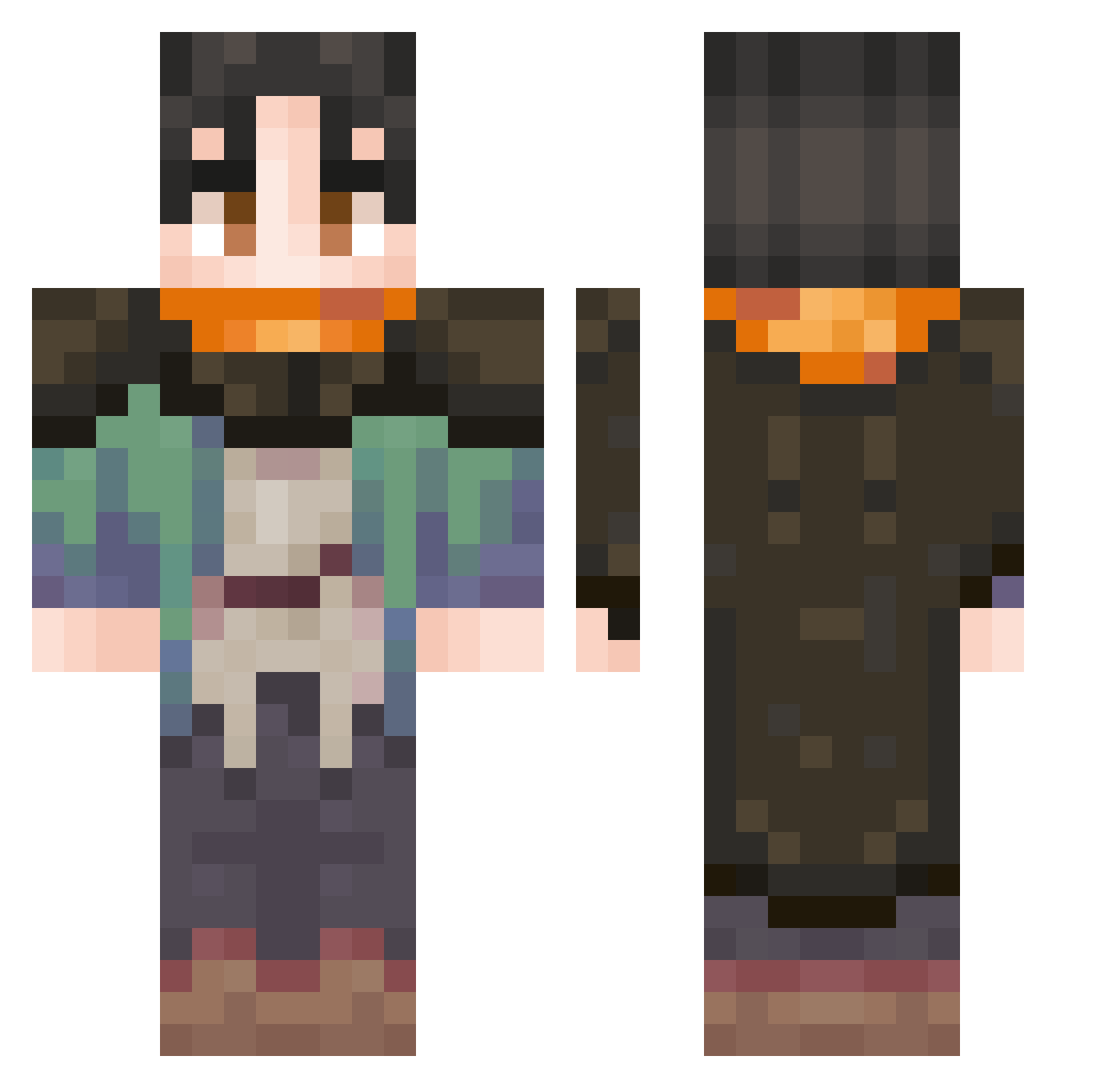
Current Minecraft skin of the player ntter, loaded from the official Mojang API. Rotate the 3D model with your mouse or finger, then download the skin as a PNG file and use it in Minecraft: Bedrock Edition or Java Edition for free. When ntter changes their skin, this page updates automatically and the old skin stays in the history below.
Other players with this skin (82)
ntter was the 31st player we have seen with this skin, first spotted on 10.09.2026. The same skin was seen on these players. Open a nickname to see their current skin and skin history.
 Keeperisnotbest
 Uwrl _NovaCO Yonde_ Vulkayno789 speshify WhittE727 UWU0507 qop15 JieDeng Sadanico zeedone CocoCookie25 gabogodes Finno_m Not_Andrewww Gaufffre DOMMEEZ Stanley571 okelm123 bnbagtu
 pinkish27 Killerbox657 REDA1122 Ms_Hops Kawas3 dud3wz Rosstakovich AppleyCorn otsaberrant waterwaffles32 d4wix0
 EpicSkull2k Ducks199 JamieJuice03 echeese62 SuburuISuppose Woaddle mrdom1 999DEADMAN999 1ZIA1 ExoticBat KOBYTRYIT ArciaMoment AleCri1408 Reinthen flaregarchomp BenInTN Aexyl Ky_r0 xYoch_ RedDragonslayer5 Depru Flabyan mariixox __Flyers__ nielubieszkoly BANANA_DOPPIO_28 gg72 VolcanicPhoenix
Previous skins of ntter
Skins that ntter wore before, newest first. Click a skin to open its page and download it.
More Cloak Minecraft skins
How to install the ntter skin
- Press the Download button above to save the skin as a PNG file.
- Minecraft: Bedrock Edition (PE): open the Dressing Room from the main menu (or tap your character → Edit Character), go to Classic Skins → Owned, press the + (new skin) button, choose the downloaded PNG and pick the Classic (Steve) model. Works on PC and mobile; consoles cannot import custom skins.
- Minecraft: Java Edition: open the Minecraft Launcher, go to the Skins tab, click New Skin, load the PNG, pick the Classic (Steve) model and press Save & Use. You can also upload it at minecraft.net → Profile → Change Skin.
The skin does not show up after import - what should I do?
Restart Minecraft and open the Dressing Room again - imported skins sometimes appear only after a restart. Also make sure you selected the imported skin and picked the Classic (Steve) model.
Which model should I choose, Classic or Slim?
This skin is designed for the Classic (Steve) model. If you pick the wrong model, the arms of the skin will look stretched or squeezed.
Is the skin of ntter free to download?
Yes. Press Download, save the PNG file and use it in Minecraft: Bedrock Edition or Java Edition - no payment or registration needed. The skin also works on multiplayer servers and Realms.
More skins
Looking for more? Go back to all Minecraft skins and check the top skins of the week, month and all time, or find any player's skin by nickname.