
norpie - Minecraft Skins & Skin History
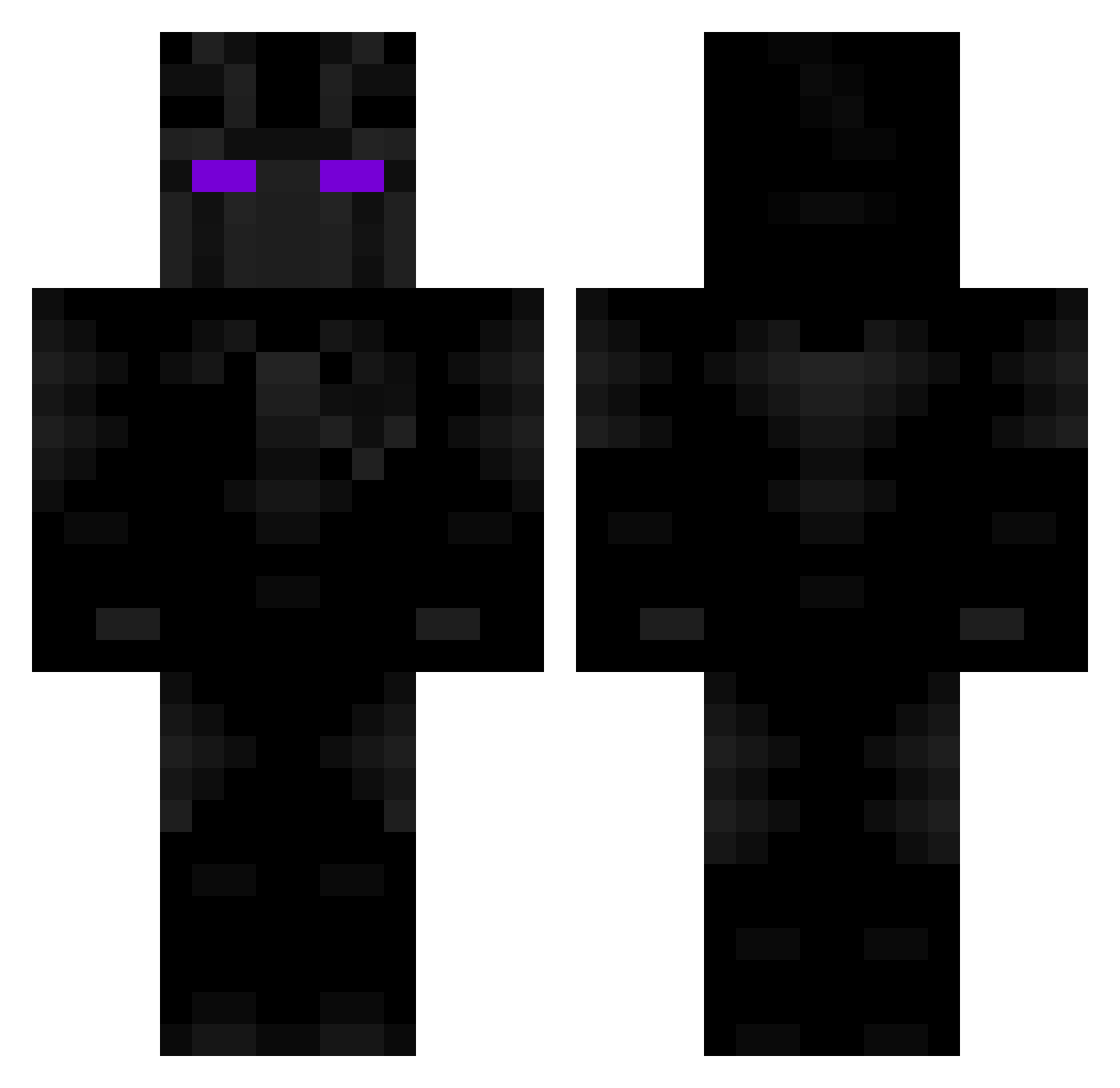
Current Minecraft skin of the player norpie, loaded from the official Mojang API. Rotate the 3D model with your mouse or finger, then download the skin as a PNG file and use it in Minecraft: Bedrock Edition or Java Edition for free. When norpie changes their skin, this page updates automatically and the old skin stays in the history below.
Other players with this skin (109)
norpie was the 27th player we have seen with this skin, first spotted on 15.08.2026. The same skin was seen on these players. Open a nickname to see their current skin and skin history.
 Jck773 MaksikYT 4maze_ NvguseK Saito_Pheos Whanlamun Segway sebarchu yusufbcoskun
 Almmys TurboDown W_KinderFinder ActionMen NinjaMom Czersko LGH0801 java393 Gaaaaaab XavierL7X Baboo74 ZodiackVI Ayeeztoan _xLiqht KQFS steppaaa D3lt4_G4m3 Arcion007 Josetwo StockyLocky Empr1e Sir_Barbosa jonas_dk1709 Guinur EltonJohn75 Leviathan7577 Knejf JarDH Sodkii Frights Deaddriller zlDemon_ StrandedOwl GodTaki Utazet123 AfriAzka EstebanFrags yin_cang Spookiiiiii TerryGJohnson420 marcus_is_noob Federkoo InhaleAlphaNuts Eyetravi Lakyman_ Dark_SoldierCR01 fedurban AstolfoLmao 4TPowerr WellMallard2753 koko11gu
More Black Panther Minecraft skins
See all 339 Black Panther skins
How to install the norpie skin
- Press the Download button above to save the skin as a PNG file.
- Minecraft: Bedrock Edition (PE): open the Dressing Room from the main menu (or tap your character → Edit Character), go to Classic Skins → Owned, press the + (new skin) button, choose the downloaded PNG and pick the Classic (Steve) model. Works on PC and mobile; consoles cannot import custom skins.
- Minecraft: Java Edition: open the Minecraft Launcher, go to the Skins tab, click New Skin, load the PNG, pick the Classic (Steve) model and press Save & Use. You can also upload it at minecraft.net → Profile → Change Skin.
The skin does not show up after import - what should I do?
Restart Minecraft and open the Dressing Room again - imported skins sometimes appear only after a restart. Also make sure you selected the imported skin and picked the Classic (Steve) model.
Which model should I choose, Classic or Slim?
This skin is designed for the Classic (Steve) model. If you pick the wrong model, the arms of the skin will look stretched or squeezed.
Is the skin of norpie free to download?
Yes. Press Download, save the PNG file and use it in Minecraft: Bedrock Edition or Java Edition - no payment or registration needed. The skin also works on multiplayer servers and Realms.
More skins
Looking for more? Go back to all Minecraft skins and check the top skins of the week, month and all time, or find any player's skin by nickname.