
noospace - Minecraft Skins & Skin History
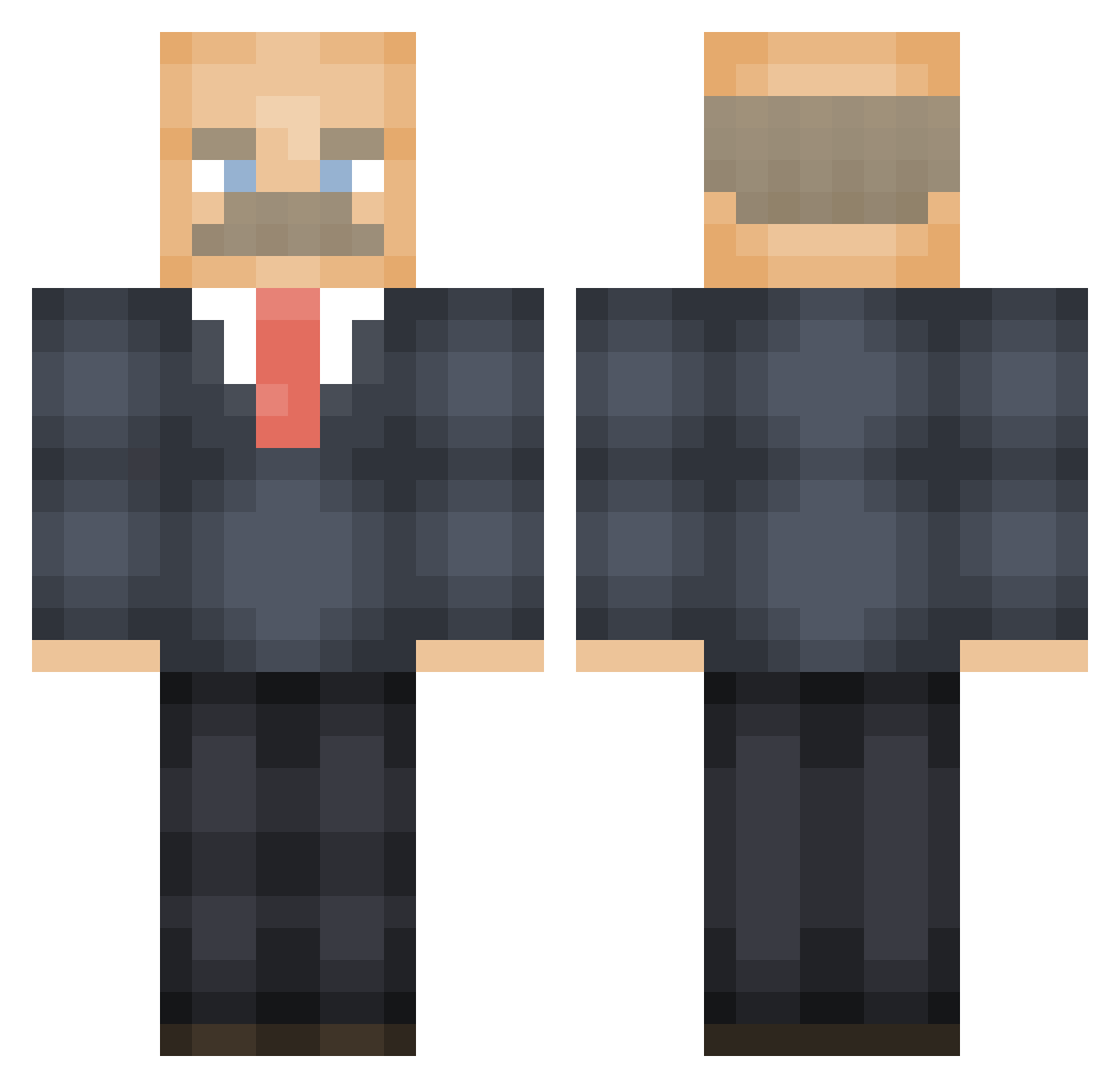
Current Minecraft skin of the player noospace, loaded from the official Mojang API. Rotate the 3D model with your mouse or finger, then download the skin as a PNG file and use it in Minecraft: Bedrock Edition or Java Edition for free. When noospace changes their skin, this page updates automatically and the old skin stays in the history below.
Other players with this skin (474)
noospace was the 356th player we have seen with this skin, first spotted on 06.10.2026. The same skin was seen on these players. Open a nickname to see their current skin and skin history.
 TaterMouse101 _lello_ OfficialDuckk NightKnight_15 Dr_Phil__ kissmyanthia PulseEye possiblycarly stchy Dyflexus Simon1205 Iz4ya SlimOvO rahbui Gut00x thefartknocker 13laser kcwin19 Charon05 RayRayBudokai WickedDoc DoktorKreeper ImoutoLoli Carloskol1 akindperson PrimalCards LeB_ SmokieMcPot BIGGAE1 iamspoooc Caddisth PutraimS BigBadGaNgStA Coldoldman todomodo wanderbro MunsterCok HebionTheWizard liusboi iXH6 Eryops501 Radiotaba Jakemarsh6 Jack_Tickle Stickybricks MarvoMan420 Kiisci IkeGlassConk Okkeynes livpro Frostyfrapp _E_m_i_l_y_ premier9999 DylanIsChillinn maccam912 DarthSidious97 miner91 jubeedoo RapyCat Dani1445
More Vladimir Lenin Minecraft skins
See all 38 Vladimir Lenin skins
How to install the noospace skin
- Press the Download button above to save the skin as a PNG file.
- Minecraft: Bedrock Edition (PE): open the Dressing Room from the main menu (or tap your character → Edit Character), go to Classic Skins → Owned, press the + (new skin) button, choose the downloaded PNG and pick the Classic (Steve) model. Works on PC and mobile; consoles cannot import custom skins.
- Minecraft: Java Edition: open the Minecraft Launcher, go to the Skins tab, click New Skin, load the PNG, pick the Classic (Steve) model and press Save & Use. You can also upload it at minecraft.net → Profile → Change Skin.
The skin does not show up after import - what should I do?
Restart Minecraft and open the Dressing Room again - imported skins sometimes appear only after a restart. Also make sure you selected the imported skin and picked the Classic (Steve) model.
Which model should I choose, Classic or Slim?
This skin is designed for the Classic (Steve) model. If you pick the wrong model, the arms of the skin will look stretched or squeezed.
Is the skin of noospace free to download?
Yes. Press Download, save the PNG file and use it in Minecraft: Bedrock Edition or Java Edition - no payment or registration needed. The skin also works on multiplayer servers and Realms.
More skins
Looking for more? Go back to all Minecraft skins and check the top skins of the week, month and all time, or find any player's skin by nickname.