
nomix12 - Minecraft Skins & Skin History
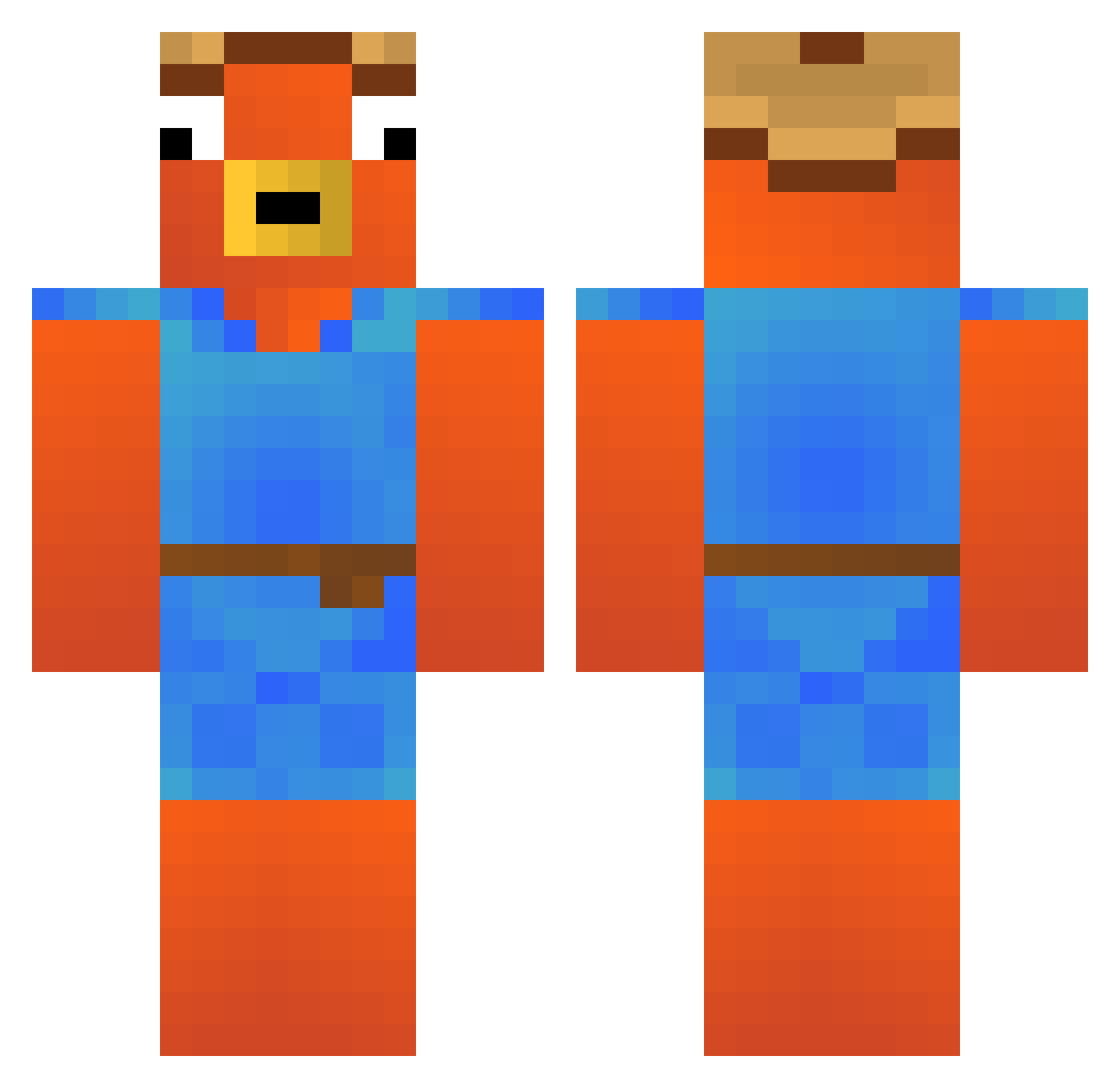
Current Minecraft skin of the player nomix12, loaded from the official Mojang API. Rotate the 3D model with your mouse or finger, then download the skin as a PNG file and use it in Minecraft: Bedrock Edition or Java Edition for free. When nomix12 changes their skin, this page updates automatically and the old skin stays in the history below.
Other players with this skin (256)
nomix12 was the 24th player we have seen with this skin, first spotted on 01.08.2026. The same skin was seen on these players. Open a nickname to see their current skin and skin history.
 KaitoZx OTcrex _DaMu MacaicodelNose XxtrymexX__ hitslikethorpvp dada_mrst Petka15 MrLori2704 Sinisterbear Lisandro216xd twixerbot M1CKEEY7 Nick041203 smasherjonesy Riley_124 DirtDigga420 Evan274 DanielBR2008 SirEdenElrod Nesxox leon_ay7 zZFabioZz Mariposo123 Arbenzo FiraZiks GameOverDad77 Basti346 D1rtyD1eter xDefaultz Bubinator1875 SADENTITY303 Berlindabest LeVignal Rudri Ander007 Erix22 LeSteuermann Keglya33 DRAKE02 djjxmae FutAbax Kordidentt Voskyy67 lilgooberino Fynni07 Ebi0114 yogurt1234567 LordFish2165 PopiRazvi Dawkam1342
 lavel321 nilslecrack sena0911 Michael5454 _Layzo_
 maiconwr mogzera13241 REQU1016 AiRwAnYT
More Fishstick Minecraft skins
How to install the nomix12 skin
- Press the Download button above to save the skin as a PNG file.
- Minecraft: Bedrock Edition (PE): open the Dressing Room from the main menu (or tap your character → Edit Character), go to Classic Skins → Owned, press the + (new skin) button, choose the downloaded PNG and pick the Classic (Steve) model. Works on PC and mobile; consoles cannot import custom skins.
- Minecraft: Java Edition: open the Minecraft Launcher, go to the Skins tab, click New Skin, load the PNG, pick the Classic (Steve) model and press Save & Use. You can also upload it at minecraft.net → Profile → Change Skin.
The skin does not show up after import - what should I do?
Restart Minecraft and open the Dressing Room again - imported skins sometimes appear only after a restart. Also make sure you selected the imported skin and picked the Classic (Steve) model.
Which model should I choose, Classic or Slim?
This skin is designed for the Classic (Steve) model. If you pick the wrong model, the arms of the skin will look stretched or squeezed.
Is the skin of nomix12 free to download?
Yes. Press Download, save the PNG file and use it in Minecraft: Bedrock Edition or Java Edition - no payment or registration needed. The skin also works on multiplayer servers and Realms.
More skins
Looking for more? Go back to all Minecraft skins and check the top skins of the week, month and all time, or find any player's skin by nickname.