
noelwandelee11 - Minecraft Skins & Skin History
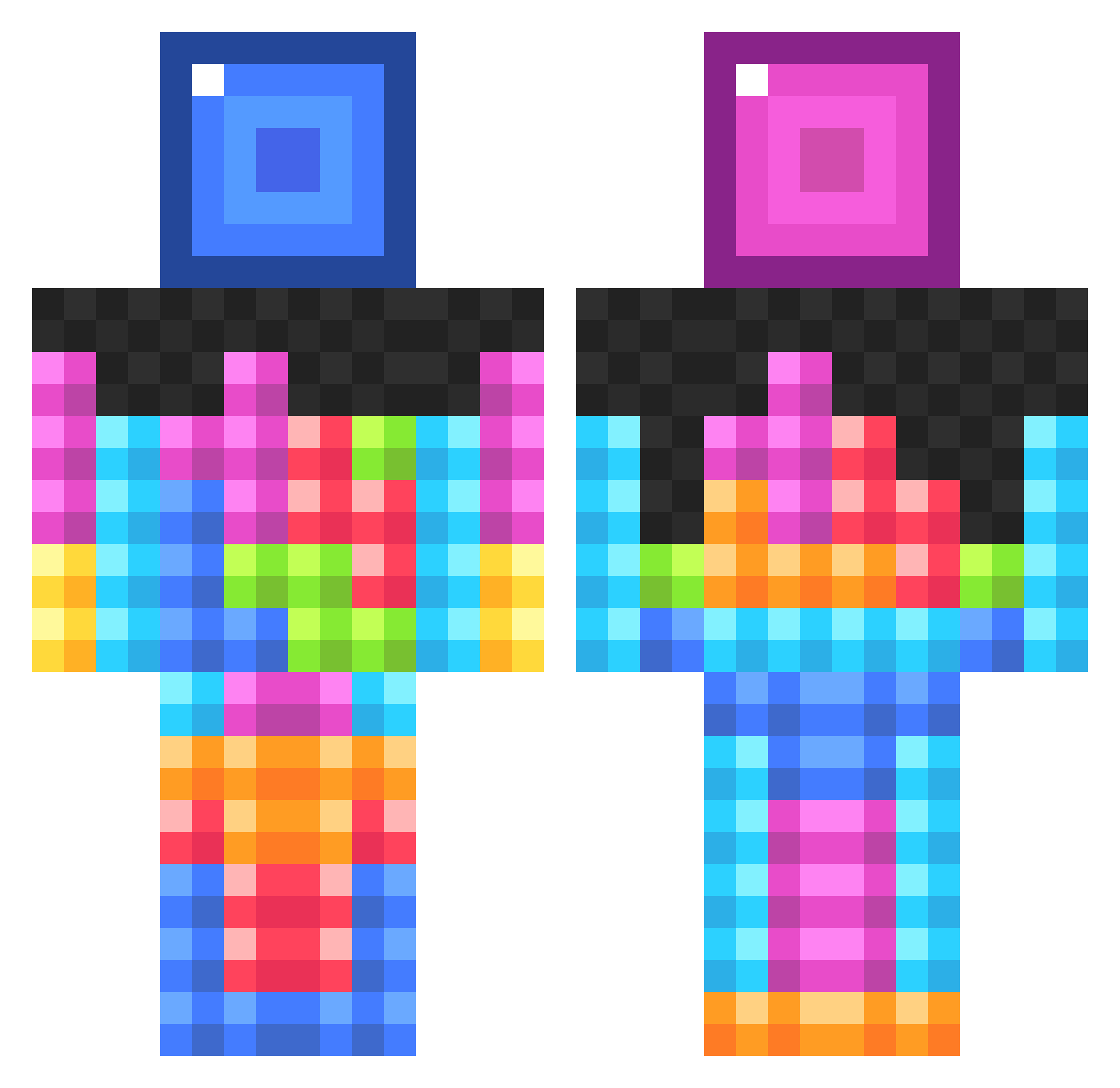
Current Minecraft skin of the player noelwandelee11, loaded from the official Mojang API. Rotate the 3D model with your mouse or finger, then download the skin as a PNG file and use it in Minecraft: Bedrock Edition or Java Edition for free. When noelwandelee11 changes their skin, this page updates automatically and the old skin stays in the history below.
Other players with this skin (834)
noelwandelee11 was the 527th player we have seen with this skin, first spotted on 01.10.2026. The same skin was seen on these players. Open a nickname to see their current skin and skin history.
 mariusbw SR_77 Buginmyeye Ritchie_G kidsclark Pumukell Mikedpcrafter xalereyx gsamad123 twomineze MicaNex theneonaj ironfistbros XxMcNuggetsxX nightmartin HyperFusionX Ben_Jam_In99 sun_burst Univrse LittlePeanut181 epicalcow zeonic Freddles X_MR_X kass0424 Senkage93 _MiDaNo_ angrygoldfish14 Twillies PROTOTYP369 Theo_Lacko MasterTL123 smlogsdon yonathan_23 nato2005 anguloaguadillo Ellestir Doublesquid NEWprofileN4ME pgootsan stlkrr cademyles nutcake345 supersavanah Xenixy DoseHaxDoe mandy300 DBarrnet GunTop SPPangeBab creeper_slayer5 aimbooob Larminius tommyhowe jtl31 Shaunpaul23 NormalGamer5000 Fitzgeraldman MML129 KyleDaBoss7788
More Tetris Minecraft skins
How to install the noelwandelee11 skin
- Press the Download button above to save the skin as a PNG file.
- Minecraft: Bedrock Edition (PE): open the Dressing Room from the main menu (or tap your character → Edit Character), go to Classic Skins → Owned, press the + (new skin) button, choose the downloaded PNG and pick the Classic (Steve) model. Works on PC and mobile; consoles cannot import custom skins.
- Minecraft: Java Edition: open the Minecraft Launcher, go to the Skins tab, click New Skin, load the PNG, pick the Classic (Steve) model and press Save & Use. You can also upload it at minecraft.net → Profile → Change Skin.
The skin does not show up after import - what should I do?
Restart Minecraft and open the Dressing Room again - imported skins sometimes appear only after a restart. Also make sure you selected the imported skin and picked the Classic (Steve) model.
Which model should I choose, Classic or Slim?
This skin is designed for the Classic (Steve) model. If you pick the wrong model, the arms of the skin will look stretched or squeezed.
Is the skin of noelwandelee11 free to download?
Yes. Press Download, save the PNG file and use it in Minecraft: Bedrock Edition or Java Edition - no payment or registration needed. The skin also works on multiplayer servers and Realms.
More skins
Looking for more? Go back to all Minecraft skins and check the top skins of the week, month and all time, or find any player's skin by nickname.