
no_shenshi - Minecraft Skins & Skin History
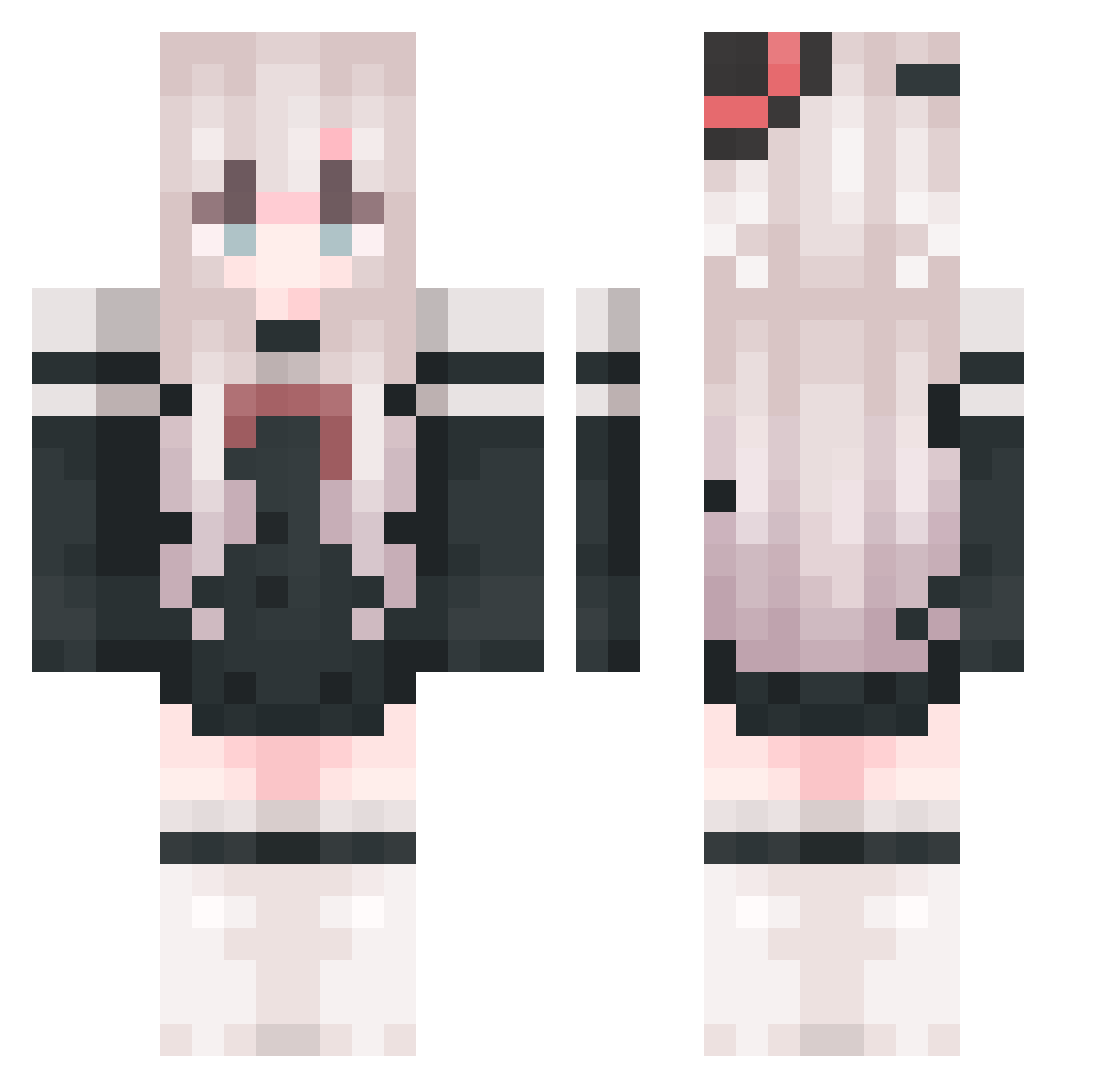
Current Minecraft skin of the player no_shenshi, loaded from the official Mojang API. Rotate the 3D model with your mouse or finger, then download the skin as a PNG file and use it in Minecraft: Bedrock Edition or Java Edition for free. When no_shenshi changes their skin, this page updates automatically and the old skin stays in the history below.
Other players with this skin (765)
no_shenshi was the 438th player we have seen with this skin, first spotted on 10.09.2026. The same skin was seen on these players. Open a nickname to see their current skin and skin history.
 Einzsyn lufei_sBy8u_0130 Hm_Life Memory_Kitty Yleina QUINN0520 _Augenstern Roderick_wa Eternal_Sakura_ handsome_wang A4B777 dfxtz1 VLilyV MBSheep Xin_ci Ultra_Yy super_Stroh XMo_Mo ggargantuaa Ling_Aa01 Rizerote TaoYao__ovo KYl1n_ blqp DMDking666 YukiZhou htk123 wuyima QUQ_WAW meng5221 CyroSakura_Lyn Yachio_Ne a_SkLWbJBICJd304 Echo16250 WuMing258 marceloth jyb_chinahonke shadou258 shiroi_kasa GKRSJamie Electronic_Neko kgao11 FallAmber HoshinoGenki SodiumCarbonate0 080FISH SixtyGuYue EcAY16 Cheng_shu Zimsama nnxt Seanlong xxxcczz OguraYu1 We1YiFan DespairPo MishiroFeng You__Xia Breeze_caresses Whitetrue
More Top Hat Minecraft skins
How to install the no_shenshi skin
- Press the Download button above to save the skin as a PNG file.
- Minecraft: Bedrock Edition (PE): open the Dressing Room from the main menu (or tap your character → Edit Character), go to Classic Skins → Owned, press the + (new skin) button, choose the downloaded PNG and pick the Classic (Steve) model. Works on PC and mobile; consoles cannot import custom skins.
- Minecraft: Java Edition: open the Minecraft Launcher, go to the Skins tab, click New Skin, load the PNG, pick the Classic (Steve) model and press Save & Use. You can also upload it at minecraft.net → Profile → Change Skin.
The skin does not show up after import - what should I do?
Restart Minecraft and open the Dressing Room again - imported skins sometimes appear only after a restart. Also make sure you selected the imported skin and picked the Classic (Steve) model.
Which model should I choose, Classic or Slim?
This skin is designed for the Classic (Steve) model. If you pick the wrong model, the arms of the skin will look stretched or squeezed.
Is the skin of no_shenshi free to download?
Yes. Press Download, save the PNG file and use it in Minecraft: Bedrock Edition or Java Edition - no payment or registration needed. The skin also works on multiplayer servers and Realms.
More skins
Looking for more? Go back to all Minecraft skins and check the top skins of the week, month and all time, or find any player's skin by nickname.