
nirukote - Minecraft Skins & Skin History
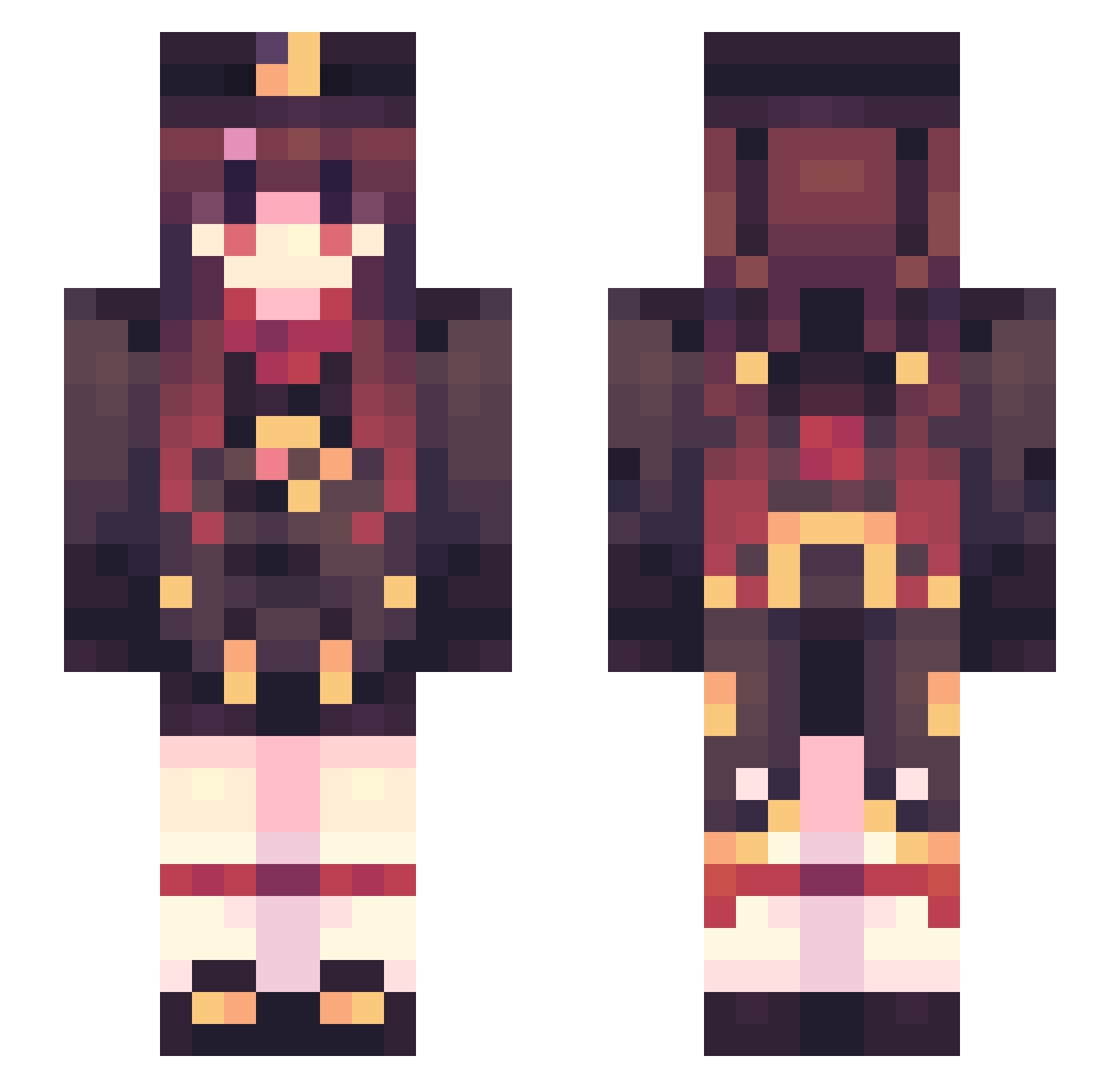
Current Minecraft skin of the player nirukote, loaded from the official Mojang API. Rotate the 3D model with your mouse or finger, then download the skin as a PNG file and use it in Minecraft: Bedrock Edition or Java Edition for free. When nirukote changes their skin, this page updates automatically and the old skin stays in the history below.
Other players with this skin (594)
nirukote was the 373rd player we have seen with this skin, first spotted on 09.10.2026. The same skin was seen on these players. Open a nickname to see their current skin and skin history.
 DExcalibur86 nlndi shuijiuA senllon L14GS Senazuwu ujwj FirstQueen BUG__MAKER mingfeimeichibao Shiyue_QAQ kedao7 KatoHui Nanchen123 Minstrel_s lf_pSqFm_04_26 spyspyin PurpleRosess qzB_6F Laimingqi YoloLT 50j_o_ chunzhi BoberZalter zhangshuainb666 uuhgh unnamed_crafter Yue_M Nyx_0_0_ Carnelian774 Joesan67205 Nxcolor InkfellGlazer du_lan kebaiha cupnoodle0821 ___Shiro Mtaro1127 MilkyWayTries sfarnir zombiekate hachikouu v3Dguy1v towa1323 Time_Paradox mary_mary13 cys3Tih Bleizertropa mil_koi lxy37 DahuShawu ZoykaiZer yiiaa Mr_doggy_ setsume_ Mearuk PaperK03 Tabbabb KlBlast ws37201
More Hu Tao Minecraft skins
How to install the nirukote skin
- Press the Download button above to save the skin as a PNG file.
- Minecraft: Bedrock Edition (PE): open the Dressing Room from the main menu (or tap your character → Edit Character), go to Classic Skins → Owned, press the + (new skin) button, choose the downloaded PNG and pick the Slim (Alex) model. Works on PC and mobile; consoles cannot import custom skins.
- Minecraft: Java Edition: open the Minecraft Launcher, go to the Skins tab, click New Skin, load the PNG, pick the Slim (Alex) model and press Save & Use. You can also upload it at minecraft.net → Profile → Change Skin.
The skin does not show up after import - what should I do?
Restart Minecraft and open the Dressing Room again - imported skins sometimes appear only after a restart. Also make sure you selected the imported skin and picked the Slim (Alex) model.
Which model should I choose, Classic or Slim?
This skin is designed for the Slim (Alex) model. If you pick the wrong model, the arms of the skin will look stretched or squeezed.
Is the skin of nirukote free to download?
Yes. Press Download, save the PNG file and use it in Minecraft: Bedrock Edition or Java Edition - no payment or registration needed. The skin also works on multiplayer servers and Realms.
More skins
Looking for more? Go back to all Minecraft skins and check the top skins of the week, month and all time, or find any player's skin by nickname.